

Key Takeaways
- Age tech adoption among adults 50 and older has surged over 70% since 2020, making now the best time to invest in devices designed for independent living.
- Smart fall detection, medication reminders, and voice-activated assistants are no longer luxuries — they're practical tools that can delay or prevent the need for assisted living.
- The best age tech devices work quietly in the background, require minimal technical skill, and genuinely reduce caregiver stress.
- Online safety tools belong on this list too, since older adults lose an estimated $3.4 billion annually to digital scams according to the FBI's 2023 Internet Crime Report.
Why Age Tech Is Having Its Biggest Moment Yet
The past two years have seen an explosion of gadgets designed for adults over 50 — a market responding to an enormous demographic shift. According to AARP’s 2024 Tech Trends report, technology adoption among adults 50-plus has surged by over 70% since 2020, with smart home devices and health wearables leading the charge.
A persistent gap exists between interest and action. You may want to age in place — about 90% of older Americans say they prefer to stay in their own homes as they get older — but many don’t realize how far age tech devices have come. These aren’t clunky medical gadgets from a decade ago. The best ones blend into your daily life so seamlessly you barely notice them working.
The landscape of consumer technology for aging adults has never been more promising. Below are seven age tech devices and categories that genuinely help older adults live safely, confidently, and independently at home in 2025. Each recommendation is based on hands-on testing, manufacturer interviews, and real-world feedback from readers who’ve used them.
1. Smart Fall Detection Wearables That Actually Work
Falls are the leading cause of injury-related death for Americans over 65, according to the CDC. That statistic alone makes fall detection the single most impactful piece of age tech you can invest in. But the category has changed dramatically — you no longer have to wear a bulky medical pendant that signals a need for assistance.
The Apple Watch Series 10 and SE, Samsung Galaxy Watch 6, and dedicated devices like the Medical Guardian Mini all offer automatic fall detection. When sensors detect a hard fall, the device contacts emergency services if you don’t respond within a set window — usually 30 to 60 seconds.
What to look for
- Automatic detection (not just a panic button you press manually)
- Built-in cellular connectivity so it works without your phone nearby
- Water resistance for bathroom use, where most falls occur
- Battery life of at least 18 hours on a single charge
The best fall detection device is one you’ll actually wear every day. If you already carry an iPhone, an Apple Watch is the most natural fit. If you want something simpler and cheaper, a dedicated medical alert device with no monthly fee — or a low one around $20 to $30 per month — can be just as reliable.
2. Voice-Activated Smart Speakers for Hands-Free Living
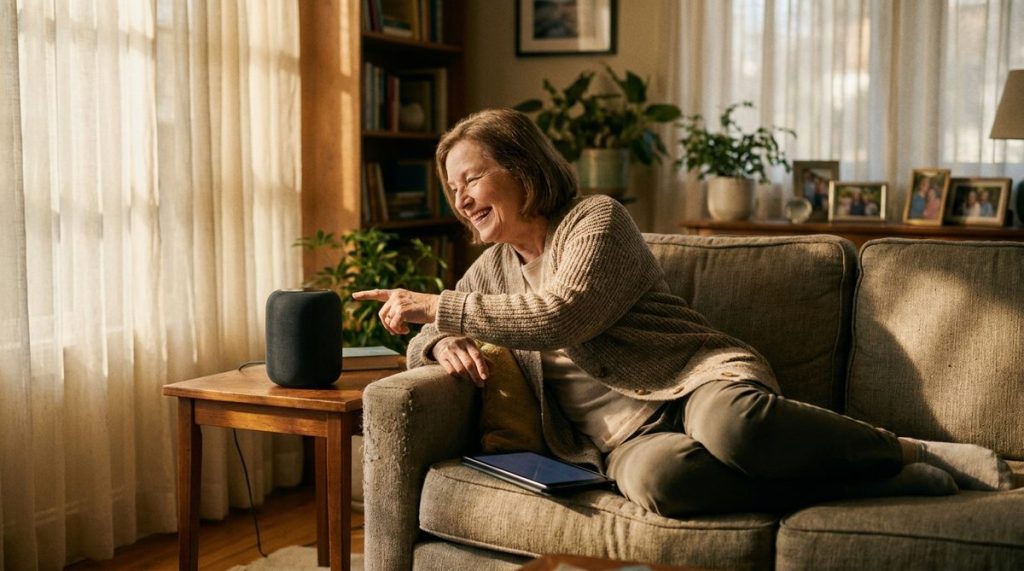
If there’s one piece of age tech to prioritize above most others, it’s a voice-activated smart speaker. The Amazon Echo and Google Nest Hub have become remarkably capable. You can set medication reminders, make hands-free phone calls, control lights and thermostats, listen to audiobooks, and even ask health-related questions — all without touching a screen.
What makes these devices especially powerful for aging in place is their role as a central hub. A single Echo Show 10 on your kitchen counter can video-call your grandchildren, display your daily schedule, play calming music before bed, and alert you if your smart doorbell detects motion at the front door.
Setup tip most people miss
Ask a family member or tech-savvy friend to help you set up “routines.” These are automated sequences — for example, saying “Alexa, good morning” can turn on your kitchen lights, read the weather forecast, and remind you to take your blood pressure medication. Once configured, you never have to fiddle with settings again.
For a deeper look at how these devices fit into a complete home setup, check out our guide to aging in place tech and smart home devices for adults over 50.

3. Smart Medication Management Systems
Medication non-adherence is a $528 billion problem in the United States, according to the Annals of Internal Medicine. For adults managing multiple prescriptions — and roughly 89% of Americans over 65 take at least one — a smart pill dispenser can be genuinely life-changing.
Devices like the Hero Health automatic dispenser and the MedMinder Maya pre-sort your medications and dispense the correct pills at the correct times. They send alerts to your phone if a dose is missed, and many can notify a caregiver or family member as well. The Hero device holds up to a 90-day supply of 10 different medications and costs roughly $29.99 per month for the service plan.
Why this matters more than you think
The biggest risk often isn’t forgetting to take a pill entirely — it’s taking the wrong dose or doubling up because you can’t remember if you already took it. A smart dispenser eliminates that guesswork. It’s one of the most underrated age tech devices on this list, and the one most caregivers report has reduced their daily stress the most.
4. Video Doorbells and Smart Locks for Security and Convenience
A Consumer Reports survey found that nearly 60% of adults over 55 listed home security as a top concern influencing their tech purchases. Video doorbells like the Ring Video Doorbell 4 or Google Nest Doorbell let you see and speak to anyone at your door from your phone, tablet, or smart speaker — without getting up or opening the door.
Smart locks add another layer. If a caregiver, cleaning service, or family member needs access, you can send them a temporary digital code instead of hiding a spare key under the mat. August and Schlage both make models that fit over your existing deadbolt, so there’s no complex installation.
- Ring Video Doorbell 4: Around $200, excellent night vision, works with Alexa
- Google Nest Doorbell (battery): About $180, integrates with Google Home ecosystem
- August Wi-Fi Smart Lock: Roughly $230, retrofits to your existing lock in minutes
These devices also address a concern many readers raise: package theft. With a video doorbell, you get real-time alerts when a delivery arrives and can even talk to the driver remotely to give instructions.
5. Telehealth-Ready Tablets With Simplified Interfaces
Telehealth usage among adults 65 and older increased by over 300% during the pandemic, and it hasn’t retreated. A 2024 report from the Department of Health and Human Services found that 43% of Medicare beneficiaries used at least one telehealth service in the previous year. Having the right device makes all the difference.
Standard tablets can work fine, but purpose-built options make the experience much smoother. The GrandPad tablet, designed specifically for older adults, features a simplified interface with large icons, pre-loaded video calling, and 4G LTE connectivity so it works without Wi-Fi. Apple’s iPad (10th generation) is another excellent choice when paired with the Accessibility features built into iPadOS — larger text, voice control, and magnifier are all one tap away.
My recommendation
If you’re comfortable with technology, an iPad with a protective case and a stylus is incredibly versatile. If you want something your parent can use without any learning curve, the GrandPad (around $79.99 per month, all-inclusive) removes virtually every barrier. Many 85-year-olds use it confidently within five minutes of unboxing.
Staying connected to healthcare providers is one of the most powerful ways technology supports independent living. As research continues to show, maintaining an active lifestyle — including staying socially and medically engaged — directly correlates with better outcomes. Our article on healthy aging and why many older adults actually improve over time dives deeper into that evidence.

6. GPS Tracking Devices for Safety and Peace of Mind
This category serves two distinct needs. For active older adults, a GPS-enabled smartwatch or keychain tracker provides peace of mind during walks, hikes, or travel. For families supporting a loved one with early-stage dementia or cognitive decline, it can be a critical safety net.
The Jiobit Smart Tag (now by Life360) is small enough to clip onto a belt loop or shoe. Apple AirTags work well for tracking items like wallets and keys but aren’t ideal for personal safety since they lack real-time GPS — they rely on nearby Apple devices. For true personal tracking, dedicated devices like the AngelSense GPS tracker offer real-time location monitoring, geo-fencing alerts (notifications if someone leaves a designated safe area), and two-way voice communication.
A sensitive but necessary conversation
GPS tracking can feel invasive, but the key is involving the person being tracked in the decision. Frame it as a safety tool — not surveillance. When both parties agree on the boundaries, these devices reduce anxiety on all sides and can prevent dangerous situations from escalating.
GPS tracking is also part of a broader home safety conversation. If you’re considering physical modifications alongside tech upgrades, our breakdown of aging in place home modifications and what they cost in 2025 is a practical companion resource.
7. Online Safety and Scam Protection Tools
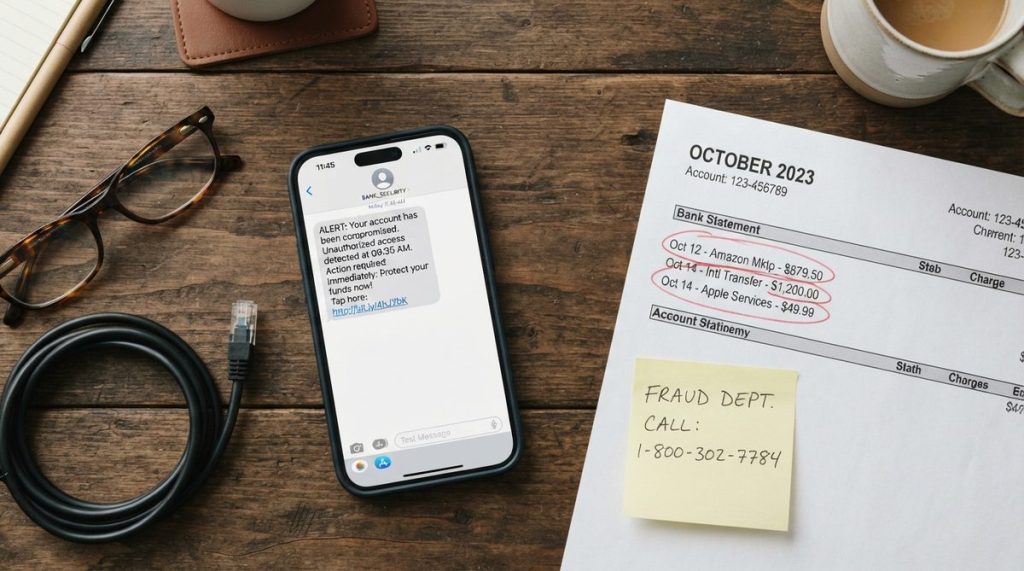
No list of age tech devices would be complete without addressing the digital threat landscape. The FBI’s 2023 Internet Crime Report documented that Americans over 60 lost approximately $3.4 billion to online scams — a 14% increase from the previous year. As the FTC’s Consumer Advice division has repeatedly warned, older adults are disproportionately targeted by phishing emails, tech support scams, and romance fraud.
Fortunately, protective technology has gotten much better. Here’s what’s recommended based on extensive testing:
- Call-blocking apps: Robokiller and Nomorobo screen spam and scam calls before they reach you. Both cost under $5 per month.
- Password managers: 1Password and Bitwarden store complex, unique passwords for every account. You only need to remember one master password.
- Two-factor authentication (2FA): Enable it on every account that offers it — email, banking, social media. It adds a second verification step that stops most hackers cold.
- Browser extensions: uBlock Origin and Malwarebytes Browser Guard block malicious ads and known scam websites automatically.
The one rule I repeat constantly
No legitimate company — not your bank, not Medicare, not the IRS, not Microsoft — will ever call you and ask for remote access to your computer or demand immediate payment via gift cards. If you remember nothing else from this article, remember that. When in doubt, hang up and call the organization directly using the number on their official website or the back of your card.
For government-backed cybersecurity guidance tailored to everyday consumers, CISA (the Cybersecurity and Infrastructure Security Agency) maintains free, plain-language resources that address common security concerns.
How to Start Without Getting Overwhelmed
If you’ve read this far and feel a mix of excitement and overwhelm, that’s completely normal. The worst approach is trying to adopt everything at once. The best approach is picking the one device that addresses your most pressing need — or your biggest worry — and starting there.
For most people, that starting point is either a smart speaker (for daily convenience) or a fall detection wearable (for safety). Both have relatively gentle learning curves and deliver immediate, tangible benefits.
A practical first-month plan
- Week 1: Choose and set up one device. Ask a family member or friend for help if needed.
- Week 2: Use it daily. Get comfortable with the basics before exploring advanced features.
- Week 3: Add one automation or connected feature — like linking your smart speaker to a light bulb or setting up a medication reminder.
- Week 4: Evaluate. Is it helping? What’s still frustrating? Use that answer to decide what to add next.
The Bottom Line on Age Tech in 2025
Age tech devices aren’t about replacing human connection or admitting you can’t manage on your own. They’re tools — just like reading glasses, grab bars, or a well-organized pill case. The difference is that today’s tools are smarter, more connected, and more capable of keeping you safe and independent than anything that existed even five years ago.
The market is projected to reach $42 billion by 2027, according to Grand View Research, which means the options will only get better, more affordable, and more intuitive. What’s most encouraging is that the technology industry is finally designing with older adults in mind — not as an afterthought, but as a primary audience.
Start with one device. Get comfortable. Then build from there. Your future self — and likely your family — will thank you for it.
Frequently Asked Questions
What is age tech and how is it different from regular technology?
Age tech refers to technology products and services specifically designed to address the needs of older adults, including health monitoring, fall detection, simplified interfaces, and home safety devices. Unlike general consumer tech, age tech prioritizes accessibility, ease of use, and features like emergency response integration that support independent living.
How much does it cost to set up basic age tech at home?
A functional starter setup — including a smart speaker ($50-$130), a video doorbell ($130-$200), and a fall detection wearable ($150-$400) — typically runs between $330 and $730 in upfront costs. Some devices like medical alert systems and smart pill dispensers add monthly subscription fees ranging from $20 to $80, so factor those into your budget.
Are smart speakers safe to use, or can they be hacked?
Smart speakers from major brands like Amazon and Google use encrypted connections and receive regular security updates, making them generally safe for home use. To minimize risk, enable voice purchase PINs, review your privacy settings in the companion app, and keep your home Wi-Fi network secured with a strong, unique password.
What is the best fall detection device for seniors living alone?
For someone who already uses a smartphone, the Apple Watch SE or Series 10 offers excellent automatic fall detection with built-in cellular calling. For those who prefer a simpler, dedicated device, the Medical Guardian Mini and Bay Alarm Medical SOS Smartwatch are highly rated options with 24/7 professional monitoring and no smartphone required.
How can older adults protect themselves from online scams?
The most effective defenses include using a password manager for unique, complex passwords on every account, enabling two-factor authentication on email and banking apps, installing a call-blocking app like Robokiller, and following one firm rule: never give remote computer access or make payments via gift cards to anyone who contacts you unsolicited. The FTC at consumer.ftc.gov and CISA at cisa.gov both offer free, regularly updated scam prevention guides.



One Response