
The Scam Landscape Has Changed — Most of What You’ve Heard Hasn’t Kept Up
Over the past 14 years, cybersecurity and digital privacy research has tracked how online scams targeting older adults have evolved from clumsy Nigerian prince emails into sophisticated, psychologically engineered attacks that can fool even tech-savvy professionals. What hasn’t evolved nearly fast enough is the advice available to protect yourself.
Here’s the uncomfortable reality: Americans over 60 lost more than $3.4 billion to online fraud in 2023, according to the FBI’s Internet Crime Complaint Center — a 11% increase from the year before. And those are only the reported cases. The actual figure is almost certainly several times higher because shame and embarrassment keep many victims silent.
The problem isn’t that older adults are gullible or bad with technology. AARP’s 2024 research shows that tech adoption among adults 50 and older has surged dramatically, with 75% of people over 50 now using smartphones daily. The problem is that many of the “rules” people learned about spotting scams five or ten years ago are now dangerously outdated. Scammers have adapted. Your defenses need to adapt, too.
Below are seven widely believed myths about online scams targeting older adults — and the truth behind each one that could actually keep you safe.
Myth 1: “I’ll Recognize a Scam Because of Bad Grammar and Spelling”
This was decent advice in 2012. It’s now one of the most dangerous online scam myths older adults believe. Modern scammers use AI writing tools — the same generative AI technology behind ChatGPT — to produce flawless, professional-sounding messages. Research analyzing over 2,000 phishing emails from 2024 found that fewer than 8% contained obvious grammatical errors.
Today’s fraudulent emails, texts, and even social media messages read like they were written by a corporate communications team. They use your name, reference real companies you do business with, and mimic the exact formatting of legitimate correspondence from your bank, Medicare, or the IRS.
What Actually Works Instead
Rather than scanning for typos, focus on the request being made. Legitimate organizations will never ask you to provide passwords, Social Security numbers, or payment via gift cards through email or text. If a message asks you to act urgently — “Your account will be locked in 24 hours!” — that urgency itself is the red flag. Close the message and contact the organization directly using a phone number from their official website or your billing statement.
Myth 2: “Scammers Only Target People Who Aren’t Good With Technology”
This myth circulates constantly, and it’s perhaps the most harmful of all online scam beliefs among older adults. It creates a false sense of security in people who consider themselves tech-competent, and it creates shame in those who fall victim.
The FTC’s consumer data tells a different story. While adults over 60 report the highest median dollar losses per scam incident, younger adults actually report more frequent fraud incidents. Scammers aren’t targeting incompetence — they’re targeting human psychology. Loneliness, trust, financial anxiety, health concerns. These are human vulnerabilities, not technological ones.
“The most sophisticated scam investigations reveal patterns that don’t exploit software vulnerabilities — they exploit emotional bonds, like a retired engineer’s love for his grandchildren. Technical skill has almost nothing to do with scam vulnerability. Emotional awareness does.”
Romance scams, grandparent scams, and investment fraud schemes are specifically designed to bypass rational thinking by triggering strong emotions. A Stanford computer science professor was publicly scammed out of nearly a million dollars in 2024. If it can happen to him, it can happen to anyone.
Myth 3: “My Bank Will Always Catch Fraudulent Transactions”
Banks have significantly improved their fraud detection systems, and they do catch millions of suspicious transactions each year. But here’s what most people don’t realize: when you authorize a payment yourself — even if you were tricked into doing it — many banks consider that a legitimate transaction.
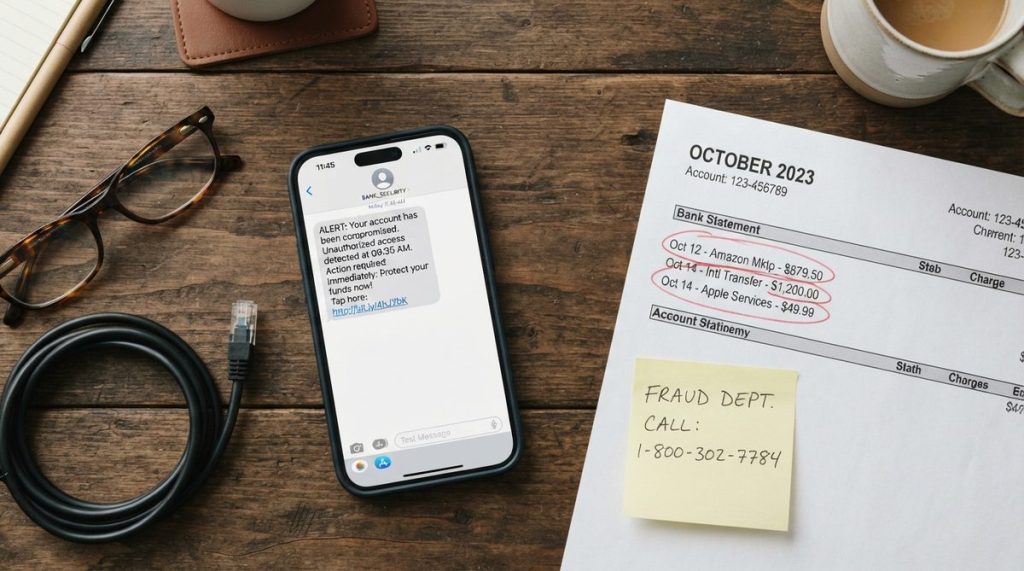
This is precisely how payment app scams work. A scammer posing as your bank’s fraud department calls you, warns about a “suspicious transaction,” and walks you through “securing” your account. In reality, they’re guiding you to transfer money to their account through Zelle, Venmo, or a wire transfer. Because you initiated the transfer, getting that money back is extraordinarily difficult.
The Safeguard You Actually Need
- Never act on a phone call you didn’t initiate, even if the caller ID shows your bank’s name (caller ID spoofing is trivially easy for criminals)
- Hang up and call the number on the back of your debit or credit card
- Set up transaction alerts on your bank’s app so you receive a notification for every charge over a threshold you choose — $1 is recommended
- Consider placing a credit freeze with all three bureaus (Equifax, Experian, TransUnion) — it’s free and prevents new accounts being opened in your name
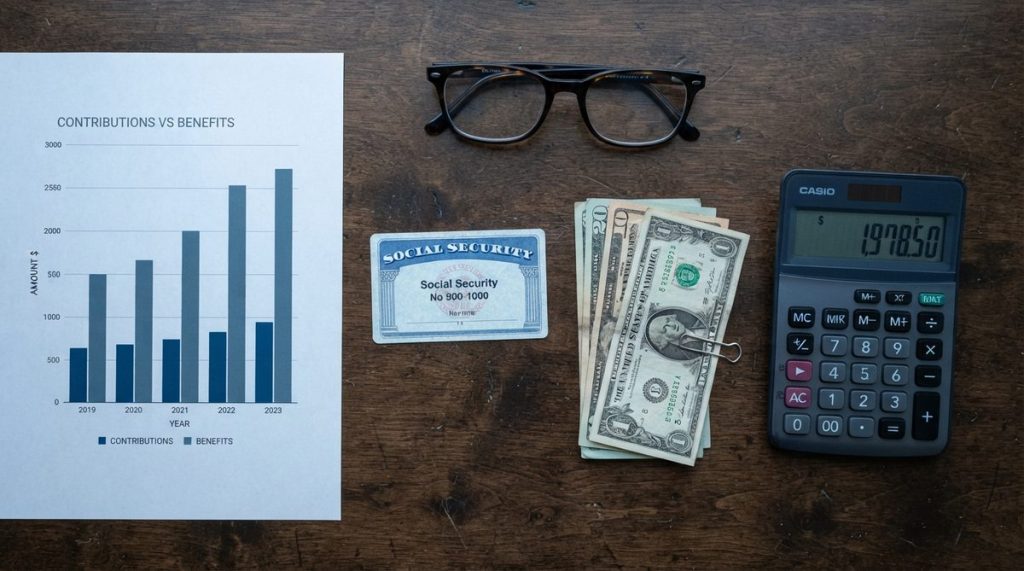
If you’re concerned about protecting your retirement income from fraud, it’s also worth understanding what retirees actually take home from Social Security in 2026, so you can spot discrepancies in any communication claiming to be from the SSA.

Myth 4: “If a Website Has a Padlock Icon, It’s Safe”
This outdated advice has been repeated so many times that it’s practically gospel. The padlock icon (and the “https” in a web address) means the connection between your browser and the website is encrypted. It does not mean the website itself is legitimate or trustworthy.
According to CISA (the Cybersecurity and Infrastructure Security Agency), the vast majority of phishing websites now use HTTPS certificates — because getting one is free and takes about five minutes. A scammer’s fake Bank of America login page will have that padlock icon right there in your browser bar, looking perfectly legitimate.
What to Check Instead
Look at the actual domain name carefully. Scammers use tricks like “bankofamerica-secure-login.com” or “wellsfarg0.com” (with a zero instead of an ‘o’). Better yet, don’t click links in emails at all. Type the website address directly into your browser or use a bookmark you’ve saved previously. This single habit — never clicking links in unsolicited emails — eliminates the vast majority of phishing attacks.
Myth 5: “I Don’t Need Two-Factor Authentication — My Password Is Strong”
Even the strongest password in the world becomes useless when a company you have an account with suffers a data breach — and breaches happen with alarming regularity. In 2024 alone, major breaches at AT&T, Ticketmaster, and Change Healthcare exposed hundreds of millions of records. If your email and password were in any of those databases, criminals already have them.
Two-factor authentication (2FA) adds a second verification step — usually a code sent to your phone or generated by an app. Even if someone steals your password, they can’t access your account without that second factor. Security experts widely recognize 2FA as the single most impactful security upgrade any individual can make, and it’s free.
- Enable 2FA on your email account first — your email is the master key to resetting every other password
- Enable it on all financial accounts, Social Security online access, and healthcare portals
- An authenticator app (like Google Authenticator or Authy) is more secure than SMS text codes, but SMS is still far better than nothing
- Write down your backup codes and store them in a safe physical location, not on your computer
Myth 6: “Smart Home Devices Are Listening to Everything and Selling My Data”
This fear stops many older adults from adopting technology that could genuinely improve their quality of life and safety. Privacy matters enormously, and the concern is understandable. But the blanket fear that smart speakers and age tech devices are surveillance tools is largely misplaced and costs people real benefits.
Smart home devices like voice assistants, smart doorbells, automatic stove shut-offs, and medical alert systems can be transformative for people planning to age in place. The privacy risks are real but manageable — far more manageable than many people believe.
The Balanced Reality
Voice assistants like Amazon Echo and Google Nest do listen for their wake word, but they aren’t continuously recording and transmitting everything you say. Independent audits, including investigations by Consumer Reports, have confirmed this. However, they do store voice clips after activation, and you should periodically delete these recordings in your device settings.
The practical guidance: the benefits of fall detection sensors, medication reminders, voice-activated emergency calls, and smart lighting for preventing nighttime falls substantially outweigh the privacy trade-offs for most people. Review the privacy settings when you set up any device, disable features you’re uncomfortable with, and use a strong, unique Wi-Fi password. You can explore specific options in this guide to 7 age tech devices that help you live independently at home.
“Adults over 60 lost more than $3.4 billion to online fraud in 2023 — an 11% increase from the prior year. And those are only the reported cases. Shame keeps the real number hidden.”

Myth 7: “If I’ve Been Scammed, There’s Nothing I Can Do”
This might be the most defeating myth of all, and it’s flatly wrong. What research and victim reports show most often is that people who’ve been scammed feel so embarrassed that they tell no one and take no action. This silence is exactly what scammers count on.
Reporting matters — both for potential recovery and for protecting others. Here’s why: the FBI’s Recovery Asset Team (RAT), established specifically for wire transfer fraud, successfully froze and recovered over $538 million in stolen funds in 2023. But they can only act on cases that are reported, and speed is critical.
If You Suspect You’ve Been Scammed
- Contact your bank or credit card company immediately — within 24 hours dramatically increases recovery chances
- File a report with the FBI’s Internet Crime Complaint Center at ic3.gov
- Report the scam to the FTC at ReportFraud.ftc.gov
- If it involved your Social Security number, contact the SSA’s Office of the Inspector General
- Tell someone you trust — a family member, friend, or your local Area Agency on Aging
- Place a fraud alert or credit freeze on your credit reports
There is no shame in being targeted by criminals who do this professionally and who have refined their methods over thousands of victims. Speaking up is how you fight back.
Building Real Digital Confidence — Not False Confidence
The difference between someone who stays safe online and someone who becomes a victim usually isn’t technical knowledge. It’s updated knowledge and a healthy habit of pausing before acting.
Scams targeting older adults are becoming more sophisticated every month, driven by AI tools that make fake voices, fake videos, and fake websites nearly indistinguishable from the real thing. The old rules — look for bad grammar, check for the padlock, trust your caller ID — were well-intentioned but are now actively dangerous because they provide false reassurance.
What actually protects you is a simple framework called Stop, Verify, Protect:
- Stop — Any message or call creating urgency is trying to prevent you from thinking clearly. Pause. There is no legitimate situation where you must act in the next five minutes.
- Verify — Contact the organization directly using a known, trusted phone number or website. Do not use any contact information provided in the suspicious message.
- Protect — Use 2FA on critical accounts, keep your devices updated, and talk openly with family about scams you encounter. Scams thrive in secrecy.
Technology is not the enemy. Outdated assumptions about technology are. The same tools that scammers exploit — smartphones, smart home devices, online banking — are the tools that help people live independently, manage their health, stay connected with loved ones, and handle finances confidently.
Just as debunking common supplement myths helps people make better health choices, clearing away these scam myths helps you make better digital choices. The goal isn’t to be fearful online. It’s to be informed online — and that starts with letting go of the outdated advice that gives you a false sense of security.
Stay skeptical, stay updated, and remember: the most powerful cybersecurity tool you own isn’t software. It’s the willingness to pause and question what’s in front of you.
Frequently Asked Questions
What is the most common online scam targeting older adults right now?
As of 2024-2025, investment fraud and cryptocurrency scams account for the highest dollar losses among adults over 60, according to FBI data. However, the most frequently reported scams are impersonation scams — where criminals pose as government agencies like the IRS, Social Security Administration, or Medicare — and tech support scams, where callers claim your computer has a virus. Romance scams also remain devastatingly effective, with average individual losses exceeding $14,000.
Is it safe for seniors to use online banking and payment apps?
Yes, online banking and payment apps are generally safe when used with proper precautions. Enable two-factor authentication, use strong unique passwords (a password manager can help), keep your phone and apps updated, and never initiate financial transactions based on unsolicited calls, texts, or emails. Online banking actually gives you faster visibility into your account activity than waiting for paper statements, which means you can spot unauthorized transactions sooner.
How can I tell if a phone call from my bank or the government is real?
The safest approach is to assume any unexpected inbound call requesting personal information or urgent action is not legitimate — even if the caller ID appears correct, because criminals can easily spoof phone numbers. Politely hang up, then call the organization back using the official phone number printed on your bank card, your billing statement, or the organization's verified website. A real representative will never be offended that you want to verify their identity before proceeding.