

Key Takeaways
- Smartphones, smart home devices, and health apps can significantly extend your ability to live independently as you age.
- New research links regular smartphone use to improved brain health and potentially lower dementia risk in older adults.
- Online scams targeting older adults surged past $4.8 billion in losses in 2024, making digital safety skills essential.
- You don't need to be "tech-savvy" to benefit — small, deliberate steps with the right devices can transform daily life.
Why This Matters More Than Ever
I’ve spent over 12 years covering consumer technology, and I’ve watched a quiet revolution unfold. The devices and apps originally designed for 20-somethings are now some of the most powerful tools available for people over 50 who want to stay in their homes, stay connected to family, and stay sharp. Technology helps older adults in ways that would have sounded like science fiction a decade ago — from AI-powered fall detection to smartphone programs that may actually reduce dementia risk.
Yet when I talk to readers in this age group, the number one thing I hear isn’t excitement. It’s hesitation. “I’m not a tech person.” “I’ll break something.” “My grandkids set it up and I’m afraid to touch it.”
Here’s what I want you to know: you don’t need to become a tech expert. You just need to take a few deliberate steps with the right tools, and the payoff — in health, safety, savings, and connection — is enormous. This guide walks you through exactly how to do that.
The Science Is Clear: Using Technology Keeps You Healthier
Let’s start with the research, because it’s compelling. A 2024 study published in the Journal of the American Geriatrics Society followed over 5,000 adults aged 65 and older and found that regular technology users had a 31% lower rate of social isolation compared to non-users. Social isolation, as physicians have been warning for years, carries health risks comparable to smoking 15 cigarettes a day.
Even more striking: a National Institutes of Health-funded study released in early 2025 found that a structured smartphone program — one that taught older adults to use specific apps for communication, games, and daily tasks — was associated with measurable improvements in cognitive function among participants at high risk for dementia. The participants didn’t just feel sharper. Brain scans showed increased activity in areas related to memory and executive function.
What I see most often is that people dismiss these tools as “nice to have.” They’re not. For adults over 50, especially those living alone, technology helps older adults maintain the kind of daily engagement that keeps both mind and body functioning at a higher level.
The Connection Between Engagement and Independence
Independence isn’t just about physical ability. It’s about staying engaged with the world — managing your own appointments, communicating with your doctor, keeping up with your finances, and maintaining relationships. Every one of those tasks has a technology solution that’s simpler than you think.
If you’re considering aging in place — and what it really takes to stay home after 60 — technology isn’t optional anymore. It’s foundational.
Smart Home Devices: Your Most Underrated Safety Net
When most people hear “smart home,” they picture a millennial shouting at a light bulb. But smart home technology has become one of the most practical investments for older adults who want to remain in their homes safely. Let me walk you through the devices that deliver the most value.
Voice Assistants: Hands-Free Help, 24/7
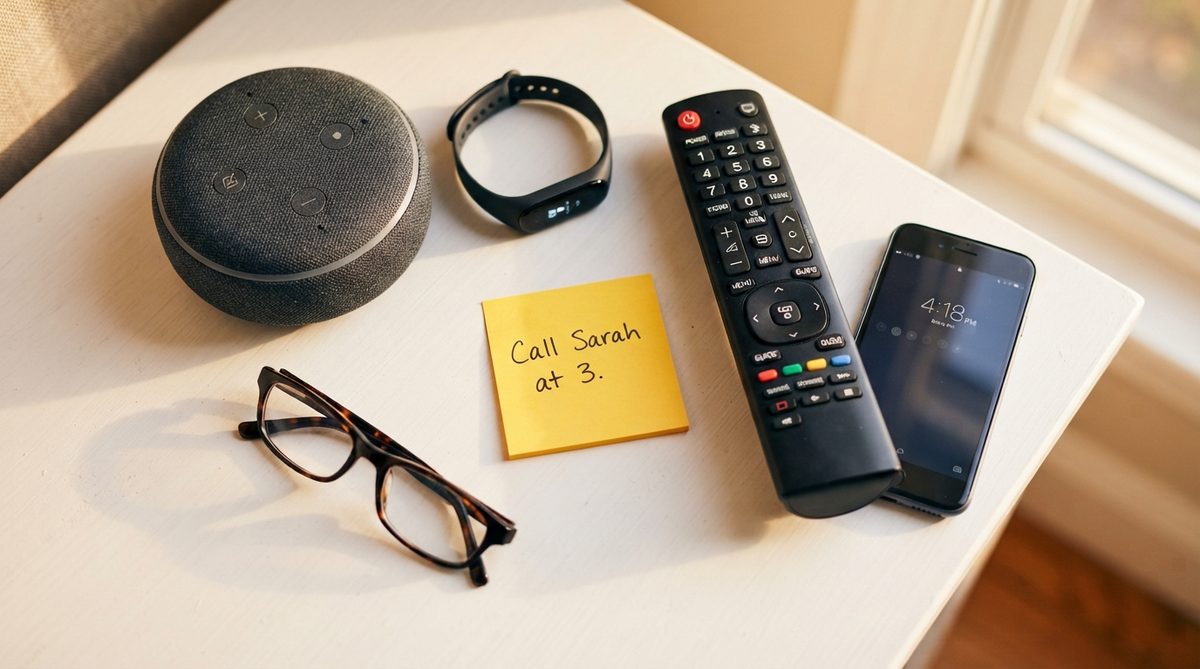
An Amazon Echo or Google Nest speaker costs between $30 and $50, and it can do things that genuinely matter:
- Set medication reminders that announce themselves out loud — no need to check a screen
- Make phone calls entirely by voice (“Alexa, call my daughter”)
- Read the news, weather, and calendar events to you each morning
- Control lights, thermostats, and locks without getting up
- Call for help in an emergency when your phone isn’t within reach
In my 12 years of covering these products, I’ve seen voice assistants go from novelty to necessity for older adults. AARP’s technology resources highlight voice assistants as one of the top recommended devices for adults over 50, and I fully agree.
Smart Sensors and Fall Detection
Motion sensors placed in hallways and bathrooms can alert family members if there’s unusual inactivity — say, no movement detected by 10 a.m. when you’re usually up by 7. Products like the Apple Watch Series 10 and Google Pixel Watch 3 now include automatic fall detection that will call 911 if you take a hard fall and don’t respond within a set time.
These aren’t hypothetical benefits. According to the CDC, one in four Americans aged 65 and older falls each year, and falls are the leading cause of injury death in that age group. A $250 smartwatch that calls for help when you can’t could literally save your life.

Smartphones and Health Apps: More Than Just Calls
If you own a smartphone but mainly use it for calls and texts, you’re sitting on a goldmine of health tools. Here’s where to start.
Medication Management
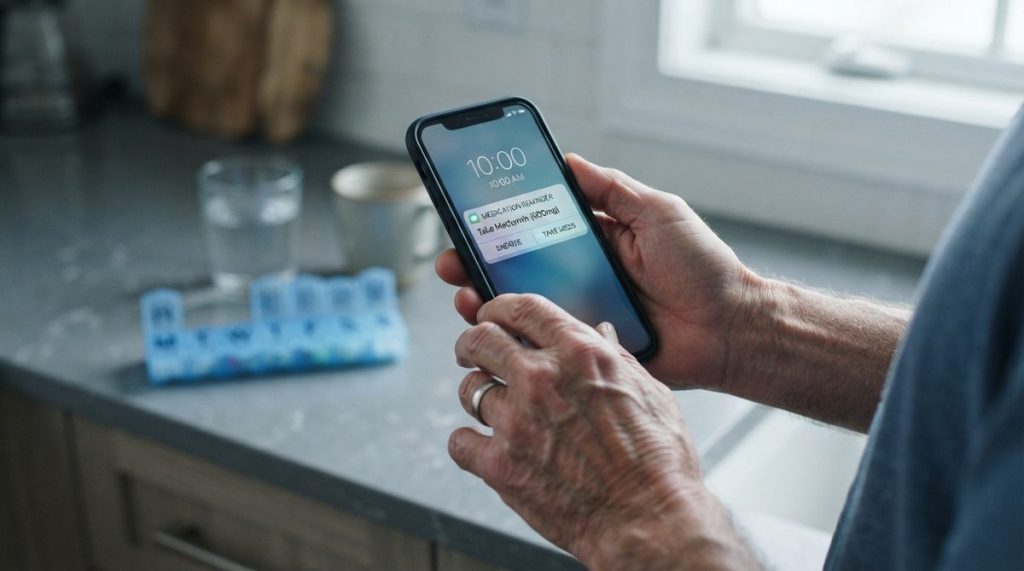
Apps like Medisafe (free, available on iPhone and Android) let you input all your medications, set customized reminders, and even alert a family member if you miss a dose. A 2024 real-world evidence study found that older adults who used medication management apps showed a 28% improvement in adherence compared to those using paper-based systems alone.
Missing doses isn’t just inconvenient — it’s expensive. The New England Healthcare Institute estimates that medication non-adherence costs the U.S. healthcare system $290 billion annually. A free app can help you avoid becoming part of that statistic.
Telehealth: Skip the Waiting Room
Most major health systems now offer telehealth visits through simple smartphone apps. You tap a link, your doctor appears on screen, and you have your appointment from the comfort of your living room. For routine check-ins, medication reviews, and mental health visits, telehealth saves time, gas money, and the physical strain of getting to an office.
Medicare has expanded telehealth coverage significantly since 2020, and most supplemental plans cover virtual visits at the same rate as in-person ones. If you’re watching your healthcare expenses — especially with Social Security’s 2.8% increase being offset by Medicare costs — telehealth can meaningfully reduce your out-of-pocket spending.
Brain Health and Cognitive Games
The NIH-funded smartphone study I mentioned earlier used a combination of communication apps, puzzle games, and daily task management to stimulate cognitive function. You don’t need to enroll in a study to replicate this. Apps like Lumosity, Wordle, and even the free crossword puzzles in the New York Times app provide the kind of regular mental engagement that researchers associate with better brain health.
The key finding wasn’t that any single app was magic. It was that consistent, daily smartphone engagement — using the device for varied purposes — created the cognitive benefit. Think of it like exercise for your brain: regularity matters more than intensity.
Staying Safe Online: The Threat Is Real, But So Is the Protection
I’d be doing you a disservice if I talked about the benefits of technology without addressing the risks head-on. In 2024, the FBI’s Internet Crime Complaint Center reported that Americans over 60 lost more than $4.8 billion to online scams — an increase of roughly 43% from the previous year. That’s not a typo. Billions.
The criminals are sophisticated. They impersonate grandchildren in distress, send fake emails from Medicare, create spoofed bank websites, and even use AI-generated voice cloning to mimic people you know. But you can protect yourself with a few concrete habits.
Essential Digital Safety Habits
- Never click links in unexpected texts or emails. If your “bank” texts you about suspicious activity, hang up and call the number on the back of your card directly.
- Use a password manager. Apps like 1Password or the free Bitwarden app generate and store strong, unique passwords for every account. You only need to remember one master password.
- Enable two-factor authentication (2FA) on your email, bank accounts, and social media. This means even if someone steals your password, they can’t get in without a code sent to your phone.
- Verify before you send money. Any request for gift cards, wire transfers, or cryptocurrency — regardless of who appears to be asking — is almost certainly a scam.
- Keep your phone and apps updated. Those update notifications aren’t just annoyances. They patch security holes that scammers exploit.
The Cybersecurity & Infrastructure Security Agency (CISA) offers free resources specifically designed for older adults, including printable guides you can keep near your computer. I recommend bookmarking their site. And for a deeper dive into the specific scams making the rounds right now, take a look at our guide to 7 online scams targeting older adults in 2026 and how to stop them.
The FTC’s consumer advice portal also lets you report scams and check current fraud alerts — another resource worth saving in your browser bookmarks.
How Families Are Using Tech to Share the Caregiving Load
One trend I’ve been tracking closely in 2025 is how families use technology not just to help an aging parent directly, but to coordinate care among siblings, reduce costs, and prevent burnout. Caregiving in America is expensive — AARP estimates the average family caregiver spends over $7,200 per year out of pocket — and it’s emotionally exhausting.
Shared Calendars and Care Coordination Apps
Apps like CareZone and Lotsa Helping Hands let family members share medication lists, doctor appointments, grocery needs, and daily check-in duties. Instead of one sibling carrying the entire burden, tasks are visible and distributed. I often tell my readers that the best technology isn’t always flashy — sometimes it’s a shared Google Calendar that prevents three family members from duplicating the same pharmacy run.
Remote Monitoring That Respects Privacy
There’s a difference between surveillance and safety. Products like the GrandPad tablet (designed specifically for seniors) and medical alert systems like Medical Guardian give families peace of mind without making Mom feel like she’s being watched. The best setups let the older adult control what’s shared and when, preserving dignity while providing a safety net.
If the cost of these tools is a concern — and it’s a legitimate one — consider that even modest technology investments can delay or prevent a move to assisted living, which averages over $4,500 per month nationally. A $30 smart speaker and a $15/month medical alert subscription look very different in that context. For a realistic look at those numbers, our deep dive into aging in place costs breaks it all down.
Getting Started Without Getting Overwhelmed
The biggest mistake I see people make is trying to adopt everything at once. You don’t need a smart home, five health apps, a smartwatch, and a new tablet by next week. Here’s the approach I recommend, based on what I’ve seen work over and over.
Start With One Problem You Want to Solve
Think about what frustrates you or worries you most right now. Is it forgetting medications? Start with Medisafe. Is it feeling isolated? Set up video calling. Is it worrying about falls when you’re home alone? Look into a medical alert device or an Apple Watch. Solve one problem, build confidence, then move to the next.
Ask for Help — But Stay in the Driver’s Seat
It’s perfectly fine to ask a family member, friend, or local library’s tech help desk to assist with setup. But make sure you’re the one tapping the buttons during the process. Muscle memory matters. If someone else does it all for you, you’ll feel just as lost tomorrow as you do today.
Use Large Text and Accessibility Features
Both iPhones and Android phones have robust accessibility settings. You can increase text size, enable voice control, simplify the home screen, and turn on magnification with just a few taps. Consumer Reports has excellent step-by-step accessibility guides for both platforms — search their site for “smartphone accessibility for seniors” and you’ll find clear instructions with screenshots.
Don’t Be Afraid of Making Mistakes
In 12 years of tech reporting, I can tell you with certainty: you will not “break” your smartphone by tapping the wrong thing. Almost everything is reversible. Deleted an app? Re-download it. Changed a setting you didn’t mean to? There’s always a “reset to default” option. The device is more resilient than you think, and so are you.
The Bigger Picture: Technology as a Bridge, Not a Replacement
I want to be clear about something. Technology helps older adults live better, but it doesn’t replace human connection, professional medical care, or the irreplaceable value of a neighbor who checks in. What it does is fill the gaps — the 2 a.m. fall when no one’s around, the medication dose you’d otherwise forget, the grandchild’s face you get to see even though they live 1,200 miles away.
The data shows that older adults who thoughtfully adopt technology report higher satisfaction with their independence, better health outcomes, and stronger family relationships. That’s not marketing hype. That’s peer-reviewed research, and it matches everything I’ve observed on the ground.
So pick one thing from this guide. Just one. Set it up this week. And then let yourself be surprised by what becomes possible from there.
About Alex Rivera, 12+ Years in Consumer Tech Reporting
Alex Rivera is a senior technology journalist with over 12 years of experience making technology accessible to everyday readers. He has covered consumer electronics, smartphones, smart home devices, streaming platforms, and digital privacy for major publications. At Daily Trends Now, Alex focuses on the tech that matters most to American adults — from choosing the right phone plan to protecting your data online. His reviews and guides cut through the jargon to help readers make confident technology decisions.