

The Biggest Misconceptions Keeping Older Adults From Life-Changing Tech
After 12 years of covering consumer technology, I can tell you that the single biggest barrier preventing older adults from using aging-in-place technology isn’t the devices themselves — it’s the myths surrounding them. I hear these misconceptions in nearly every conversation I have with readers over 50, and they cost people real independence, real safety, and real money.
Here’s what’s actually happening: tech adoption among adults 65 and older has surged dramatically. According to AARP’s 2024 Tech Trends report, 76% of adults over 50 now own a smartphone, up from just 53% in 2015. Smart home device ownership in this age group nearly tripled between 2019 and 2024. The tools are there. The appetite is there. But persistent myths keep too many people on the sideline.
Let me walk you through the six most damaging myths I encounter — and the evidence-based truth behind each one.
Myth #1: “Aging-in-Place Technology Is Only for People With Serious Health Problems”
This is the myth I probably hear most often, and it’s the most counterproductive. Many people assume that smart home devices, medical alert systems, and health-monitoring wearables are only relevant once you’re dealing with a major diagnosis or mobility crisis. The thinking goes: “I’m still active, so I don’t need that stuff yet.”
The truth? The biggest benefits of aging-in-place technology come from adopting it before you need it urgently. A 2024 study published in the Journal of the American Geriatrics Society found that adults over 65 who regularly used smartphones and tablets had a 58% lower risk of cognitive decline over a five-year follow-up period compared to non-users. The researchers attributed this to the mental stimulation of learning new interfaces, staying socially connected, and engaging with digital content.
Smart home sensors that track movement patterns can establish a baseline of your normal activity — so if something changes gradually, like you’re moving more slowly or getting up less frequently, the system (or a family member monitoring it) catches the shift early. That’s preventive technology, not reactive technology.
What I see most often is people who wait until a fall or a health scare to explore these tools, only to find themselves learning unfamiliar technology during a stressful, vulnerable moment. Starting early, when you’re healthy and motivated, gives you the confidence and familiarity to actually benefit when it matters most. For a broader look at proactive strategies, check out 6 Pillars of Healthy Aging After 50 That Actually Work.
Myth #2: “Smart Home Devices Are Too Complicated for Non-Tech People”
I understand where this fear comes from. If your reference point for “technology” is struggling with a Windows PC in 2005, the idea of installing a smart thermostat or voice assistant sounds overwhelming. But here’s something most people don’t realize: modern aging-in-place technology is specifically designed to be simpler than the tech you already use.
Consider a smart speaker like an Amazon Echo or Google Nest. There’s no keyboard, no mouse, no screen to navigate. You talk to it. “Alexa, call my daughter.” “Hey Google, set a reminder to take my blood pressure medication at 9 a.m.” “Alexa, what’s the weather today?” If you can have a conversation, you can use a smart speaker.
The Setup Is the Only Hard Part — and You Don’t Have to Do It Alone
Most public libraries now offer free technology help sessions. Many Area Agencies on Aging provide in-home tech setup assistance. Best Buy’s Geek Squad will install and configure smart home devices for a flat fee, and some devices like medical alert pendants from companies like Medical Guardian or Bay Alarm Medical arrive pre-configured — you literally press one button.
According to Consumer Reports, the most highly rated smart home devices for older adults in 2025 all scored above 8 out of 10 for ease of setup. Manufacturers have heard the feedback, and the products reflect it.

Myth #3: “This Technology Is Too Expensive for Someone on a Fixed Income”
This myth persists because people tend to imagine the most premium, fully automated smart home — the kind you see in TV commercials with motorized blinds, integrated lighting, and a robot vacuum gliding across marble floors. That version does cost thousands. But the version that actually keeps you safe and independent? It’s remarkably affordable.
A Realistic Cost Breakdown
Here’s what a practical aging-in-place technology setup actually looks like in terms of cost:
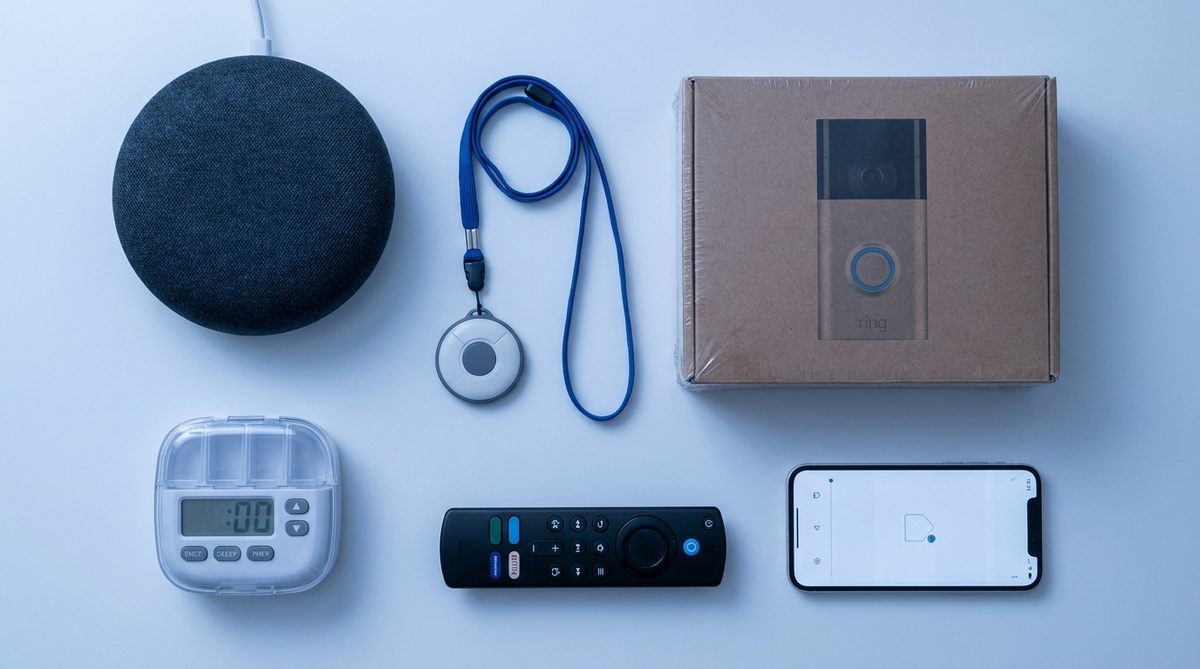
- Smart speaker (Amazon Echo Dot or Google Nest Mini): $25–$50. Handles voice calls, medication reminders, weather, news, music, and smart home control.
- Video doorbell (Ring or Blink): $30–$60. Lets you see and speak to visitors without opening the door — a major safety feature.
- Smart plug with automation (TP-Link or Wyze): $10–$15 each. Automates lamps, fans, or coffee makers on a schedule, or lets you control them by voice.
- Medical alert device (basic pendant model): $20–$35/month. One-button emergency response, fall detection available on some models for an additional $5–$10/month.
- Automatic pill dispenser (Hero or MedMinder): $30–$50/month for subscription models, or $40–$80 one-time for basic timed dispensers.
Total startup cost for a meaningful, functional setup: roughly $100–$200 plus a modest monthly fee. Compare that to the average cost of assisted living in the U.S. — $4,995 per month in 2024, according to Genworth’s Cost of Care Survey. Even a year of paying for a medical alert service and smart home devices costs less than a single month in a facility.
If you’re planning your budget for staying at home long-term, you’ll want to see Aging in Place Costs More Than Expected: A Smart Guide for a fuller financial picture.
Myth #4: “Using a Smartphone or Tablet All Day Is Bad for Your Brain”
This is a myth that’s rooted in legitimate concerns about screen time — but it’s been applied to the wrong age group in the wrong context. The research on excessive screen time and negative outcomes overwhelmingly focuses on children and adolescents, particularly around passive social media scrolling. For adults over 50, the data tells a very different story.
A major 2024 study from the University of Oregon, tracking over 18,000 adults aged 50 and older through the Health and Retirement Study, found that regular technology use — including smartphones, tablets, and computers — was associated with better episodic memory, stronger executive function, and reduced rates of depression. The key distinction: active technology use (communicating, problem-solving, learning) versus passive consumption.
Houston’s Texas Medical Center is currently running pilot programs where AI-powered companion bots engage older adults in daily cognitive exercises, trivia, and conversation through tablet interfaces. Early results show measurable improvements in verbal fluency and social engagement scores after just 90 days.
In my 12 years of covering this space, the shift in clinical attitudes has been dramatic. A decade ago, doctors were cautious about recommending screen-based activities to older patients. Today, many geriatricians actively prescribe tablet use, video calling, and brain-training apps as part of a healthy aging plan.
Myth #5: “If I Put Smart Devices in My Home, I’m Giving Up My Privacy”
Privacy concerns are valid — I’d never dismiss them. But this myth tends to operate as a binary: either you have zero technology and total privacy, or you have a smart home and no privacy at all. The reality is far more nuanced, and you have much more control than you think.
What the Devices Actually Collect — and How to Limit It
Smart speakers like Alexa and Google Nest do listen for their wake word, but they are not recording and transmitting everything you say. Both Amazon and Google allow you to review and delete your voice history, opt out of human review of recordings, and disable the microphone entirely with a physical button. CISA (the Cybersecurity and Infrastructure Security Agency) publishes straightforward guides for securing smart home devices that are written in plain language.
Here’s what I recommend to every reader who asks me about this:
- Change default passwords immediately on every device and your home Wi-Fi router. Use a password that’s at least 12 characters with a mix of letters, numbers, and symbols.
- Enable two-factor authentication on your Amazon, Google, or Apple account. This means even if someone gets your password, they can’t access your account without a second verification step.
- Turn off “voice purchasing” on smart speakers to prevent accidental or unauthorized orders.
- Review app permissions quarterly. Go into your phone’s settings and check which apps have access to your microphone, camera, and location. Revoke anything that doesn’t need it.
- Keep firmware updated. When your device asks you to install an update, do it. These updates patch security vulnerabilities.
Privacy is a spectrum, and you can adopt aging-in-place technology while staying firmly on the secure end. You just need to take a few deliberate steps — and the payoff in safety and independence is enormous.
Myth #6: “Scammers Only Target People Who Aren’t Tech-Savvy”
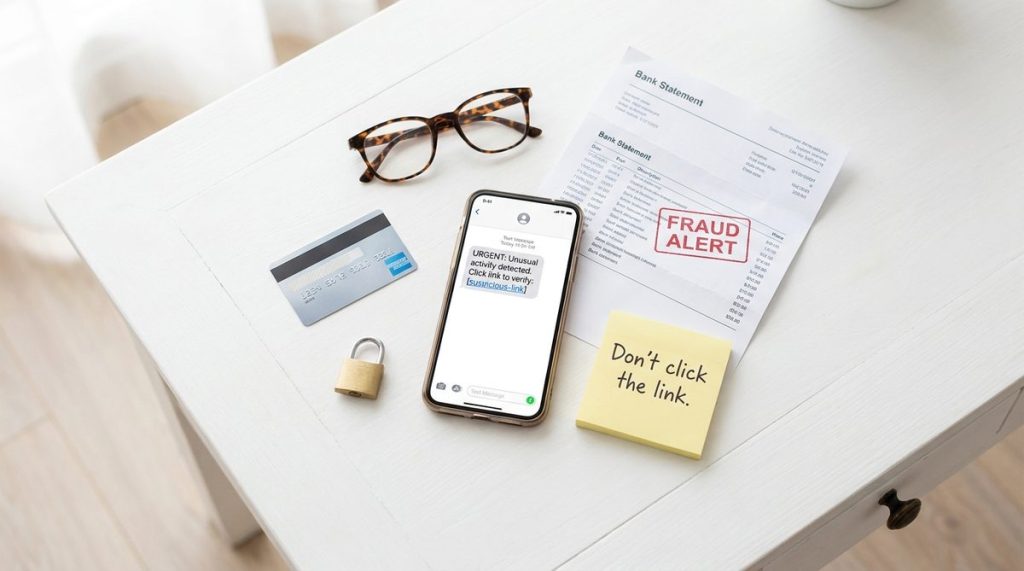
This might be the most dangerous myth on this list. The FBI’s Internet Crime Complaint Center reported that Americans over 60 lost $3.4 billion to online fraud in 2023 — a 11% increase from the previous year. And the victims are not exclusively people who “don’t know technology.” Many are experienced internet users who got caught by increasingly sophisticated schemes.
Modern scams use AI-generated voice cloning (where a scammer can mimic a grandchild’s voice in a phone call), deepfake video, and highly convincing phishing emails that replicate real bank or Medicare communications down to the pixel. Tech-savvy or not, these are designed to fool anyone under emotional pressure.
The Scams Targeting Older Adults Most Aggressively Right Now
According to the FTC’s consumer data, the top fraud categories affecting adults over 60 in 2024 include:
- Tech support scams: Pop-ups or phone calls claiming your computer is infected, urging you to grant remote access or pay for fake repairs.
- Government impersonation: Callers pretending to be from the IRS, Social Security Administration, or Medicare, demanding immediate payment or personal information.
- Romance scams: Fake relationships built online over weeks or months, eventually leading to requests for money. Median loss: $14,000.
- Investment fraud: Cryptocurrency and other “guaranteed return” schemes, often promoted through social media ads. This category alone accounted for $1.2 billion in losses among older adults in 2023.
- Healthcare scams: Fake Medicare benefit calls, fraudulent online pharmacies, and bogus clinical trial recruitment targeting people with chronic conditions.
Believing you’re “too smart” to be scammed is exactly the overconfidence scammers exploit. For a deeper dive into the psychology behind these attacks, I recommend reading 5 Myths About Scams Targeting Older Adults That Put You at Risk.
How to Actually Protect Yourself
- Establish a family “code word” that must be used in any urgent financial or emergency request — this defeats AI voice cloning scams immediately.
- Never grant remote access to your computer to someone who contacted you unsolicited. Microsoft, Apple, and Google will never cold-call you about a virus.
- Verify independently. If you receive a call claiming to be your bank, hang up and call the number on the back of your card. Do not use any number provided by the caller.
- Freeze your credit with all three bureaus (Equifax, Experian, TransUnion). It’s free, takes about 10 minutes per bureau, and prevents anyone from opening new accounts in your name.
- Use a password manager like Bitwarden (free) or 1Password ($3/month). It generates and stores unique passwords for every site, eliminating the dangerous habit of reusing the same password everywhere.
The Real Risk Isn’t Using Technology — It’s Avoiding It
Every myth I’ve outlined above shares a common thread: they frame technology as a threat or a burden. But the evidence — from clinical research, from crime statistics, from economic analysis — points overwhelmingly in the opposite direction. Aging-in-place technology, adopted thoughtfully and secured properly, extends independence, strengthens cognitive health, reduces isolation, and can save tens of thousands of dollars compared to institutional care.
I often tell my readers that the best time to get comfortable with these tools was five years ago. The second best time is today. You don’t have to overhaul your entire home overnight. Start with one device — a smart speaker, a video doorbell, a wearable that tracks your steps and heart rate. Learn it thoroughly. Then add another when you’re ready.
The technology isn’t waiting for you to be perfect at it. It’s designed to meet you where you are, and the companies building these products are investing billions in making them accessible to exactly your demographic. In 2025, being “not a tech person” is no longer a permanent identity — it’s a temporary situation with a clear path forward.
Your independence is worth the learning curve. I promise you, it’s a shorter curve than you think.
About Alex Rivera, 12+ Years in Consumer Tech Reporting
Alex Rivera is a senior technology journalist with over 12 years of experience making technology accessible to everyday readers. He has covered consumer electronics, smartphones, smart home devices, streaming platforms, and digital privacy for major publications. At Daily Trends Now, Alex focuses on the tech that matters most to American adults — from choosing the right phone plan to protecting your data online. His reviews and guides cut through the jargon to help readers make confident technology decisions.