

Key Takeaways
- AI-powered fall detection wearables have become remarkably accurate in 2025-2026, with some devices detecting falls within 30 seconds and auto-calling emergency services.
- Smart home sensors and voice assistants can automate lighting, locks, and medication reminders — reducing common household risks for adults aging in place.
- Medical alert systems have evolved far beyond the old "Help, I've fallen" pendant, now offering GPS tracking, two-way communication, and caregiver app integration.
- Choosing the right aging-in-place technology doesn't require a huge budget — several effective devices cost under $50 and require minimal technical setup.
Why “Aging in Place” Now Means “Aging in Place With Technology”
The vast majority of Americans over 50 say the same thing when asked about their future: they want to stay in their own home as long as possible. According to AARP’s 2024 technology survey, 77% of adults 50 and older prefer to age in place — yet fewer than half have taken concrete steps to make their homes safer or more connected.
In my 12 years covering consumer technology, I’ve watched this gap slowly close. The devices available today are genuinely different from even three years ago. AI-powered fall detection, affordable smart sensors, and simplified medical alert systems have made it realistic — not just aspirational — to live independently well into your 80s and beyond with the right tech in place.
This isn’t about turning your home into a sci-fi movie set. It’s about a handful of practical, reasonably priced devices that quietly reduce risk and keep you connected to family, caregivers, and emergency services. Below are seven categories of tech devices that help older adults age in place — ranked by the problems they solve most effectively.
1. AI-Powered Fall Detection Wearables
What they do
Falls are the leading cause of injury-related death for Americans 65 and older, according to the CDC — roughly 36 million falls per year, resulting in over 32,000 deaths annually. Modern fall detection wearables use accelerometers, gyroscopes, and increasingly AI algorithms to detect when a fall occurs, then automatically alert emergency contacts or 911.
What I recommend
The Apple Watch Series 10 and Samsung Galaxy Watch 6 both offer built-in fall detection that has become impressively accurate. For those who don’t want a smartwatch, dedicated devices like the Medical Guardian Mini and the Lively Wearable2 are designed specifically for seniors — no smartphone pairing required.
What I see most often is people dismissing these devices because they had a bad experience with an older model that triggered false alarms. The 2025-2026 generation of wearables has reduced false positive rates by roughly 40% compared to models from just two years ago, thanks to machine learning that distinguishes between a genuine fall and, say, dropping into a recliner.
What to look for
- Automatic emergency calling (not just an alarm you have to press)
- GPS location sharing so responders can find you even outside the home
- Water resistance — falls in the bathroom are extremely common
- Battery life of at least 24 hours between charges
2. Smart Home Voice Assistants
What they do
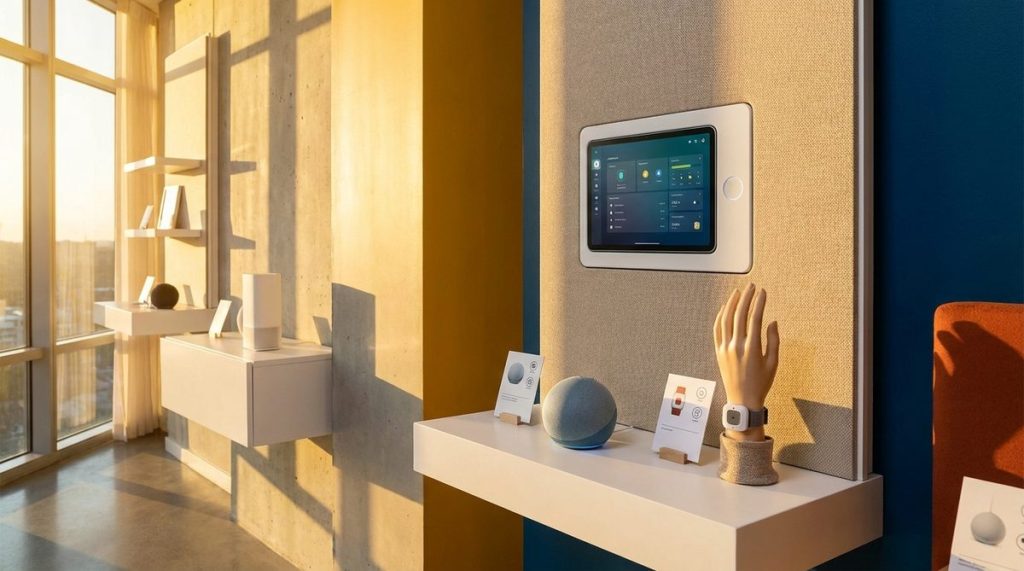
Amazon Echo and Google Nest devices have evolved from novelty gadgets into genuinely useful aging-in-place tools. You can use voice commands to control lights, lock doors, set medication reminders, make phone calls, and even call for help — all without touching a screen or pressing a button.
Why they matter for older adults
I often tell my readers that the single biggest barrier to tech adoption after 50 isn’t willingness — it’s interface complexity. Voice assistants eliminate that barrier almost entirely. You talk. The device responds. For someone with arthritis, low vision, or limited mobility, this is transformative.
Amazon’s Alexa Together service (currently $19.99/month) is specifically designed for remote caregiving. It lets a family member receive alerts if the senior hasn’t interacted with their Echo by a certain time each morning — a simple but powerful “check-in” system. Google offers similar routines through its Home app at no extra cost, though with slightly less caregiver-specific functionality.
3. Smart Medication Dispensers
The problem they solve
Medication non-adherence costs the U.S. healthcare system an estimated $300 billion annually and is responsible for roughly 125,000 deaths per year. For adults managing multiple prescriptions — the average American over 65 takes four or more daily medications — keeping track is a real challenge, not a character flaw.
How they work
Devices like the Hero Automatic Pill Dispenser and the MedMinder Maya pre-sort your medications and dispense the correct dose at the correct time, with audio, visual, and smartphone alerts. If a dose is missed, the device can notify a caregiver or family member automatically.
These aren’t cheap — the Hero runs about $29.99/month after a hardware purchase — but compared to a single ER visit caused by a medication error, the math works clearly in your favor. For a more budget-friendly option, the $7 weekly pill organizer paired with a free smartphone alarm still works. But for complex regimens, automated dispensers are a genuine upgrade.
4. Video Doorbells and Smart Locks
Why home entry points matter
Scammers don’t just operate online. The FBI’s 2024 Elder Fraud Report documented over $3.4 billion in losses to seniors, and a significant portion of those scams begin with someone showing up at the front door posing as a utility worker, government official, or contractor. If you’re also concerned about digital scams, our guide on 7 digital tools to protect older adults from scams covers the online side in detail.
What to install
A video doorbell like the Ring Video Doorbell 4 or Google Nest Doorbell lets you see and speak to whoever is at your door — from your couch, your bedroom, or even from a family member’s phone across the country. Smart locks from brands like August or Schlage let you grant temporary access codes to home health aides, cleaning services, or family without hiding a key under the mat.
The peace of mind here is twofold: you control who enters your home, and a family member can monitor entry remotely if you choose to share access.
5. Personal Emergency Response Systems (PERS)
Beyond “I’ve fallen and I can’t get up”
The old Life Alert commercials gave medical alert systems a somewhat embarrassing reputation, but modern personal emergency response systems are sophisticated, discreet, and potentially life-saving. The technology has matured dramatically.
Today’s systems from companies like Medical Guardian, Bay Alarm Medical, and Lively offer:
- Lightweight pendants or wristbands with two-way voice communication
- Built-in GPS for use outside the home
- Caregiver apps with real-time location tracking and activity alerts
- Integration with smart home devices for automated routines
Cost comparison
Here’s how the leading PERS systems compare in 2026:
| System | Monthly Cost | Fall Detection | GPS Tracking | Caregiver App | Contract Required |
|---|---|---|---|---|---|
| Medical Guardian Mini | $37.95 | Yes (add-on) | Yes | Yes | No |
| Bay Alarm Medical SOS | $24.95 | Yes (add-on $10) | Yes | Yes | No |
| Lively Mobile2 | $24.99 | Yes (included) | Yes | Yes | No |
| Life Alert | ~$49.95 | No | No | No | Yes (3 years) |
| Apple Watch SE (with Cellular) | $10-15 (carrier fee) | Yes (included) | Yes | Via Find My | No |
As you can see, the legacy players aren’t necessarily the best value anymore. I’ve personally tested the Lively Mobile2 and found it to be the best balance of simplicity, features, and price for someone who wants a dedicated device without the learning curve of a smartwatch. Consumer Reports has also rated it highly in recent roundups.

6. Smart Home Sensors and Monitoring Systems
The invisible safety net
This category might be the most underrated on the list. Smart sensors placed throughout the home can detect patterns — and more importantly, breaks in patterns — that signal a potential problem. Motion sensors in the hallway, contact sensors on the refrigerator and medicine cabinet, water leak detectors in the bathroom — together, they paint a picture of daily life.
How families use them
Systems like the Samsung SmartThings platform or the Arlo Home Security system can be configured to send alerts if, for example, the bathroom motion sensor hasn’t been triggered by 10 a.m. (suggesting something is wrong) or if the front door opens at 2 a.m. (suggesting possible confusion or wandering). For families managing early-stage cognitive decline from a distance, this type of passive monitoring can delay the need for full-time in-home care by months or even years.
As we’ve discussed in our piece on aging in place and why most seniors want it but few plan for it, the planning stage is where most people stall. Installing a few $25 sensors today is one of the lowest-effort, highest-impact steps you can take.
7. Simplified Tablets and Smartphones
The connection device that ties everything together
Nearly every device on this list either connects to or is enhanced by a smartphone or tablet. But standard phones can feel overwhelming — tiny text, cluttered menus, and constant notifications that seem designed to confuse rather than inform. That’s why simplified devices exist and keep getting better.
Top options in 2026
The GrandPad tablet ($49.99 + $40/month) offers a curated, locked-down experience with large icons, video calling, photo sharing, and no risk of accidentally downloading malware or falling for a phishing link. For smartphones, the Jitterbug Smart4 from Lively and the Samsung Galaxy A16 (with its built-in Easy Mode) are both strong options reviewed favorably by Tom’s Guide.
If you already own an iPhone, I strongly recommend enabling the Accessibility features Apple has built in — specifically, turning on “Display Zoom” for larger icons, enabling “Speak Screen” for text-to-speech, and using the built-in “Magnifier” app. These features are free, already on your phone, and take about three minutes to set up.
- GrandPad: Best for those who want zero complexity and family-managed content
- Jitterbug Smart4: Best for those who want a real smartphone with a simplified interface
- iPhone with Accessibility Mode: Best for those already in Apple’s ecosystem
- Samsung Easy Mode: Best for Android users who want large icons and simplified menus
How to Get Started Without Getting Overwhelmed
If you’ve read this far and feel like you need to buy seven devices tomorrow, take a breath. You don’t. In my experience, the most successful approach is to start with the one or two categories that address your most pressing concern.
- Worried about falls? Start with a wearable or PERS device.
- Managing multiple medications? A smart dispenser or even a phone alarm system makes an immediate difference.
- Living alone and want family to feel less anxious? A voice assistant and a couple of smart sensors go a long way.
- Concerned about door-to-door scams or package theft? A video doorbell is a one-time purchase that pays for itself in peace of mind.
The financial side matters too. With Social Security changes in 2026 affecting many retirees’ budgets, every monthly subscription needs to justify itself. Most of these devices offer annual billing discounts of 15-25%, and some — like smart sensors and video doorbells — require only a one-time purchase with no recurring fees at all.
A Word About Privacy and Security
Any device that connects to the internet creates a potential vulnerability. This isn’t a reason to avoid smart devices — it’s a reason to set them up correctly. CISA (the Cybersecurity & Infrastructure Security Agency) recommends these baseline steps for every connected home device:
- Change the default password immediately upon setup
- Enable two-factor authentication wherever offered
- Keep device firmware updated (most devices can auto-update)
- Use a separate Wi-Fi network for smart home devices if your router supports it
If a family member is helping you set up these devices, have them walk you through the privacy settings out loud so you understand what’s being shared and with whom. You should always know who has access to your camera feeds, location data, and health information.
The Bottom Line: Technology as a Tool for Independence
The best tech devices for aging in place share a common trait: they work quietly in the background, stepping forward only when you need them. They don’t require you to become a “tech person.” They don’t demand hours of setup or maintenance. They simply reduce risk and increase connection — two things that make the difference between living independently and losing that option sooner than necessary.
After covering this space for over a decade, I can say confidently that 2026 is the most accessible year yet for older adults who want technology to work for them rather than against them. The devices are simpler, the costs are lower, and the evidence that they help is stronger than ever. Start with one. See how it fits your life. Then build from there.
Frequently Asked Questions
What is the most important tech device for aging in place?
A fall detection wearable or personal emergency response system (PERS) is generally the highest-priority device, since falls are the leading cause of injury-related death for adults 65 and older. Devices like the Apple Watch, Lively Mobile2, or Medical Guardian can automatically detect a fall and call for help within seconds — even if you're unconscious or unable to press a button.
How much does aging-in-place technology cost per month?
Costs vary widely. Basic smart sensors and video doorbells require only a one-time purchase ($25-$200) with no monthly fees. Medical alert systems typically run $25-$50 per month, and smart medication dispensers cost around $30/month. Many services offer annual billing discounts of 15-25%, and some devices — like voice assistants and simplified phone modes — are free or very low cost.
Will Medicare pay for aging-in-place technology?
Traditional Medicare does not cover most consumer smart home devices or medical alert systems. However, some Medicare Advantage plans do offer supplemental benefits that may cover personal emergency response systems or certain health monitoring devices. It's worth calling your specific plan to ask about "supplemental benefits for health-related technology" or checking with your local Area Agency on Aging for state-specific assistance programs.
Are smart home devices safe for seniors, or do they create privacy risks?
Smart home devices are generally safe when set up correctly. The key steps include changing default passwords, enabling two-factor authentication, keeping firmware updated, and understanding which family members or services have access to your data. CISA (the Cybersecurity & Infrastructure Security Agency) provides free guides on securing home devices, and a trusted family member or local tech support service can help with initial configuration.
About Alex Rivera, 12+ Years in Consumer Tech Reporting
Alex Rivera is a senior technology journalist with over 12 years of experience making technology accessible to everyday readers. He has covered consumer electronics, smartphones, smart home devices, streaming platforms, and digital privacy for major publications. At Daily Trends Now, Alex focuses on the tech that matters most to American adults — from choosing the right phone plan to protecting your data online. His reviews and guides cut through the jargon to help readers make confident technology decisions.