

Key Takeaways
- Elder fraud losses exceeded $3.4 billion in 2023, with the average victim over 60 losing more than $33,000 — and the real numbers are likely far higher because most cases go unreported.
- The five most common scams targeting older adults follow predictable patterns you can learn to recognize and shut down before any money changes hands.
- Setting up specific call-blocking tools, account alerts, and a trusted contact person creates multiple layers of defense that work even when you're caught off guard.
- If you or someone you love has already been targeted, there are concrete federal reporting steps that can help recover funds and prevent the scammer from striking again.
The Fraud Epidemic Nobody Talks About Enough
In my 12 years covering consumer technology, no story frustrates me more than elder fraud — not because the scams are sophisticated (most aren’t), but because the damage is so devastating and so preventable. I’ve interviewed retirees who lost six-figure nest eggs in a single phone call. I’ve spoken with adult children who discovered a parent had been sending gift cards to a stranger for months. Every one of those stories started the same way: “I never thought it would happen to me.”
According to the FBI’s Internet Crime Complaint Center (IC3), Americans over 60 reported losses exceeding $3.4 billion in 2023 alone — a 11% jump from the year before. The average individual loss topped $33,000. And those are only the reported cases. The actual figures are almost certainly much higher because shame and embarrassment keep many victims silent.
This guide isn’t a scare piece. It’s a practical, step-by-step playbook to help you — or someone you care about — recognize the most common scams, harden your defenses, and know exactly what to do if something goes wrong. Think of it as coaching from a friend who’s spent over a decade studying how these criminals operate.
Why Scammers Specifically Target Older Adults
Let’s be direct: scammers target people over 50 not because they’re gullible, but because they tend to have more money. Retirement accounts, home equity, Social Security income, and decades of savings make older Americans lucrative targets. If you’ve been careful with your finances — and many readers following advice on how retirees can avoid depleting savings early certainly have been — that discipline ironically makes you a bigger prize for criminals.
There’s also a generational trust factor. Many Americans who grew up in the 1950s through 1970s were raised to be polite on the phone, to respect authority figures, and to believe people are generally honest. Scammers exploit that decency ruthlessly.
Finally, isolation plays a role. A 2024 AARP study found that older adults who live alone and have limited daily social interaction are significantly more likely to fall for fraud. The scammer becomes the most “attentive” person in their day — and that emotional manipulation is by design.
The 5 Most Common Scams Targeting Older Adults Right Now
Understanding how these scams work is your single best defense. Here’s what I see most often in my reporting, based on FBI data, FTC complaints, and interviews with fraud investigators.
1. The Government Impersonation Scam
You get a call, email, or text claiming to be from the IRS, Social Security Administration, or Medicare. The message says your benefits are about to be suspended, you owe back taxes, or your Social Security number has been “compromised.” They create panic, then offer a fix — usually involving gift cards, wire transfers, or cryptocurrency.
The tell: No government agency will ever call you demanding immediate payment by gift card or threatening arrest. Period. The SSA will not suspend your Social Security number. If you’re concerned about your benefits, the best move is to hang up and call the agency directly using the number on their official website.
2. The Tech Support Scam
A pop-up appears on your computer warning that your device is infected. It displays a phone number to call “Microsoft” or “Apple” support. When you call, a friendly technician asks for remote access to your computer — then either installs malware, steals banking credentials, or charges hundreds of dollars for fake repairs.
The tell: Microsoft, Apple, and Google will never send you unsolicited pop-up warnings with phone numbers. If you see one, close the browser window (press Ctrl+W on a PC or Command+W on a Mac). If the window won’t close, restart your computer. The Cybersecurity & Infrastructure Security Agency (CISA) has an excellent free guide on recognizing these pop-ups.
3. The Romance or Companionship Scam
Someone contacts you on social media or a dating site. They’re charming, attentive, and emotionally available. Over weeks or months, they build a relationship — then ask for money, usually for a medical emergency, travel expenses, or a business opportunity. The FBI reported that romance scams cost older adults over $356 million in 2023.
The tell: They always have an excuse for not meeting in person or doing a video call. They escalate the relationship quickly. And eventually, every conversation steers toward money.
4. The Grandparent Scam
You get a frantic call: “Grandma, it’s me! I’m in trouble!” The caller claims to be your grandchild — arrested, in an accident, or stranded overseas. They beg you not to tell their parents and need money wired immediately. With AI voice-cloning technology now widely available, these calls can sound disturbingly realistic.
The tell: Hang up and call your grandchild directly on their known phone number. Establish a family code word that only real family members know — I recommend this to every reader I talk to. It takes five minutes to set up and can save thousands.
5. The Investment or Cryptocurrency Scam
You’re approached — often via social media, a text, or even a fake news article — about a “guaranteed” investment opportunity. It might involve cryptocurrency, precious metals, or real estate. Early on, you may even see small “returns” to build your confidence. Then you invest more, and the money vanishes.
The tell: No legitimate investment is guaranteed. If someone you’ve never met is offering double-digit returns with no risk, it’s a scam. Check any investment opportunity through your state’s securities regulator or the FTC’s consumer advice portal before sending a dime.

Your 10-Step Fraud Protection Plan
Recognizing scams is critical, but proactive defense is even better. Here’s the step-by-step plan I’ve refined over years of reporting on elder fraud. Each step is concrete, and most take under 15 minutes.
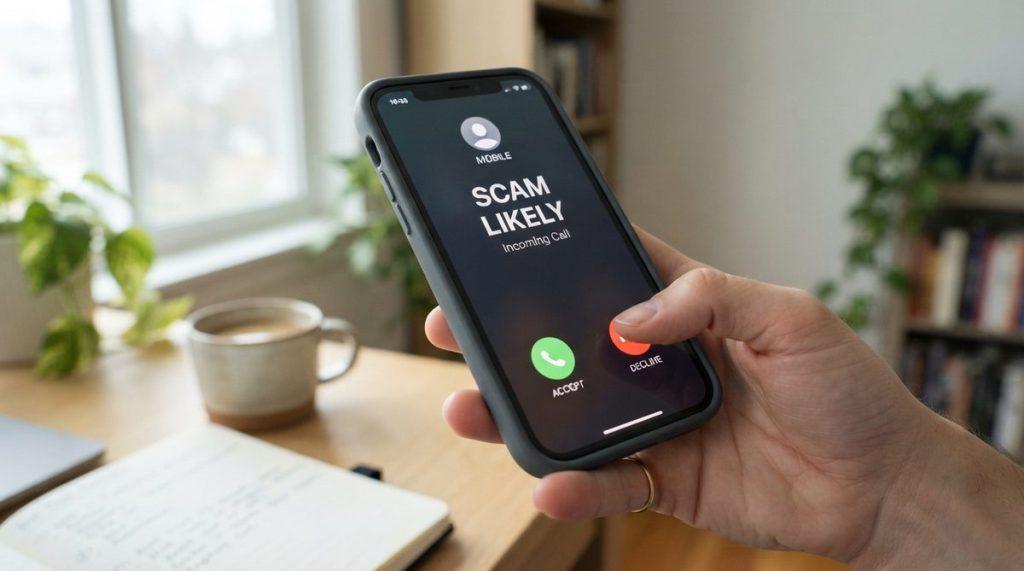
- Enable call filtering on your smartphone. Both iPhone (“Silence Unknown Callers” in Settings → Phone) and Android (Google’s built-in Call Screen) can automatically flag or block suspected scam calls. Your carrier likely offers a free filtering app too — T-Mobile Scam Shield, AT&T ActiveArmor, and Verizon Call Filter are all free at the basic tier.
- Freeze your credit at all three bureaus. Go to Equifax.com, Experian.com, and TransUnion.com and request a credit freeze. It’s free, it takes about 10 minutes per bureau, and it prevents anyone from opening new accounts in your name. You can temporarily lift the freeze whenever you legitimately need credit.
- Set up transaction alerts on every bank account and credit card. Log into your bank’s app or website and turn on instant notifications for any transaction over $1. This way, if someone makes an unauthorized purchase, you’ll know within seconds — not at the end of the month when you review your statement.
- Designate a “trusted contact” at your brokerage and bank. Since 2018, FINRA has allowed financial institutions to let you name a trusted contact person — someone the firm can reach out to if they suspect you’re being exploited. This isn’t giving someone power of attorney. It’s a safety net. Ask your bank or investment advisor about it today.
- Create a family code word. Pick a word or phrase that only close family members know. If anyone calls claiming to be a relative in distress, ask for the code word. No code word, no money. Share this strategy at your next family gathering.
- Use a password manager. Reusing passwords is one of the biggest security risks I see. Apps like 1Password, Bitwarden (free), or the built-in managers in iPhone and Android generate and store unique, strong passwords for every site. You only need to remember one master password.
- Turn on two-factor authentication (2FA) for email, banking, and social media. This means even if someone steals your password, they can’t log in without a second code sent to your phone. Prioritize your email account first — if a hacker gets into your email, they can reset every other password you have.
- Register your phone numbers on the National Do Not Call Registry. Visit DoNotCall.gov or call 1-888-382-1222. It won’t stop criminals (they don’t follow rules), but it dramatically reduces legitimate telemarketing calls — which means any sales call you do receive after registering is far more likely to be a scam.
- Schedule a monthly “security check-in.” Set a recurring calendar reminder to review your bank and credit card statements, check your credit report (free weekly at AnnualCreditReport.com), and make sure no unfamiliar apps have been installed on your phone. Think of it like a monthly oil check for your financial life.
- Talk about it openly. The single most powerful defense against elder fraud is breaking the silence. Scammers rely on shame and secrecy. Tell your friends, your family, your book club, your church group. The more people discuss these tactics openly, the harder it becomes for criminals to succeed.
What to Do If You’ve Already Been Targeted
If you suspect you’ve been scammed — or even if you’re not sure — act fast. Speed matters. Here’s exactly what to do.
Stop all contact and payment immediately
Do not send any more money, regardless of what the scammer threatens. Block their phone number, email address, and social media profile. If you gave them remote access to your computer, disconnect from the internet and take the device to a trusted local repair shop.
Contact your financial institutions
Call your bank and credit card companies right away. If you wired money, contact the wire transfer service (Western Union, MoneyGram) immediately — there’s sometimes a short window to reverse the transaction. If you sent cryptocurrency, report it to the exchange you used; recovery is harder but not always impossible.
File official reports
Report the scam to the FBI’s IC3 at ic3.gov. Also file a report with the FTC at ReportFraud.ftc.gov. If you lost money, file a police report with your local department too — you’ll need the report number for insurance claims and bank disputes. These reports also help law enforcement track and shut down scam networks.
Alert your family and friends
This is the hardest step for many people, but it’s essential. Scammers frequently come back to previous victims posing as “recovery agents” who claim they can get your money back — for a fee, of course. When your family knows what happened, they can help you screen future contacts and catch these secondary scams.
For anyone who has lost retirement savings to fraud, understanding your remaining financial picture is critical. Our analysis of how inflation accelerates savings depletion for retirees can help you assess where you stand and what steps to take next.

Technology That Actually Helps You Stay Safe
I want to be clear about something: technology isn’t the enemy here. In fact, the right tech tools are some of your best defenses. What I see most often is that people who avoid technology entirely are actually more vulnerable because they miss fraud alerts, can’t monitor accounts digitally, and rely on paper statements that arrive weeks after a theft.
Smart home devices as safety tools
Voice assistants like Amazon Echo and Google Nest can be set up to screen calls, read you text messages aloud (so you can evaluate them without clicking suspicious links), and even call trusted contacts hands-free. They’re not just convenience gadgets — they’re accessibility and safety tools.
Smartphones as brain health boosters
Here’s a silver lining worth mentioning: a 2024 study published in the Journal of the American Geriatrics Society found that consistent smartphone use — things like texting, using apps, browsing the web — was associated with a measurably lower risk of cognitive decline in adults over 65. Staying digitally active doesn’t just protect your wallet; it may help protect your brain. We’ve covered this research in depth in our guide to how smartphones support senior brain health.
Recommended security apps worth installing
Based on testing and recommendations from Consumer Reports and my own reporting, here are three apps I consistently recommend to readers over 50:
- Bitwarden (free) — A password manager that works across all your devices. Open-source, well-audited, and straightforward to use.
- Truecaller (free version available) — Identifies unknown callers and blocks known spam numbers using a community-driven database of over 2 billion numbers.
- Google Family Link or Apple’s Family Sharing — Allows a trusted adult child to help monitor account security and app installations without taking over your device entirely.
Having “The Talk” With Your Adult Children (Or Your Parents)
Fraud prevention works best as a family effort, but these conversations can feel awkward. Nobody wants to feel like their competence is being questioned. Here’s how I suggest framing it, based on dozens of interviews with families who’ve navigated this successfully.
Start with yourself. Say something like: “I’ve been reading about these new scams that are really convincing, and I want to make sure we’re all protected. Can we set up some safeguards together?” Making it a shared project — not an intervention — changes the entire dynamic.
Agree on practical steps together: the family code word, who the trusted contact should be at the bank, which family member is the first call if something seems off. Write it down. Put it on the refrigerator. Revisit it every six months because scam tactics evolve constantly.
The Bottom Line: You’re Smarter Than They Think
Elder fraud is a $3.4 billion problem, but it’s not an inevitable one. The scammers I’ve studied over the past 12+ years are not criminal masterminds — they’re opportunists running the same handful of scripts over and over, counting on surprise, fear, and isolation to override your judgment.
When you slow down, verify independently, and use the tools and steps in this guide, you take away every advantage they have. You don’t need to become a cybersecurity expert. You just need a plan, a few good habits, and people around you who are paying attention.
Print this guide. Share it with a friend. Bring it to your next community group meeting. Because the best defense against fraud isn’t any single app or trick — it’s a community of informed people who look out for each other.
About Alex Rivera, 12+ Years in Consumer Tech Reporting
Alex Rivera is a senior technology journalist with over 12 years of experience making technology accessible to everyday readers. He has covered consumer electronics, smartphones, smart home devices, streaming platforms, and digital privacy for major publications. At Daily Trends Now, Alex focuses on the tech that matters most to American adults — from choosing the right phone plan to protecting your data online. His reviews and guides cut through the jargon to help readers make confident technology decisions.