
Key Takeaways
- Smart home sensors and voice assistants can reduce fall risk and automate daily tasks for older adults living independently.
- Medical alert systems have evolved far beyond the old "panic button" — modern versions include fall detection, GPS, and two-way communication.
- Video calling devices designed for seniors eliminate the complexity barrier that keeps many older adults from staying connected to family.
- Combining the right age tech devices with basic online safety habits protects both your independence and your finances.
Why “Age Tech” Is No Longer Optional — It’s Practical
Over the past three years, a quiet revolution has reshaped how Americans over 50 think about technology. According to AARP’s 2024 Tech Trends and Adults 50+ report, 72% of adults aged 50 and older now own a smartphone, and nearly half use some form of smart home device. Those numbers were unthinkable a decade ago.
For adults over 50 considering technology, the pressing question isn’t “Should you use tech?” — it’s “Which tech actually helps, and which is just marketing noise?” This article answers that question directly.
The concept of using tech devices to help seniors age in place has moved from niche curiosity to mainstream necessity. With the 65-and-older population projected to reach 82 million by 2050 (U.S. Census Bureau), and roughly 90% of older adults preferring to stay in their own homes, the right devices can mean the difference between thriving independently and reluctantly moving to assisted living.
Below are seven categories of technology worth considering after extensive hands-on testing and years of reader feedback. Each one solves a real problem — not a hypothetical one.
1. Voice Assistants: Your Always-Available Helper
If you adopt only one piece of age tech, make it a voice assistant. Amazon’s Echo and Google’s Nest Hub sit on a countertop, respond to plain-English questions, and require zero typing. This is the single device that converts the most skeptics into enthusiasts.
What They Actually Do for You
- Set medication reminders and recurring alarms with a simple voice command
- Make hands-free phone calls to family, doctors, or pharmacies
- Control lights, locks, and thermostats without getting up
- Read the news, weather, and audiobooks aloud
- Provide emergency calling features (Alexa’s “Call for Help” routine)
The Amazon Echo Show 8 (around $100–$150 at most retailers) adds a screen for video calls, which we’ll discuss more below. Google’s Nest Hub (around $100) is equally capable. Both regularly go on sale during Prime Day and holiday events.
A key tip: ask a family member to help with initial setup and link your contacts. After that, daily use is almost entirely voice-driven.
2. Smart Sensors and Lighting: Preventing Falls 24/7
Falls are the leading cause of injury-related death for Americans 65 and older, according to the CDC. But here’s what surprises most people: a significant percentage of those falls happen during nighttime trips to the bathroom in poorly lit hallways.
Motion-activated smart lights solve this problem for under $30. Brands like Philips Hue and Wyze offer plug-in sensors that illuminate a path the moment you swing your legs off the bed. No fumbling for switches, no stumbling in the dark.
Beyond Lighting: Activity Monitoring Sensors
Products like the CarePredict Tempo and sensors from companies like Notion can track daily movement patterns throughout your home. If your routine suddenly changes — say you haven’t opened the refrigerator by noon, or the bathroom door hasn’t been used — the system alerts a designated family member.
This isn’t surveillance. It’s peace of mind, and it’s the kind of passive monitoring that lets you stay independent while giving your adult children reassurance. For a deeper look at physical modifications that complement these tech solutions, check out Aging-in-Place Design Features That Cut Fall Risk by 60%.
3. Medical Alert Systems: Far Beyond the Old Panic Button
The medical alert industry has changed dramatically since those early “I’ve fallen and I can’t get up” commercials. Today’s systems are sleek, waterproof, and packed with features that genuinely save lives.
What to Look For in 2025
- Automatic fall detection: Accelerometers detect a hard fall and call for help even if you can’t press a button
- Built-in GPS: Works outside the home — at the grocery store, on a walk, in a parking lot
- Two-way voice communication: Speak directly with a dispatcher through the pendant or wristband
- No landline required: Cellular connections mean you don’t need a home phone
Consumer Reports consistently rates Medical Guardian, Bay Alarm Medical, and the Apple Watch’s fall detection among the most reliable options. Subscription plans typically run $20–$50 per month, and many Medicare Advantage plans now offer partial reimbursement.
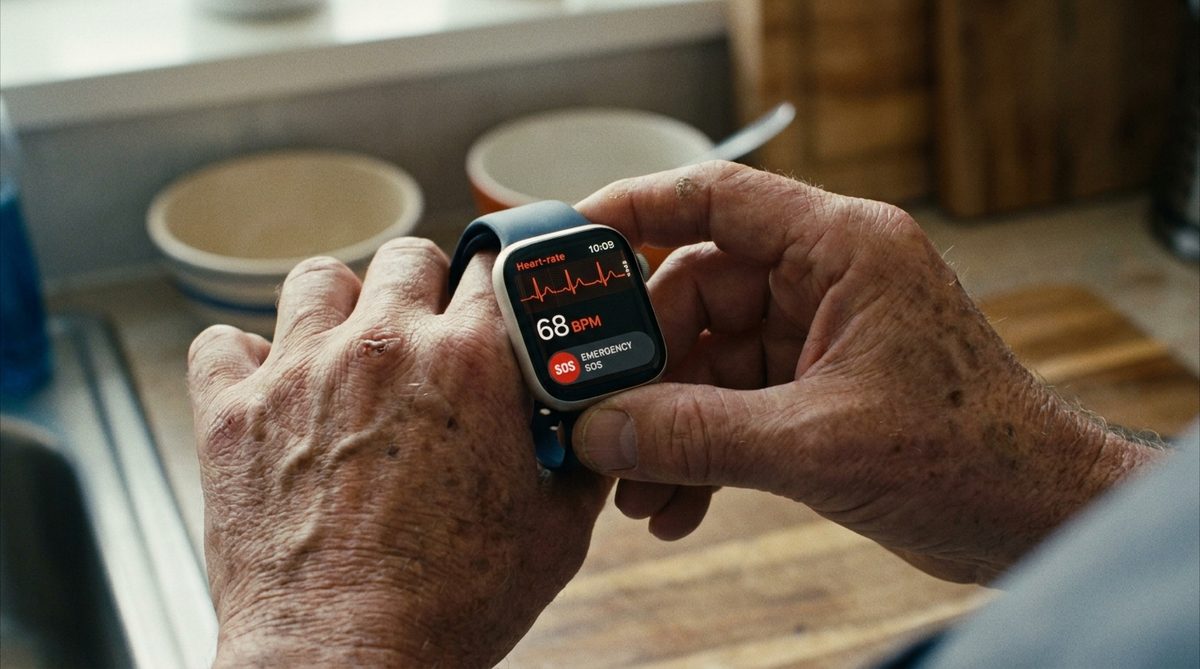
The Apple Watch deserves special mention. Its Series 9 and Ultra 2 models include fall detection, heart-rate alerts for atrial fibrillation, crash detection, and an Emergency SOS feature. If you’re already an iPhone user, the integration is seamless. At $399 and up, it’s pricier than a basic medical alert pendant, but it also replaces a fitness tracker and watch.
4. Smart Pill Dispensers: Medication Management Made Simple
Medication non-adherence is a $300 billion problem in the U.S. healthcare system annually, and older adults managing multiple prescriptions are especially vulnerable to missed or doubled doses. What’s often seen is people relying on memory or those flimsy plastic pill organizers that don’t actually remind you of anything.
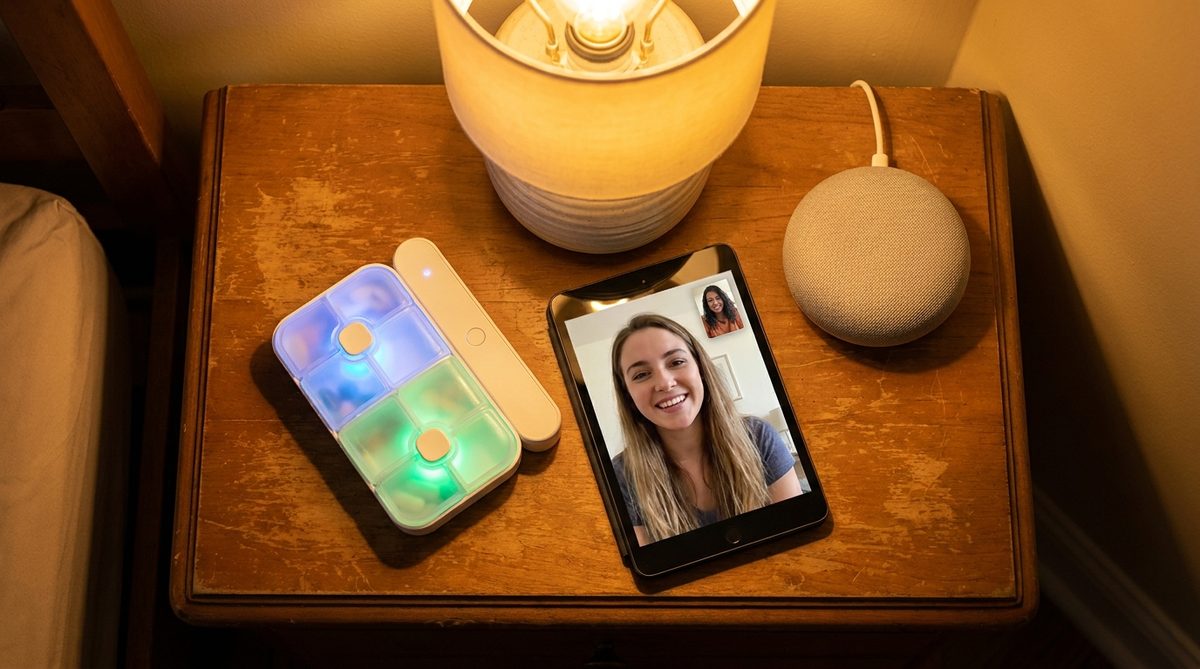
Smart pill dispensers like the Hero Health system (roughly $30/month) and the MedMinder Maya ($40–$50/month) automate the entire process. You or a caregiver loads up to a 90-day supply, program the schedule through an app, and the device dispenses the correct pills at the correct time with audible and visual alerts.
Why This Matters More Than You Think
If a dose is missed, the system sends a text or app notification to a family member or caregiver. Some models lock to prevent accidental overdose. For anyone managing blood thinners, diabetes medications, or blood pressure drugs — where timing and dosage precision are critical — this technology is a genuine lifeline.
Maintaining healthy routines goes well beyond medication, of course. If you’re looking at the bigger picture, Healthy Habits for Aging in Your 60s, 70s, and Beyond covers complementary strategies worth reading.
5. Simplified Video Calling Devices: Staying Connected Without the Hassle
Loneliness and social isolation affect roughly one in four Americans over 65, according to the National Academies of Sciences. And while Zoom and FaceTime exist, the setup complexity keeps many older adults from using them regularly.
That’s where purpose-built devices come in. The GrandPad tablet (subscription-based, around $75/month) and the Amazon Echo Show are specifically designed to reduce friction. GrandPad, for example, has no passwords, no software updates to navigate, and no app store. Family members manage everything remotely.
Features That Actually Matter
- One-touch video calling — tap a photo of a family member’s face to connect
- Large text and high-contrast display for easier reading
- Pre-loaded photo albums that family can update from their own phones
- Built-in games, music, and email in a simplified interface
The Facebook Portal (now Meta Portal) was another strong option before Meta discontinued it in 2023, but refurbished units are still available and functional. For most people, the Echo Show 8 or Echo Show 15 now represent the best balance of price, simplicity, and capability.
6. Smart Home Security: Protecting Your Space and Your Finances
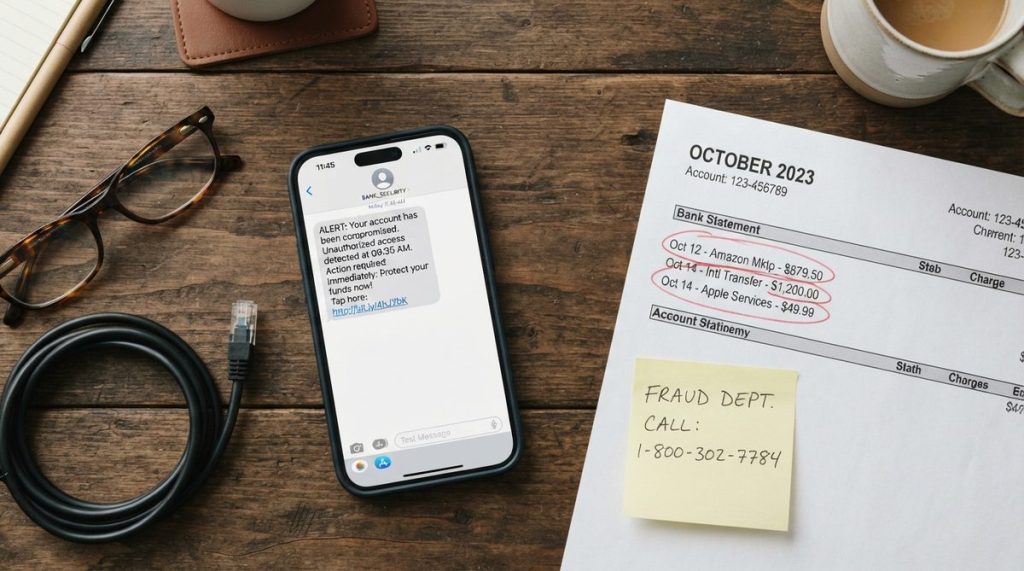
This is where age tech devices that help seniors age in place intersect with financial safety — a topic worth taking very seriously. FBI data from 2023 shows Americans over 60 lost more than $3.4 billion to fraud schemes, an 11% increase over the previous year. Many of those scams begin with someone showing up at the front door or calling the home phone.
Video Doorbells and Smart Locks
A video doorbell like the Ring Video Doorbell (around $100) or Google Nest Doorbell ($130) lets you see and speak with anyone at your door from your phone or smart display — without opening it. This alone deters a huge category of in-person scams targeting older homeowners.
Smart locks from brands like Schlage and August let you grant temporary access codes to caregivers, cleaning services, or family members, and you can see a log of exactly who entered and when. No more hiding keys under the mat.
Digital Scam Protection
Beyond physical security, the Cybersecurity and Infrastructure Security Agency (CISA) recommends that older adults enable two-factor authentication on all financial accounts, use a password manager (like 1Password or Bitwarden), and never share one-time verification codes with anyone who calls, texts, or emails requesting them — regardless of who they claim to be.
Scam tactics evolve fast, and many common assumptions about online fraud are dangerously wrong. You should strongly consider reading 7 Online Scam Myths Seniors Believe That Put Them at Risk for a thorough breakdown of the most costly misconceptions.
7. Wearable Health Monitors: Data That Keeps You and Your Doctor Informed
The wearable health market has matured to the point where consumer devices produce genuinely useful clinical data. This isn’t about counting steps for a leaderboard — it’s about continuous heart-rate monitoring, blood oxygen tracking, sleep analysis, and even early atrial fibrillation detection.
Top Picks for Older Adults
- Apple Watch Series 9/10: Best overall if you use an iPhone. ECG app, fall detection, crash detection, temperature sensing. $399+.
- Fitbit Charge 6: Simpler interface, excellent battery life (about 7 days), heart-rate and SpO2 tracking. $100–$160.
- Withings ScanWatch 2: Looks like a traditional analog watch but packs ECG, SpO2, and sleep apnea detection. Great for people who don’t want a “tech-looking” device. Around $350.
According to Tom’s Guide, the Withings ScanWatch 2 is particularly popular among older adults because of its 30-day battery life and familiar watch face — you charge it once a month instead of every night.
Sharing Data With Your Doctor
Most of these devices sync with Apple Health or Google Health Connect, which means you can walk into your next appointment with weeks of heart-rate trends, sleep data, and activity logs. Several readers have reported that their doctors spotted irregular heart rhythms in their wearable data that led to early interventions. That’s not a gadget novelty — that’s preventive medicine.
Getting Started Without Getting Overwhelmed
It’s understandable to feel hesitant. Seven categories of technology can feel like seven new problems to solve. But here’s what experience shows: start with one device that solves your most pressing concern.
- Worried about falls? Start with smart lighting and a medical alert wearable.
- Feeling isolated? Get an Echo Show and schedule weekly video calls with grandchildren.
- Concerned about medication errors? Try a smart pill dispenser for 30 days.
- Anxious about scams? Install a video doorbell and set up two-factor authentication on your bank accounts this weekend.
You don’t need to overhaul your home in a single afternoon. Tech devices that help seniors age in place work best when they’re adopted gradually, one layer of support at a time.
The Bigger Picture: Tech as a Tool, Not a Replacement
None of these devices replace human connection, good medical care, or smart financial planning. They amplify your ability to manage your own life on your own terms. Older adults who thrive with technology aren’t necessarily the most technically savvy — they’re the ones who identify a specific need and match it with a specific tool.
The data backs this up. A 2024 study published in JAMA Network Open found that older adults who regularly used digital health tools reported higher levels of self-efficacy and lower rates of hospitalization over a two-year period. Technology use doesn’t just add convenience — it appears to contribute to better health outcomes.
If you’re planning to stay in your home for the long haul, the combination of thoughtful home modifications and the right tech creates a powerful safety net. These tools exist to serve you, and you absolutely deserve to benefit from them — regardless of whether you consider yourself a “tech person” or not.
Because here’s the truth: the best technology is the kind you forget is even there, quietly working in the background while you get on with living your life.
Frequently Asked Questions
What is the most important tech device for aging in place?
A medical alert system with automatic fall detection is arguably the most critical single device, because it provides a direct lifeline to emergency services even if you're unable to press a button or reach a phone after a fall.
How much does it cost to set up age tech in your home?
A basic setup — including a voice assistant, smart lighting, and a medical alert subscription — can start at around $200–$300 in upfront costs plus $20–$50 per month for the alert service. You can add devices gradually as your budget and comfort level allow.
Are smart home devices difficult for seniors to learn?
Most modern age tech devices are designed with simplicity in mind. Voice assistants require no typing or screen navigation, and purpose-built tablets like GrandPad eliminate passwords and complex menus. Initial setup usually benefits from a family member's help, but daily use is straightforward.