

Key Takeaways
- Adults 50 and over are the fastest-growing segment of technology adopters, with 75% of those 65+ now owning smartphones according to AARP's 2024 data.
- The biggest barrier to technology use for older adults isn't ability — it's design and education failures by the tech industry itself.
- Compulsive smartphone use, not smartphone use in general, is what research links to depression risk in older adults, and mindful habits make all the difference.
- Financial scams targeting older adults cost victims over $3.4 billion in 2023, but three specific habits can block the vast majority of attacks.
The Myths Are More Dangerous Than the Technology
After spending 12 years covering consumer technology — reviewing devices, interviewing engineers, and fielding thousands of reader questions — I can tell you that the single biggest obstacle keeping adults over 50 from thriving with technology isn’t complexity. It’s mythology.
Stubborn, outdated myths about older adults and technology get repeated so often they start to feel like facts. They discourage people from trying new tools. They cause families to make patronizing decisions. And they let the tech industry off the hook for design failures that shouldn’t exist in the first place.
Today I’m dismantling seven of the most persistent misconceptions, one by one, using current research, real-world data, and what I’ve seen firsthand from the millions of readers I’ve worked with over the past decade-plus. If you’re over 50 — or you love someone who is — at least one of these myths has probably affected you.
Myth #1: “Older Adults Just Don’t Use Technology”
This is the granddaddy myth, and it hasn’t been true for years. According to AARP’s 2024 Tech Trends and Adults 50+ report, 75% of adults 65 and older now own a smartphone. Among adults 50–59, that number climbs to 95% — virtually indistinguishable from younger demographics.
Tablet ownership among the 50-plus population sits at 65%. Smart speaker adoption has tripled since 2019. And streaming service subscriptions among adults over 70 jumped 48% between 2020 and 2024.
“The narrative that older adults are technophobes is not only wrong — it’s harmful. It gives manufacturers permission to ignore the fastest-growing segment of tech consumers in the country.” — AARP 2024 Tech Trends Report
What I see most often is not reluctance — it’s frustration. People over 50 want to use these tools. They’re buying them in record numbers. The gap isn’t in adoption; it’s in support and design, which brings me to the next myth.
Myth #2: “If You Can’t Figure It Out, You’re Not Tech-Savvy Enough”
This might be the most damaging myth on the list because it shifts blame from bad design to the user. In my 12 years of testing consumer products, I’ve watched interfaces get more cluttered, settings get buried deeper, and font sizes get smaller — all while companies claim they’re making things “more intuitive.”
The truth is, if a 62-year-old accountant who managed spreadsheets for three decades can’t figure out her phone’s privacy settings, that’s not a user problem. That’s a design failure.
What the Research Actually Shows
A 2024 study from the University of California San Diego found that 78% of technology difficulties reported by adults over 60 involved interface navigation and settings — not understanding what the technology does or why it’s useful. People understood the concepts. The menus defeated them.
AARP’s data backs this up: 44% of adults 50+ said they want tech companies to design products with them in mind, and 58% said they’d adopt new technology faster if better educational resources existed. The demand is there. The industry just isn’t meeting it.
Myth #3: “A Simple Phone Is All an Older Person Needs”
I’ve lost count of how many emails I’ve received saying, “My dad just needs a basic phone with big buttons.” While simplified devices like the Jitterbug or Lively phones serve a real purpose for people with specific cognitive or motor challenges, most adults over 50 don’t need a stripped-down device. They need a well-configured mainstream one.
Here’s why this matters: “simple” phones often can’t run modern banking apps, telehealth platforms, ride-sharing services, or video calling tools that have become essential, especially for those aging in place. By limiting the device, you may actually be limiting independence.
What to Consider Instead
A modern iPhone or Samsung Galaxy with accessibility features turned on — larger text, simplified home screen, magnifier, voice control — often outperforms a “senior phone” in both usability and capability. Consumer Reports rated several mainstream phones higher than dedicated senior phones for ease of use when accessibility settings were enabled.
| Feature | Simplified “Senior” Phone | Mainstream Phone (Accessibility On) |
|---|---|---|
| Large Text / Icons | Yes (fixed) | Yes (adjustable) |
| Video Calling | Limited or none | FaceTime, Zoom, Google Meet |
| Banking / Telehealth Apps | Rarely supported | Full app store access |
| Voice Assistant | Basic or none | Siri / Google Assistant (advanced) |
| Fall Detection / Emergency SOS | Some models | Built-in (iPhone 14+, Pixel, Galaxy) |
| Average Price | $50–$150 + monthly plan | $0–$200 with carrier trade-in |
| Software Updates / Security Patches | Infrequent | Regular (3–7 years of support) |
The bottom line: match the phone to the person’s actual needs and abilities, not to a stereotype about their age.
Myth #4: “Smartphones Cause Depression in Older Adults”
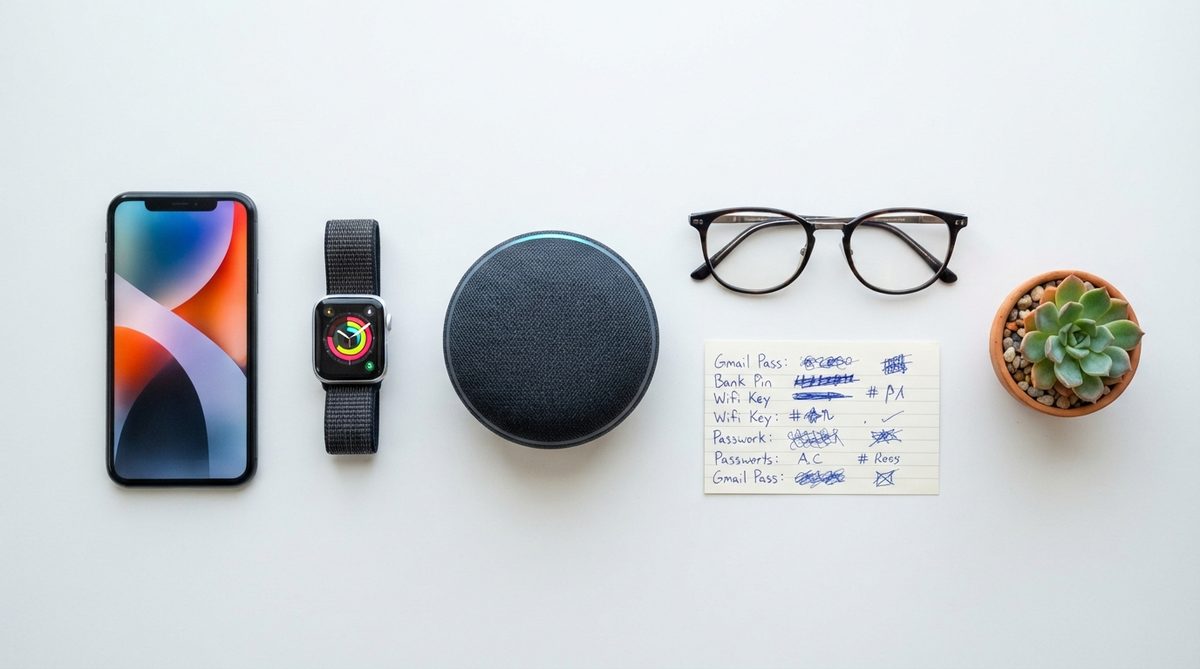
Recent headlines about a study linking smartphone use to depression in older adults spread fast — and spread poorly. Here’s what the research actually found: compulsive smartphone use — the inability to stop scrolling, checking, and refreshing even when it interferes with sleep and daily life — correlated with higher depression risk.
That’s a critical distinction. Moderate, intentional smartphone use was associated with reduced feelings of isolation and improved social connectedness in adults over 65, according to the same body of research.
Healthy Smartphone Habits That Protect Mental Health
- Set a “digital sunset.” Stop using your phone 60 minutes before bed. Both iOS and Android have scheduled Do Not Disturb modes that automate this.
- Use Screen Time or Digital Wellbeing tools. Check your weekly usage report every Sunday. If social media consumption tops 90 minutes a day, consider trimming back.
- Prioritize connection over consumption. A 10-minute FaceTime call with a grandchild is qualitatively different from 10 minutes of doomscrolling news. Choose connection first.
- Turn off non-essential notifications. Every buzz triggers a dopamine hit that trains compulsive checking. Keep notifications on for calls, texts, and medical reminders only.
- Schedule phone-free activities daily. A walk, a book, a garden session — anything that keeps your hands and mind engaged offline for at least 30 minutes.
The phone isn’t the villain. How we use it determines whether it connects us or consumes us.
Myth #5: “Scammers Only Fool People Who Aren’t Smart”
If you believe that financial scams only target the gullible, I need to tell you something uncomfortable: in 2023, the FBI’s Internet Crime Complaint Center reported that Americans over 60 lost more than $3.4 billion to online fraud. That’s a 14% increase from 2022. And many of the victims were educated, financially literate professionals.
Modern scams don’t rely on foolishness. They exploit trust, urgency, and emotional triggers — the “grandparent scam,” fake tech-support pop-ups, romance fraud, and increasingly sophisticated AI-generated voice cloning. Intelligence is not a shield against social engineering.
“Scam sophistication has outpaced public awareness. Today’s fraud operations use AI, deepfakes, and real-time data scraping. No one is immune by virtue of education or experience.” — FBI IC3 2023 Elder Fraud Report
Three Habits That Block Most Scams
- Adopt a 24-hour rule. Never send money, share account numbers, or click links in response to any unexpected contact — phone, email, or text — without waiting 24 hours and independently verifying the request. Call your bank using the number on your card, not the number provided in the message.
- Freeze your credit now. A credit freeze at all three bureaus (Equifax, Experian, TransUnion) is free and takes about 10 minutes total. It prevents anyone from opening accounts in your name. You can temporarily lift it whenever you need to apply for credit. The FTC’s consumer advice site walks you through the process step by step.
- Set up a trusted contact at your brokerage. FINRA Rule 4512 allows you to designate a trusted contact person at your financial institution. This person can be notified if the firm suspects you’re being exploited — without giving them control of your accounts.
For a deeper dive into protecting your finances from fraud, check out our comprehensive guide on how to protect yourself from financial scams in 2025. And remember, scammers don’t just drain bank accounts — they can erode your retirement portfolio if they gain access to investment credentials.

Myth #6: “Smart Home Devices Are Just Fancy Toys”
I once thought this myself, early in my career. Then I watched a 74-year-old woman in Phoenix use a $50 Amazon Echo to manage her medications, call her daughter hands-free while cooking, lock her front door from bed, and check whether she’d left the garage open — all by voice, without touching a single screen.
Smart home technology has quietly become one of the most powerful tools for aging independently. Voice-activated assistants eliminate the need to navigate small screens. Smart locks remove the risk of lost keys. Water leak sensors, automatic stove shutoffs, and motion-activated lighting address real safety concerns.
The Most Useful Smart Home Devices for Independent Living
Voice assistants (Amazon Echo, Google Nest): Set medication reminders, make hands-free calls, get weather and news, control other smart devices. Cost: $30–$100.
Smart doorbells (Ring, Google Nest Doorbell): See and speak with visitors from anywhere in the house — or from your phone if you’re away. Reduces fall risk from rushing to the door. Cost: $100–$180.
Smart lighting (Philips Hue, Wyze Bulbs): Motion-activated lights in hallways and bathrooms dramatically reduce nighttime fall risk. They can also simulate occupancy when you’re traveling. Cost: $8–$25 per bulb.
Medical alert integration: Modern medical alert systems now pair with smart speakers and smartphones, allowing fall detection without wearing a bulky pendant. Companies like Medical Guardian and Bay Alarm Medical offer this integration.
For more on creating a safe living environment as you age, our guide to making your home safe for aging in place covers both tech and non-tech upgrades worth considering.
Myth #7: “It’s Too Late to Learn”
This is the myth I fight hardest against, because it’s the one that stops people before they even start. The idea that there’s a cognitive cutoff date for learning technology is flatly contradicted by neuroscience. The brain’s capacity for learning new skills — including digital ones — continues well into the 80s and beyond, according to research published in Psychological Science.
What changes with age is not the ability to learn, but the optimal way to learn. Older adults tend to learn technology best through:
- Repetition with a single device — mastering one phone or tablet thoroughly before adding new gadgets.
- One-on-one instruction — community classes, library workshops, or patient family members who explain without grabbing the device and doing it themselves.
- Written reference guides — step-by-step printed instructions for frequently used tasks (many libraries offer these for free).
- Low-stakes practice — exploring settings, making mistakes, and learning that almost nothing you do on a phone is irreversible.
Free technology classes are available at most public libraries, many senior centers, and through programs like AARP’s Technology Education Center and CISA’s cybersecurity awareness resources. The tools are out there. The only real barrier is the belief that you can’t.
The Real Story: Technology Is a Tool — and You Deserve to Wield It Well
Every one of these myths shares a common thread: they underestimate adults over 50. They assume fragility where there’s capability, ignorance where there’s curiosity, and helplessness where there’s just a need for better design and honest information.
In my experience, the readers who thrive with technology aren’t the ones who were “born digital.” They’re the ones who gave themselves permission to learn at their own pace, asked questions without embarrassment, and refused to let outdated stereotypes define what they could or couldn’t do.
The technology itself is neutral. What matters is whether you have the accurate information, the right setup, and the confidence to use it on your own terms. I hope this article gives you at least a start on all three.
Frequently Asked Questions
What is the best smartphone for adults over 65?
For most adults over 65, a mainstream iPhone (such as the iPhone 15 or SE) or Samsung Galaxy (A15 or S24) with accessibility features enabled outperforms dedicated "senior" phones. Enable larger text, simplified home screen layout, and voice assistant features during setup for the best experience.
Are smart home devices safe for older adults to use?
Yes, when set up correctly. Use strong, unique Wi-Fi passwords, enable two-factor authentication on your smart home accounts, and keep device firmware updated. Voice-activated devices like Amazon Echo and Google Nest are particularly safe and useful because they require no screen navigation.
How can I tell if a phone call or email is a scam?
Legitimate organizations — including the IRS, Social Security Administration, and your bank — will never demand immediate payment, threaten arrest, or ask for gift card numbers. If you receive an unexpected urgent request involving money or personal information, hang up or close the email and contact the organization directly using a verified phone number.
Does using a smartphone increase depression risk in older adults?
Research shows that compulsive, uncontrolled smartphone use — not moderate intentional use — is linked to higher depression risk. Setting screen time limits, turning off non-essential notifications, and prioritizing video calls and meaningful communication over passive scrolling can make smartphone use a positive force for mental health.
About Alex Rivera, 12+ Years in Consumer Tech Reporting
Alex Rivera is a senior technology journalist with over 12 years of experience making technology accessible to everyday readers. He has covered consumer electronics, smartphones, smart home devices, streaming platforms, and digital privacy for major publications. At Daily Trends Now, Alex focuses on the tech that matters most to American adults — from choosing the right phone plan to protecting your data online. His reviews and guides cut through the jargon to help readers make confident technology decisions.