

The Scam Crisis Hitting Older Americans Hardest
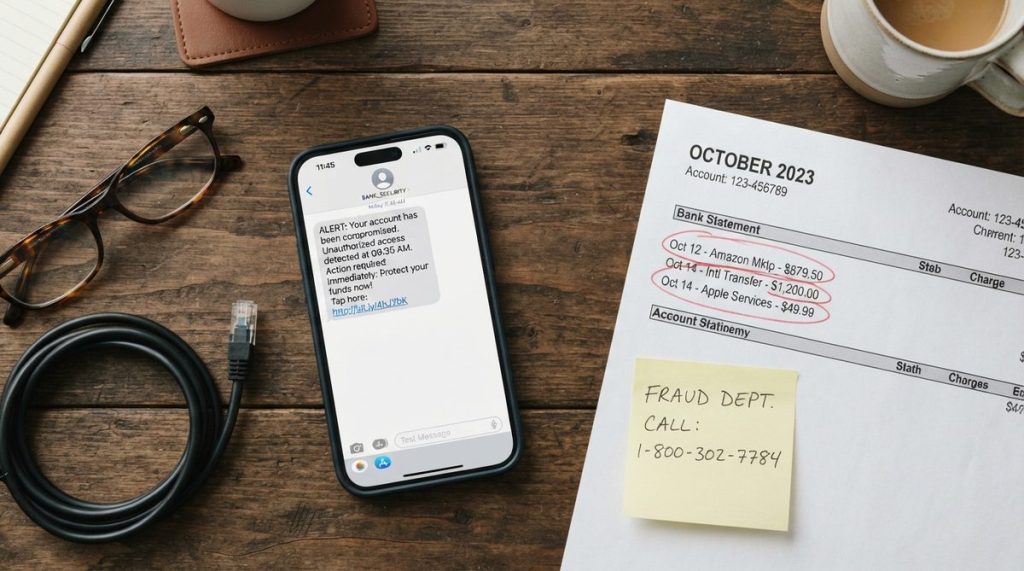
In 2024, Americans aged 60 and older reported losses exceeding $4.8 billion to fraud, according to the FBI’s Internet Crime Complaint Center — a staggering 43% increase from the previous year. Behind that number are real people: retirees who lost nest eggs, grandparents manipulated by imposters, and savvy professionals deceived by increasingly sophisticated schemes.
In my 14 years working in cybersecurity and digital privacy research, I’ve watched scam tactics evolve from clumsy phishing emails riddled with typos to polished, AI-generated voice calls that can mimic a grandchild’s voice with frightening accuracy. What I see most often is not a lack of intelligence among victims — it’s a lack of specific, actionable knowledge about how today’s scams actually work.
This guide is designed to change that. I’m going to walk you through the most common financial scams targeting older adults in 2025, show you exactly how to recognize them, and give you concrete steps to lock down your finances and digital life. Think of this as a coaching session with a friend who happens to study cybercriminals for a living.
Why Scammers Specifically Target Older Adults
Before diving into the scams themselves, it helps to understand why you’re a target. It’s not because scammers think you’re gullible — it’s because you often have what they want.
Older Americans tend to have larger savings accounts, own their homes, and have excellent credit scores built over decades. The FTC’s consumer research also shows that adults over 60 are more likely to answer phone calls from unknown numbers and less likely to report fraud due to embarrassment — two factors scammers ruthlessly exploit.
There’s also a social isolation factor. According to AARP research, loneliness increases vulnerability to romance and impersonation scams. If you’re living alone or recently lost a spouse, that emotional openness can be weaponized. Being aware of this dynamic is the first layer of your defense — and it pairs well with the broader strategies in 5 Healthy Habits for Aging Well in Your 60s, 70s & Beyond, which includes staying socially connected.
The 5 Most Dangerous Financial Scams in 2025
Not all scams are created equal. Here are the five categories draining the most money from older Americans right now, based on 2024–2025 FBI and FTC complaint data.
| Scam Type | Avg. Loss Per Victim (60+) | How It Reaches You | Red Flag to Watch |
|---|---|---|---|
| Tech Support Scams | $14,740 | Pop-up alerts, phone calls | “Your computer is infected — call now” |
| Government Impersonation | $8,200 | Phone calls, emails, texts | Threats of arrest or benefit cancellation |
| Romance/Confidence Scams | $31,500 | Dating sites, social media, email | Never meets in person; requests money |
| Investment/Crypto Fraud | $83,000 | Social media ads, messaging apps | Guaranteed returns, urgency to invest |
| Grandparent/Family Emergency | $9,000 | Phone calls (often AI-cloned voice) | “Don’t tell Mom and Dad” |
Let me break down the most insidious of these so you know exactly what to listen and look for.
Tech Support Scams
You’re browsing the web and a full-screen pop-up appears: “CRITICAL ALERT: Your computer has been compromised. Call Microsoft Support immediately at 1-800-XXX-XXXX.” It looks terrifyingly official. Your cursor might even seem frozen.
Here’s the truth: Microsoft, Apple, and Google will never display a phone number in a pop-up alert. The fix is usually as simple as pressing Ctrl+W (or Command+W on Mac) to close the browser tab, or restarting your computer. I often tell my clients to tape a small note near their screen: “Pop-up with a phone number = scam. Close the tab.”
AI-Powered Voice Cloning (Grandparent Scams)
This is the one that genuinely keeps me up at night as a researcher. In 2025, scammers can clone a voice from as little as three seconds of audio pulled from a social media video. They call claiming to be your grandchild, sobbing, saying they’ve been arrested or are in an accident, and beg you to wire money or buy gift cards — and not to tell anyone.
The countermeasure is simple but requires advance planning: establish a family code word. Pick a word your family wouldn’t normally use — “pineapple,” “thunderbird,” whatever feels right — and agree that anyone calling with an emergency must say the code word. No code word, no money, no exceptions.
Your 10-Step Scam Protection Action Plan
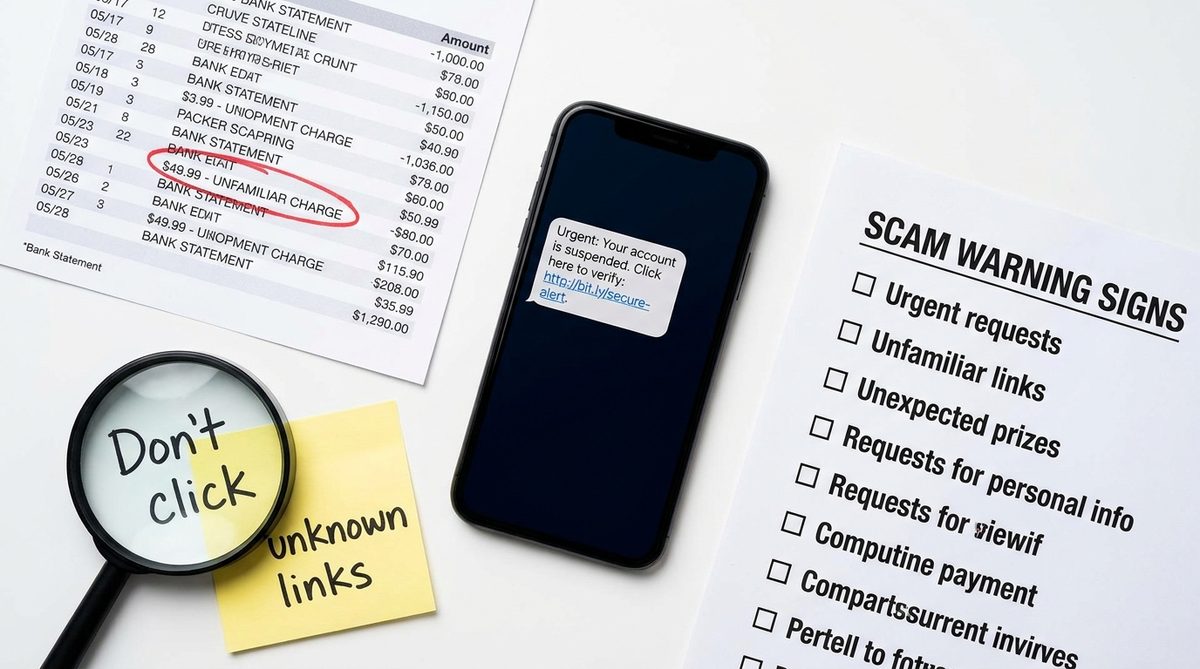
Knowledge of scam types is essential, but what you really need is a concrete system. Here’s the step-by-step plan I recommend to everyone I work with — family, clients, and research participants alike.
- Freeze your credit at all three bureaus. Visit Equifax, Experian, and TransUnion online to place free credit freezes. This prevents anyone from opening new accounts in your name. You can temporarily lift the freeze when you need to apply for credit.
- Set up a family code word. As described above, choose a unique word and share it only with close family members. Practice using it so it becomes second nature during a stressful call.
- Enable two-factor authentication (2FA) on every financial account. This means even if someone steals your password, they can’t log in without a second verification code sent to your phone. Most banks and email providers offer this in their security settings.
- Register your phone number with the National Do Not Call Registry at donotcall.gov. While it won’t stop illegal robocalls, it gives you legal grounds to report violators and reduces legitimate telemarketing.
- Install a call-screening app. Apps like the built-in “Silence Unknown Callers” feature on iPhone (Settings → Phone → Silence Unknown Callers) or Google’s Call Screen on Pixel and Android phones automatically filter likely spam. Consumer Reports consistently recommends these features as a first line of defense.
- Set up bank and credit card alerts. Configure your bank to text or email you for any transaction over $50 (or whatever threshold makes sense for you). Catching unauthorized charges within 24 hours dramatically improves your chances of recovery.
- Verify before you act. If you get a call from “Medicare,” “the IRS,” or “your bank,” hang up and call the official number on the back of your card or on the agency’s real website. Legitimate organizations will never pressure you to stay on the line.
- Use a password manager. Tools like 1Password or Bitwarden generate and store unique, strong passwords for every site. You only need to remember one master password. This eliminates the risky habit of reusing the same password across accounts.
- Review your credit report quarterly. You’re entitled to free weekly reports at AnnualCreditReport.com through the end of 2025. Look for accounts you don’t recognize.
- Designate a trusted contact on financial accounts. Most brokerages and banks now allow you to name a trusted contact person — someone they can reach out to if they suspect you’re being exploited. This isn’t giving someone control of your money; it’s an extra safety net.
If you’re also thinking about protecting your finances from inflation and market volatility, these steps complement the strategies in 7 Ways Retirees Can Fight Inflation Draining Savings.
How to Spot a Scam in Real Time: The 4-Second Rule
I teach a technique I call the “4-Second Rule” — four questions you should ask yourself before responding to any unexpected message, call, or email that involves money or personal information:
1. Is there urgency or a deadline?
Scammers manufacture panic. “Act within 30 minutes or your Social Security number will be suspended.” Real institutions give you time. The IRS sends letters, not threatening phone calls.
2. Is the request for an unusual payment method?
Gift cards, wire transfers, cryptocurrency, or payment apps like Zelle to strangers are massive red flags. No government agency accepts iTunes gift cards as payment — ever. The Cybersecurity & Infrastructure Security Agency (CISA) highlights unusual payment requests as one of the top indicators of fraud.
3. Are they asking me to keep it secret?
“Don’t tell your family.” “Don’t mention this to your bank.” Legitimate financial transactions never require secrecy. If someone tells you not to discuss a financial matter with people you trust, that’s your biggest warning sign.
4. Did this contact come to me unsolicited?
You didn’t enter a sweepstakes, so you can’t have won one. You didn’t apply for a loan, so there’s no loan to approve. If an opportunity, threat, or windfall arrives out of nowhere, treat it with deep skepticism.
If the answer to any of these four questions is yes, stop the interaction immediately. Hang up, close the email, or walk away from the conversation. You can always verify independently later.
What to Do If You’ve Already Been Scammed
There is no shame in falling victim to fraud. In my research, I’ve interviewed retired engineers, former executives, and even a retired judge who were all deceived. These criminals are professionals — deception is their full-time job. Here’s what to do immediately:
Step 1: Contact Your Financial Institution
Call your bank or credit card company right away. Many institutions have dedicated fraud departments that can freeze transactions and begin the recovery process. The sooner you call, the better your chances of recovering funds.
Step 2: Report to Federal Agencies
File a complaint with the FBI’s Internet Crime Complaint Center at ic3.gov. Also report to the FTC at ReportFraud.ftc.gov. These reports help law enforcement track patterns and shut down scam operations.
Step 3: Alert Your State Attorney General
Every state has a consumer protection division. They can sometimes intervene directly, especially in cases involving local businesses or repeat offenders operating within the state.
Step 4: Place a Fraud Alert on Your Credit
Contact any one of the three credit bureaus to place a fraud alert — they’re required to notify the other two. This is different from a freeze; it flags your file so that lenders take extra verification steps before issuing credit in your name.
Step 5: Tell Someone You Trust
This is the step people skip, and it’s arguably the most important. Tell a family member, friend, or advisor. Scammers count on your silence. Speaking up breaks their power and often reveals additional steps you can take to limit damage.
For a deeper look at the digital tools that can serve as ongoing protection, check out How Technology Helps Older Adults Stay Safe From Fraud.
Free Resources You Should Bookmark Today
You don’t have to navigate this alone, and you certainly don’t have to pay for protection you can get for free. Here are the resources I recommend most frequently:
- AARP Fraud Watch Network (aarp.org/fraud): Free helpline at 877-908-3360 staffed by trained specialists. Available to anyone, not just AARP members.
- FTC Consumer Advice (consumer.ftc.gov): Searchable database of current scam alerts, sample scam scripts, and reporting tools.
- CISA’s Cybersecurity Resources (cisa.gov): Free guides on securing devices, email, and home networks written in plain English.
- National Elder Fraud Hotline: 833-FRAUD-11 (833-372-8311). Run by the U.S. Department of Justice, this line provides case managers who walk you through the entire reporting and recovery process.
Building a Long-Term Digital Safety Habit
Protecting yourself from financial scams targeting older adults isn’t a one-time project — it’s an ongoing practice, much like maintaining your physical health. I recommend scheduling a “digital safety check-up” once a month. Spend 20 minutes reviewing your bank statements, checking for unfamiliar apps on your phone, and updating any software that’s been nagging you for attention.
Keep your phone’s operating system and apps updated. These updates frequently patch security vulnerabilities that scammers exploit. On both iPhone and Android, you can turn on automatic updates so you never fall behind.
Finally, stay curious, not fearful. Technology is a powerful tool for independence, connection, and health — and the more confidently you use it, the harder you become to deceive. Scammers prey on uncertainty. Your best weapon is informed, practiced confidence.
You’ve worked hard for what you have. With the right knowledge and a few smart habits, you can keep it safe.
Frequently Asked Questions
What is the most common financial scam targeting older adults in 2025?
Tech support scams are the most frequently reported, but investment and cryptocurrency fraud cause the highest average losses — over $83,000 per victim aged 60 and older, according to 2024 FBI data. Both types typically begin with unsolicited contact via phone, email, or social media.
Can scammers really clone a family member's voice?
Yes. Current AI technology can create a convincing voice clone from as little as three seconds of audio, often pulled from public social media videos. This is why cybersecurity experts recommend establishing a family code word that must be spoken during any emergency call requesting money.
Should I pay for identity theft protection services?
Free tools often provide strong baseline protection. Freezing your credit at all three bureaus, enabling two-factor authentication, and using free credit monitoring at AnnualCreditReport.com cover the most critical vulnerabilities. Paid services like LifeLock or Aura add convenience features like dark web monitoring, but they are not strictly necessary if you follow a consistent self-protection routine.
About Dr. Priya Sharma, PhD in Computer Science, CISSP
Dr. Priya Sharma is a cybersecurity expert with a PhD in Computer Science and a Certified Information Systems Security Professional (CISSP) credential. She has spent 14 years researching digital privacy, online fraud, and data protection — with a particular focus on the risks facing older internet users. At Daily Trends Now, Dr. Sharma writes about online scams, password security, smartphone privacy, and the practical steps readers can take to stay safe in an increasingly connected world.