

Key Takeaways
- AI-powered scams targeting older adults surged 78% in 2024, making digital literacy a critical safety skill for anyone over 50.
- Voice-cloning technology can now replicate a loved one's voice from just a 3-second audio clip, fueling a new wave of grandparent scams.
- Enabling two-factor authentication and using a password manager can block over 99% of automated account-hacking attempts.
- Reporting scams immediately to the FTC and local authorities increases the chance of recovering stolen funds and prevents others from being victimized.
The Scam Epidemic Targeting Older Americans
In 2024, Americans aged 60 and older reported losses exceeding $4.8 billion to fraud — a staggering 43% increase from just two years earlier. As someone who has spent 14 years researching digital threats, I can tell you these numbers barely scratch the surface. The FBI estimates that only about 1 in 24 elder fraud cases ever gets reported.
What I see most often is a dangerous combination: scammers getting dramatically more sophisticated while many older adults are still learning the basics of digital safety. AI-generated voices, deepfake video calls, and hyper-personalized phishing emails have made 2025’s threat landscape almost unrecognizable compared to even three years ago.
The good news? You don’t need a computer science degree to protect yourself. The seven strategies below are practical, concrete steps that dramatically reduce your risk. I’ve seen them work for hundreds of people I’ve advised, and they’ll work for you too. For a deeper look at the scope of the problem, read this breakdown of how older adults lost $4.8 billion to scams in 2024.
1. Learn to Recognize AI-Powered Voice Cloning Scams
The modern “grandparent scam” has evolved far beyond a shaky phone call from someone pretending to be your grandson. Today’s scammers use AI voice-cloning tools that can replicate anyone’s voice from as little as a 3-second audio clip pulled from social media, voicemail greetings, or video posts.
In my consulting work, I encountered a 72-year-old retired teacher who received a call that sounded exactly like her daughter, crying and begging for $9,000 in emergency bail money. The voice was so convincing she nearly wired the funds before her husband insisted on calling their daughter directly. Their daughter was fine — at home making dinner.
How to Protect Yourself
- Establish a family “safe word” — a code word known only to your immediate family that must be spoken during any emergency call requesting money.
- Always hang up and call the person back on a number you already have saved in your phone. Never use a number the caller gives you.
- Be skeptical of any call that demands urgency, secrecy, or unusual payment methods like gift cards, cryptocurrency, or wire transfers.
- Limit the amount of voice and video content you share publicly on social media, as scammers mine these for cloning material.
2. Set Up Two-Factor Authentication on Every Account
If you take only one technical step after reading this article, let it be this one. Two-factor authentication (2FA) adds a second verification step — usually a text message code or an app notification — beyond your password when you log in to an account.
According to CISA (the Cybersecurity & Infrastructure Security Agency), enabling 2FA blocks more than 99% of automated attacks on your accounts. That is not a typo — ninety-nine percent. I often tell my clients that a strong password without 2FA is like locking your front door but leaving the window wide open.
Getting Started Is Easier Than You Think
Most major services — Gmail, Facebook, your bank, Amazon — offer 2FA in their security settings. Look for “Security,” “Login Verification,” or “Two-Step Verification” in your account settings. Text-message codes are the simplest option to start with. An authenticator app like Google Authenticator or Microsoft Authenticator is even more secure.
If you’re also working on strengthening your financial defenses in retirement, understanding the myths about inflation and retirement savings helps ensure scammers aren’t the only threat to your nest egg.

3. Use a Password Manager Instead of Reusing Passwords
Here’s a statistic that keeps me up at night: a 2024 survey by the cybersecurity firm Bitwarden found that 68% of internet users over 55 reuse the same password across multiple accounts. When one account gets breached — and data breaches happen constantly — criminals use automated tools to try that same email-and-password combination on banking sites, email providers, and shopping platforms within minutes.
A password manager is a secure app that generates, stores, and auto-fills unique, complex passwords for every site you use. You only need to remember one master password to unlock the manager itself.
Recommended Options for Beginners
- 1Password — Excellent interface, strong customer support, $2.99/month.
- Bitwarden — Highly rated free tier, open-source code, trusted by security professionals.
- Apple Keychain / Google Password Manager — Built into your iPhone or Android device, no extra installation needed.
Start by changing your most critical passwords first: email, banking, and Social Security accounts. Then gradually add others over a few weeks. There’s no need to do everything in a single afternoon.
4. Verify Before You Click — Every Single Time
Phishing remains the single most common attack method targeting older adults, according to the FBI’s 2024 Internet Crime Report. These fraudulent emails, texts, and social media messages impersonate trusted organizations — your bank, Medicare, the IRS, Amazon, or even your church — to trick you into clicking a malicious link or revealing personal information.
Modern phishing messages look disturbingly professional. The grammar is clean, the logos are pixel-perfect, and the sender addresses are crafted to look legitimate at a glance. AI writing tools have eliminated the typo-riddled scam emails that used to be easy to spot.
The 10-Second Verification Rule
Before clicking any link in an email or text message, pause for 10 seconds and ask yourself three questions:
- Did I expect this message? Unsolicited “urgent” messages from organizations you do business with are almost always scams.
- Does the sender address match the real company? Hover over (don’t click) the sender’s name to see the full email address. A message from “Amazon” coming from “amazon-billing@secure-notice247.com” is fraudulent.
- Is it pressuring me to act immediately? Legitimate companies give you time. Scammers create artificial urgency — “Your account will be locked in 2 hours!” — because pressure prevents clear thinking.
When in doubt, open a new browser window and navigate directly to the company’s website by typing the URL yourself. Never use a link from a suspicious message. The FTC’s consumer advice site maintains an updated database of current scam alerts worth bookmarking.
5. Lock Down Your Smartphone — It’s Your Most Valuable Target
Your smartphone contains more sensitive information than your wallet, filing cabinet, and address book combined. It holds your email, banking apps, photos, contact list, location history, and often saved passwords. A compromised smartphone gives a criminal access to virtually your entire life.
Despite this, only 56% of smartphone users over 60 use a screen lock beyond a simple swipe, according to a 2024 AARP technology survey. That means nearly half of older smartphone owners have devices that anyone can pick up and access instantly.
Essential Smartphone Security Steps
- Enable biometric lock — Face ID or fingerprint unlock is both more secure and more convenient than a 4-digit PIN.
- Keep your operating system updated — Those “Software Update Available” notifications fix security vulnerabilities that criminals actively exploit. Install updates within 48 hours.
- Review app permissions quarterly — Go to Settings → Privacy and check which apps have access to your camera, microphone, contacts, and location. Revoke access for any app that doesn’t need it.
- Only download apps from official stores — Apple’s App Store and Google Play have security screening. Sideloading apps from links in texts or emails is one of the fastest ways to install malware.
- Turn on “Find My Device” — Both iPhone (Find My) and Android (Find My Device) let you remotely lock or erase your phone if it’s lost or stolen.
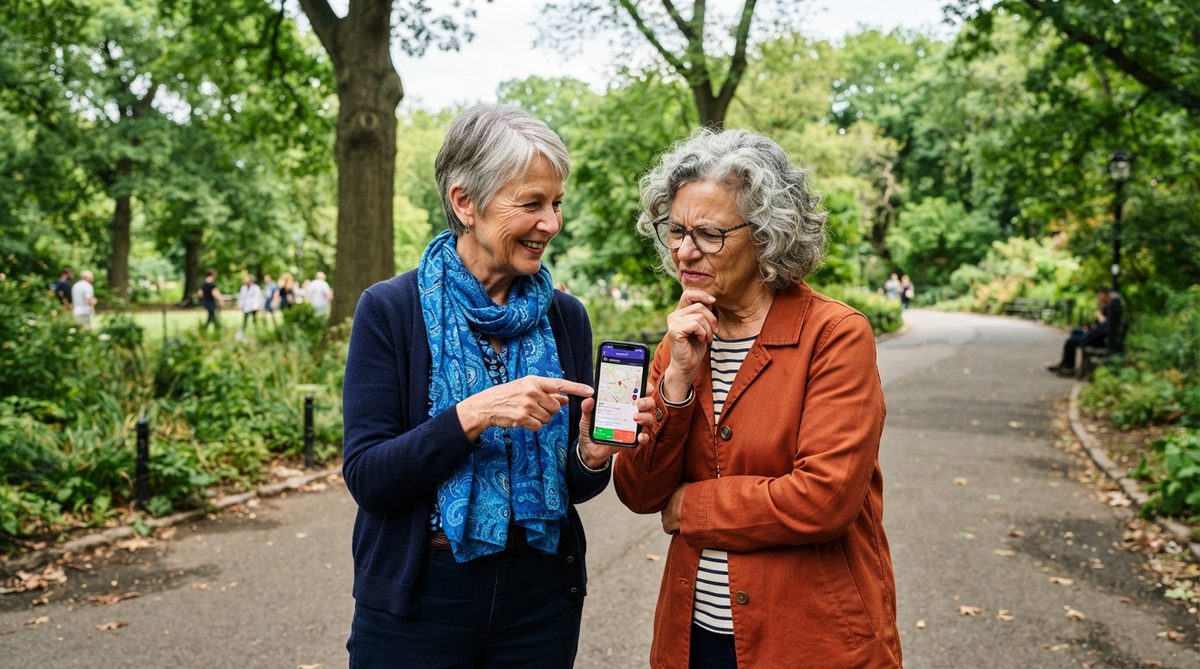
6. Guard Your Personal Information Like Cash
In my experience, the most devastating scams don’t start with a dramatic phone call. They start with small pieces of personal information — your date of birth from Facebook, your mother’s maiden name from a genealogy site, your address from a people-search database — that criminals piece together over weeks or months to impersonate you convincingly.
This technique, called “social engineering reconnaissance,” has become a cottage industry. Data brokers legally sell your personal information to anyone willing to pay, and scammers are very willing buyers.
Steps to Reduce Your Digital Footprint
- Audit your social media privacy settings — Set Facebook, Instagram, and other profiles to “Friends Only.” Remove your birthday, phone number, and home address from public-facing profiles.
- Opt out of data broker sites — Services like DeleteMe ($129/year) or Privacy Duck submit removal requests on your behalf to dozens of data brokers. You can also do this manually, but it takes significant time.
- Freeze your credit — Contact Equifax, Experian, and TransUnion to place a free credit freeze. This prevents anyone — including you, until you temporarily lift it — from opening new accounts in your name. It costs nothing and is one of the most powerful identity-theft prevention tools available.
- Shred physical documents — Bank statements, medical bills, and pre-approved credit offers that go into the recycling bin are treasure for dumpster-diving identity thieves.
If you’re also thinking about protecting your physical space as you age, here’s a practical guide to the real cost of aging in place that covers home safety alongside financial planning.
7. Know Exactly What to Do If You’ve Been Scammed
Even the most vigilant person can fall victim to a well-crafted scam. I’ve seen cybersecurity professionals get phished. There is no shame in it — only urgency. The first 24 to 48 hours after a scam are critical for damage control and potential fund recovery.
What breaks my heart most is when I talk to someone who realized they’d been scammed weeks ago but felt too embarrassed to tell anyone. By the time they reached out, the money was unrecoverable and the identity theft had compounded. Speed matters enormously.
Your Immediate Action Checklist
- Contact your bank or credit card company immediately — Many institutions can reverse or freeze fraudulent transactions if reported within 24-48 hours.
- Report to the FTC — File a report at ReportFraud.ftc.gov. This creates a legal record and feeds into federal law enforcement databases.
- File a complaint with the FBI’s IC3 — The Internet Crime Complaint Center (ic3.gov) specifically handles cyber-enabled fraud and has recovered over $1 billion in stolen funds since 2018.
- Change compromised passwords — If you clicked a suspicious link or entered credentials on a fake site, change that password and any other account where you used the same one immediately.
- Place a fraud alert on your credit — Call any one of the three credit bureaus, and they are legally required to notify the other two. This is different from a credit freeze and flags your file for extra verification.
- Tell someone you trust — A family member, friend, or your local Area Agency on Aging can help you navigate next steps and provide emotional support.
Building Long-Term Digital Confidence
Protecting yourself from online scams isn’t about being afraid of technology — it’s about using it from a position of knowledge and strength. Every single strategy in this article can be implemented gradually. You don’t need to overhaul your digital life in a weekend.
I recommend starting with the step that feels most urgent to you. For most people I advise, that’s enabling two-factor authentication on their email and bank accounts (strategy #2) and setting up a family safe word (strategy #1). Those two steps alone eliminate a huge percentage of the risk.
Technology offers extraordinary benefits for staying connected, managing health, and maintaining independence as we age. The key is using it on your terms, with safeguards in place that match the sophistication of today’s threats. With these seven strategies, you’ll be far ahead of where most people — of any age — stand right now.
If someone you know could benefit from this information, share it with them. The most powerful cybersecurity tool is a well-informed community looking out for each other.
Frequently Asked Questions
What is the most common online scam targeting older adults in 2025?
According to the FBI's 2024 Internet Crime Report, tech-support scams and investment fraud are the two most reported categories for adults over 60, with investment fraud causing the highest dollar losses. AI-powered phishing emails and voice-cloning scams are rising rapidly and expected to become dominant threats in 2025.
Is two-factor authentication really necessary for older adults?
Absolutely. CISA reports that two-factor authentication blocks over 99% of automated account-hacking attempts. It adds roughly 10 seconds to your login process but provides a massive layer of protection that a password alone cannot offer. Text-message codes are a perfectly good starting point if authenticator apps feel intimidating.
What should I do if I already gave personal information to a scammer?
Act immediately. Contact your bank to freeze or reverse any transactions, change all compromised passwords, place a fraud alert with one of the three credit bureaus (Equifax, Experian, or TransUnion), and file reports with both the FTC at ReportFraud.ftc.gov and the FBI's IC3 at ic3.gov. The faster you act, the higher your chances of recovering lost funds.
Are free password managers safe to use?
Yes, reputable free password managers like Bitwarden and the built-in options from Apple (Keychain) and Google are safe and widely used by cybersecurity professionals. They encrypt your data with the same standards used by banks and government agencies. The most important thing is to use any reputable password manager rather than reusing the same password across multiple accounts.
About Dr. Priya Sharma, PhD in Computer Science, CISSP
Dr. Priya Sharma is a cybersecurity expert with a PhD in Computer Science and a Certified Information Systems Security Professional (CISSP) credential. She has spent 14 years researching digital privacy, online fraud, and data protection — with a particular focus on the risks facing older internet users. At Daily Trends Now, Dr. Sharma writes about online scams, password security, smartphone privacy, and the practical steps readers can take to stay safe in an increasingly connected world.