

Key Takeaways
- Older adults lost over $4.8 billion to fraud in 2024 according to the FBI, and 2025 numbers are trending even higher.
- Simple smartphone settings, call-screening apps, and browser extensions can block the majority of common scam attempts before they reach you.
- Embracing technology confidently — rather than avoiding it — is one of the strongest defenses against modern fraud schemes.
- Free resources from the FTC, CISA, and AARP can help anyone over 50 build a practical, layered security plan in under an hour.
The Phone Call That Almost Cost Margaret $23,000
Margaret Chen had just finished watering her tomato plants on a Tuesday morning in April 2025 when her phone rang. The caller ID said “Social Security Administration.” A polished, calm voice told her that her Social Security number had been “compromised in a data breach” and that her benefits would be frozen within 24 hours unless she verified her identity — by purchasing gift cards and reading the codes over the phone.
Margaret is 71, a retired school librarian in suburban Phoenix, and sharper than most people half her age. But the voice on the other end was convincing. It used her full name. It referenced a real data breach she’d seen on the news. For about eight minutes, she felt genuine panic.
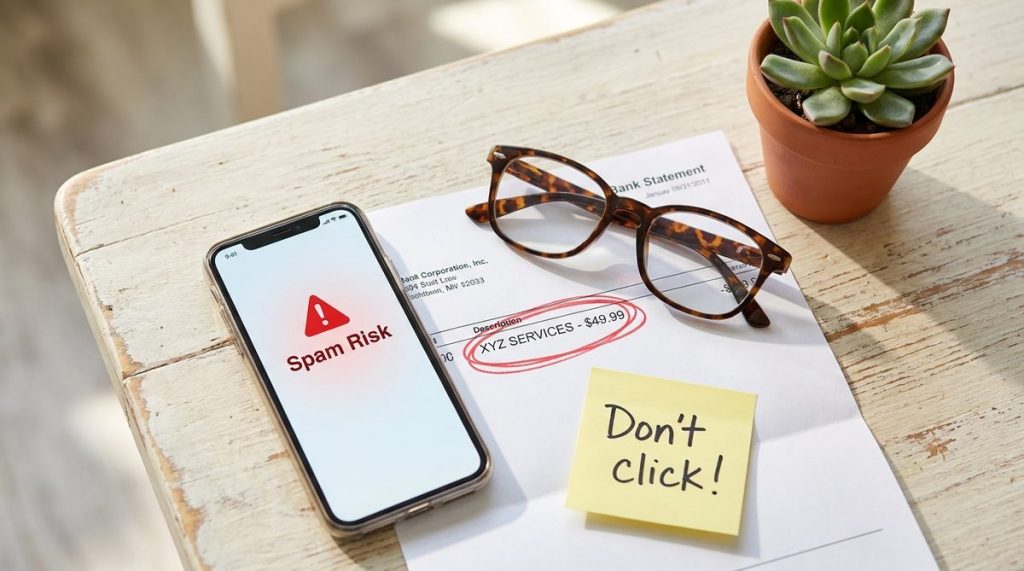
What saved her wasn’t skepticism alone — it was a free call-screening app her grandson had installed on her iPhone three weeks earlier. The app had already flagged the number as a known scam line, placing a bright red banner at the top of her screen. Margaret noticed it mid-conversation, hung up, and called her grandson to confirm. She never lost a dime.
I share Margaret’s story — with her permission — because in my 12 years covering consumer technology, I’ve heard hundreds like it. Some end well. Too many don’t. And what I see most often is not that older adults lack intelligence or common sense; it’s that they haven’t been shown the specific, practical tools that exist right now to protect them.
The Fraud Crisis Facing Older Americans in 2025
Let’s put real numbers on the problem. The FBI’s Internet Crime Complaint Center reported that Americans over 60 lost more than $4.8 billion to fraud in 2024 — a 43% increase from the year before. The median individual loss for victims over 60 was $9,000, nearly double that of younger age groups. And the FTC’s consumer data shows that impersonation scams — where criminals pose as government agencies, banks, or tech support — remain the single largest category.
Those numbers are staggering, but here’s what bothers me more: they represent only reported cases. The FTC estimates that fewer than 1 in 20 fraud victims ever file a formal complaint. Embarrassment, confusion about where to report, and the mistaken belief that nothing can be recovered all keep people silent.
“The biggest myth I encounter is that avoiding technology keeps you safe. In 2025, the opposite is true — the less you understand about how your devices work, the more vulnerable you become to people who understand them very well.”
If you’ve been following the surge in AI-powered voice cloning and deepfake calls, you already sense that the threat is evolving fast. Scammers no longer sound like scammers. They sound like your bank, your doctor’s office, or your grandchild in distress. Technology created these threats, yes — but technology also offers the most effective shields against them.
Why “Just Don’t Answer” Isn’t a Strategy Anymore
I often hear well-meaning advice: “Just don’t answer calls from unknown numbers.” “Don’t click any links.” “Stay off the internet.” While the instinct is understandable, this blanket avoidance approach has serious downsides — especially for adults over 50 who rely on phone calls for medical appointments, pharmacy refills, insurance questions, and staying connected with family.
Avoiding technology entirely can also accelerate isolation. A 2024 AARP study found that older adults who actively used smartphones and tablets reported 34% lower rates of loneliness compared to those who avoided digital tools. And a University of Oregon study published in early 2025 found a measurable link between regular smartphone use and lower risk of cognitive decline in adults over 65.
The answer isn’t retreat. It’s informed engagement. And that starts with understanding the specific technologies — most of them free — that form a practical defense.
Building Your Digital Safety Net: Tools That Actually Work
In my experience, the most effective fraud-prevention plan for older adults isn’t complicated. It’s layered. Think of it like locking your front door, adding a deadbolt, and installing a motion-sensor light. No single tool stops everything, but together they make you a very hard target.
Call Screening and Spam Blocking
Robocalls remain the top delivery method for scams targeting older Americans. Fortunately, both major phone platforms now include built-in defenses:
- iPhone users: Go to Settings → Phone → Silence Unknown Callers. This sends calls from numbers not in your contacts straight to voicemail. Legitimate callers leave messages; scammers almost never do.
- Android users: Google’s Phone app includes automatic spam detection that screens calls in real time and warns you before you pick up.
- Third-party apps: Apps like Truecaller, Hiya, and Nomorobo maintain massive databases of known scam numbers and update in real time. Many offer free tiers that are perfectly adequate.
AARP’s technology resource center maintains updated guides on setting up these features for every major phone brand — and they’re written in plain language, not tech jargon.
Browser Protection and Safe Browsing
Phishing emails and fake websites are the second most common attack vector. A convincing email that looks like it’s from Medicare, your bank, or Amazon directs you to a page that harvests your login credentials. Here’s what helps:
- Keep your browser updated. Chrome, Firefox, Safari, and Edge all include built-in phishing detection that improves with every update. If your browser is more than a month out of date, you’re missing protections.
- Install a reputable ad blocker. Extensions like uBlock Origin prevent malicious ads — so-called “malvertising” — from even loading on your screen.
- Use a password manager. Tools like Bitwarden (free) or 1Password generate and store unique passwords for every site. This is critical because 61% of data breaches involve reused passwords, according to CISA.
I know password managers sound intimidating. I’ve walked my own parents through setting one up, and once the initial 30 minutes of setup are done, the daily experience is actually easier than trying to remember dozens of passwords.
Two-Factor Authentication: The Single Most Powerful Step
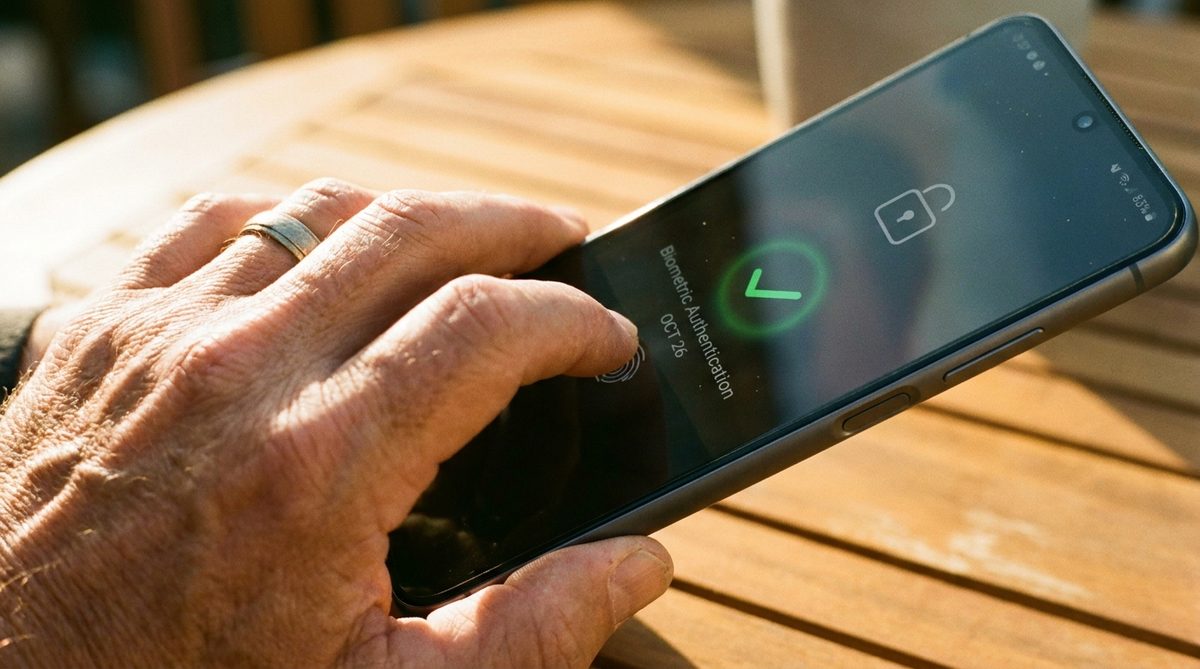
If you do only one thing after reading this article, enable two-factor authentication (2FA) on your email, bank, and Social Security accounts. This means that even if a scammer obtains your password, they still can’t log in without a second code sent to your phone.
- Most banks, email providers, and government portals now offer 2FA through text message or an authenticator app.
- An authenticator app (Google Authenticator, Microsoft Authenticator, or Authy) is more secure than SMS codes because it can’t be intercepted through SIM-swapping attacks.
- Setting up 2FA typically takes under five minutes per account.
In my 12 years of reporting, I’ve never encountered a confirmed case where a victim with properly configured 2FA lost money through an account takeover. Not once. That’s how effective this single step is.
The Scams Hitting Hardest Right Now
Understanding what’s out there helps you recognize threats before they escalate. Here are the fraud types I’m tracking most closely in 2025, based on FTC complaint data and my own reporting:
AI Voice-Cloning “Grandparent” Scams
Criminals scrape a few seconds of a family member’s voice from social media, then use AI tools to generate a convincing clone. They call pretending to be a grandchild in crisis — a car accident, an arrest, a medical emergency — and beg for money wired immediately. These calls are emotionally devastating and increasingly realistic.
Defense: Establish a family code word — a simple, memorable phrase that you and your loved ones agree on in advance. If someone calls claiming to be family and can’t produce the code word, hang up and call that person directly on their known number. This low-tech solution defeats even the most sophisticated AI.
For a deeper look at how scammers are weaponizing artificial intelligence, our detailed guide on elder fraud and AI-powered scams breaks down the latest tactics and countermeasures.
Fake Medicare and Health Insurance Calls
With open enrollment periods come waves of fraudulent calls offering “free” genetic testing kits, “upgraded” Medicare plans, or warnings about benefits being suspended. The caller already knows your name and sometimes your date of birth — information easily purchased on the dark web after data breaches.
Defense: Medicare will never call you unsolicited to ask for your Medicare number or personal information. If you receive such a call, hang up and contact Medicare directly at 1-800-MEDICARE. Report the call to the FTC at consumer.ftc.gov.
Online Shopping and Marketplace Fraud
Fake online stores — often promoted through social media ads — lure buyers with unbelievable prices on electronics, clothing, or health products. You pay, and either nothing arrives or you receive a counterfeit item. Adults over 60 lost $152 million to online shopping scams in 2024 alone.
Defense: Before buying from an unfamiliar site, search the store name plus the word “scam” or “review.” Check Consumer Reports for product recommendations from verified retailers. Use a credit card rather than a debit card — credit cards offer far stronger fraud protection under federal law.

Technology That Helps You Stay Independent — Not Just Safe
Fraud prevention is essential, but it’s only one piece of the picture. What excites me as a technology journalist is watching the broader ways that digital tools are helping Americans over 50 live more independently, more healthily, and more confidently.
Wearables and Health Monitoring
The Apple Watch, Fitbit Sense, and Samsung Galaxy Watch now include FDA-cleared features for irregular heart rhythm detection, fall detection with automatic emergency calls, and blood oxygen monitoring. A 2024 study in the Journal of the American Heart Association found that heart disease patients who used wearable-connected apps increased their weekly physical activity by an average of 28%.
These aren’t gadgets for tech enthusiasts — they’re practical health tools. If you’re working on building sustainable healthy habits, our guide to healthy habits for aging well in your 60s, 70s, and beyond pairs perfectly with wearable technology.
Smart Home Devices for Aging in Place
Voice assistants like Amazon Echo and Google Nest Hub let you set medication reminders, make hands-free phone calls, control lighting, and even call for help — all without touching a screen. Smart door locks, video doorbells, and water-leak sensors add layers of safety and convenience that directly support aging in place.
If aging in place is part of your plan, you’ll want to read our comprehensive guide on setting up your home to age in place, which covers how technology integrates with physical home modifications.
Telehealth and Digital Health Records
The pandemic accelerated telehealth adoption, and it hasn’t slowed down. More than 55% of adults over 65 used a telehealth service in 2024, according to AARP’s annual technology survey. Patient portals like MyChart give you instant access to lab results, medication lists, and secure messaging with your doctor — reducing the need for unnecessary office visits while keeping you closely connected to your care team.
Overcoming Technology Anxiety: It’s Real, and It’s Solvable
A 2025 study published in Computers in Human Behavior examined what researchers call “technology anxiety” among older adults — the genuine stress and self-doubt that comes with learning new digital tools. The study found that anxiety decreased dramatically when three conditions were met:
- The technology was designed with clear, readable interfaces. Larger text, simpler menus, and fewer steps to complete a task.
- A trusted person provided initial guidance. Not a help desk. Not a YouTube video. A patient family member, friend, or community volunteer sitting beside them.
- Early experiences were successful. When the first interaction with a new tool results in a positive outcome — a video call with a grandchild, a successfully blocked spam call — confidence builds rapidly.
“Technology anxiety isn’t a character flaw or a generational failing. It’s a natural response to unfamiliar systems, and it fades quickly with the right support. I’ve watched 80-year-olds go from afraid of their smartphone to teaching their friends how to use FaceTime in a matter of weeks.”
If you’re someone who feels that knot in your stomach when a software update pops up, I want you to know: that feeling is normal, it’s temporary, and it does not mean you’re “bad with technology.” It means no one has shown you the right way yet.
A Simple Action Plan You Can Start Today
I don’t believe in overwhelming people with 47 steps. Here’s what I’d recommend to anyone over 50 who wants to be safer and more confident with technology, starting this week:
- Turn on call screening using your phone’s built-in settings or a free app like Nomorobo. This alone blocks the majority of robocall scams.
- Enable two-factor authentication on your email account and your primary bank account. Ask a family member to sit with you if you’d like help.
- Set up a family code word for emergency calls. Tell your children, grandchildren, and close friends. Make it something memorable but not guessable.
- Update your phone and browser. Check for software updates right now — tap Settings → General → Software Update on iPhone, or Settings → System → System Update on Android.
- Bookmark one trusted resource. The CISA website offers plain-language guides on everything from securing your home Wi-Fi to recognizing phishing emails.
None of these steps costs money. None requires advanced technical skill. Each one meaningfully reduces your risk.
What I Want You to Take Away
Margaret Chen didn’t avoid fraud because she was a tech wizard. She avoided it because someone who cared about her took 15 minutes to install an app and show her how it worked. That single act of practical support turned a potential $23,000 loss into nothing more than a brief scare and a good story.
Technology isn’t the enemy. Uninformed avoidance is. The tools to protect yourself — and to live more independently, more healthily, and more connectedly — already exist. Most are free. All are learnable. And every single one of them gets easier the second time you use it.
If you’re reading this and thinking of a parent, a neighbor, or a friend who could use a little help getting set up, forward this article and offer to sit with them. That human connection — patience, not condescension — is the most powerful technology of all.
Frequently Asked Questions
What is the most common type of fraud targeting older adults in 2025?
According to FTC data, impersonation scams — where criminals pose as government agencies like the Social Security Administration or Medicare — remain the single most common fraud type targeting older adults, followed by online shopping scams and tech support fraud.
Is two-factor authentication really necessary for people over 50?
Absolutely. Two-factor authentication (2FA) is the single most effective step you can take to protect online accounts. Even if a scammer obtains your password through a data breach, 2FA prevents them from logging in without a second verification code sent to your phone or authenticator app.
Are free call-screening apps safe to use?
Reputable call-screening apps like Nomorobo, Truecaller, and Hiya are safe and widely recommended by consumer protection organizations. Check reviews on trusted sites like Consumer Reports before downloading, and only install apps from the official Apple App Store or Google Play Store.
What should I do if I think I've already been scammed?
Act quickly. Contact your bank or credit card company immediately to freeze or reverse transactions. Report the scam to the FTC at consumer.ftc.gov and to the FBI's Internet Crime Complaint Center at ic3.gov. If your Social Security number was compromised, contact the Social Security Administration directly and consider placing a credit freeze with all three major credit bureaus.
How can I help an older family member become more comfortable with technology?
The most effective approach is patient, in-person guidance focused on one tool at a time. Start with something that delivers an immediate positive result — like a video call with family or setting up spam call blocking. Avoid technical jargon, celebrate small wins, and let them practice at their own pace. Research shows that technology anxiety fades quickly when early experiences are successful.
About Alex Rivera, 12+ Years in Consumer Tech Reporting
Alex Rivera is a senior technology journalist with over 12 years of experience making technology accessible to everyday readers. He has covered consumer electronics, smartphones, smart home devices, streaming platforms, and digital privacy for major publications. At Daily Trends Now, Alex focuses on the tech that matters most to American adults — from choosing the right phone plan to protecting your data online. His reviews and guides cut through the jargon to help readers make confident technology decisions.