


The $92 Billion Surprise: Why Age Tech Is the Fastest-Growing Sector You’re Not Hearing About
Here’s a number that stopped me mid-research: the global age tech market is projected to surpass $92 billion by 2030, according to market analyses from Grand View Research and allied firms. That’s a near tripling from its estimated $31 billion valuation in 2023. And yet, when I talk to readers over 50—many of whom are the very people this technology is built for—the most common reaction I get is, “I had no idea any of this existed.”
In my 12 years covering consumer technology, I’ve watched smartphones go from luxury to necessity, streaming services devour cable, and smart speakers become as common as coffeemakers. But no shift has felt more personally meaningful to me than the current explosion of age tech for seniors—purpose-built devices and software designed to help older adults live safely, independently, and confidently in their own homes.
This isn’t a puff piece about robots delivering pills. This is an investigative deep-dive into what’s actually working, what the data says, where the scams lurk, and how you can make smart choices right now. Let’s get into it.
What Exactly Is “Age Tech”—and Why Is It Booming Now?
Age tech is an umbrella term for any technology specifically designed or adapted for older adults. That includes everything from medical alert pendants and smart pill dispensers to voice-activated home systems, remote health monitors, and AI-powered fall detection. The category also encompasses digital platforms that connect seniors to telehealth providers, social networks, and family caregivers.
Three forces are colliding to fuel the boom. First, demographics: the U.S. Census Bureau reports that by 2030, every single Baby Boomer will be over 65, meaning one in five Americans will be at or past retirement age. Second, the pandemic permanently normalized remote health tools. A 2023 Pew Research study found that 75% of adults 65 and older now use the internet daily—up from just 14% in 2000. Third, the technology itself has gotten dramatically cheaper, simpler, and more reliable.
What I see most often is a gap between availability and awareness. The devices exist. The desire to age in place exists—surveys consistently show roughly 90% of seniors want to stay in their own homes. But the bridge between “I want to stay home” and “I know which technology can help me do that” is still alarmingly rickety.
The Data Picture: Seniors Are Adopting Tech Faster Than You Think
Let’s dispel a myth right away. The idea that people over 60 are technophobes is flatly wrong—and the numbers prove it. According to AARP’s 2024 Tech Trends and Adults 50+ report, 54% of adults 50 and older now own a smart home device, up from 37% just two years prior. Tablet ownership in the 70-plus demographic has jumped to 53%, and smartwatch adoption among adults 50-59 sits at 36%—only nine percentage points behind the 30-49 cohort.
Screen time among older adults has increased as well. NPR’s Short Wave reported that average daily screen time for people over 60 has climbed past four hours, sparking reasonable questions about whether that’s healthy. The nuance matters: passive scrolling and doomscrolling carry different cognitive effects than using a tablet for telehealth, video-calling grandchildren, or managing medication. Context, not quantity alone, determines the outcome.
The real takeaway from the data is that adoption is no longer the barrier. Confident, informed adoption is. And that’s where guidance—from journalists, family members, and trusted institutions—becomes critical.
Five Categories of Age Tech That Are Actually Making a Difference
Not every shiny gadget deserves your attention or your money. After years of testing devices, interviewing geriatricians, and reading clinical studies, I’ve narrowed the field to five categories where age tech for seniors delivers measurable, life-improving results.
Smart Home Voice Assistants and Displays
Amazon Echo Show and Google Nest Hub have become quiet lifelines for older adults living alone. Voice commands eliminate the need to navigate tiny text or complex menus. You can set medication reminders, make hands-free calls, check the weather, control lights, and even use the “Drop In” feature so a family member can video-check on you with your permission.
What makes these devices especially powerful for aging in place is their role as a central hub. Pair a smart display with smart plugs, a video doorbell, and smart locks, and you’ve created a home ecosystem controllable entirely by voice. Consumer Reports gave the Echo Show 10 (3rd Gen) strong marks specifically for its accessibility features, including an auto-framing camera that follows you as you move around a room during video calls.
- Cost: $80–$250 depending on screen size
- Learning curve: Low—most people are comfortable within a week
- Best for: Medication reminders, hands-free communication, home automation
Medical Alert and Fall Detection Systems
Falls remain the leading cause of injury-related death among adults 65 and older, according to the CDC. Modern medical alert systems have evolved far beyond the “I’ve fallen and I can’t get up” buttons of the 1990s. Devices like the Medical Guardian Mini and the Apple Watch Ultra 2 now include automatic fall detection using accelerometers and gyroscopes. If a hard fall is detected and you don’t respond within a set time window, the device contacts emergency services and shares your GPS location.
The Apple Watch deserves special mention. Its Fall Detection feature, introduced in 2018, has been credited in numerous documented cases with saving lives. In September 2023, Apple expanded its crash and fall detection algorithms with the Series 9, and watchOS 11 added a “Vitals” app that tracks overnight respiratory rate, wrist temperature, heart rate, and blood oxygen—flagging deviations from your personal baseline.
- Cost: $30–$65/month for monitored alert systems; Apple Watch starts at $399 (one-time, no monthly fee for fall detection)
- Learning curve: Moderate for smartwatches; low for pendant-style devices
- Best for: Anyone living alone, anyone with a history of falls or balance issues
Remote Health Monitoring and Telehealth
Blood pressure cuffs that sync to your phone. Continuous glucose monitors that alert your doctor in real time. Pulse oximeters that log readings to a shared family dashboard. These aren’t futuristic concepts—they’re available today at your local pharmacy or on Amazon.
Withings BPM Connect, for example, is an FDA-cleared blood pressure monitor that stores readings in a HIPAA-compliant app and can share trend reports directly with your physician. I’ve recommended it to dozens of readers, and the feedback is consistently positive: the large display, simple one-button operation, and automatic data logging make it a standout.
Telehealth platforms like Teladoc and MDLIVE, meanwhile, let you see a doctor from your living room. This is particularly valuable for seniors who’ve modified their homes for aging in place but live in rural areas far from specialists. Medicare now covers a wide range of telehealth visits, a policy expansion that originated during the pandemic and has been extended through 2024 legislation.
Medication Management Technology
Medication non-adherence costs the U.S. healthcare system an estimated $528 billion annually, per the IQVIA Institute. For older adults taking five or more prescriptions—a group that represents roughly 40% of the 65-plus population—keeping track of what to take and when is genuinely dangerous when done poorly.
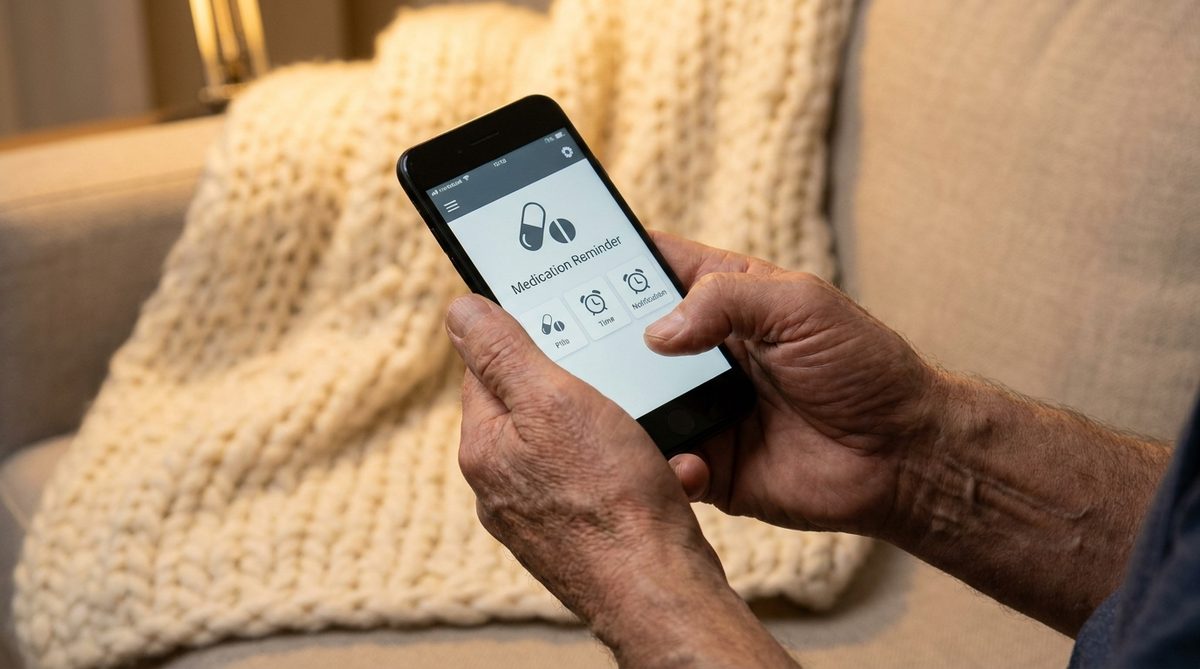
Smart pill dispensers like Hero and MedMinder lock medications inside a tamper-resistant unit and dispense the correct pills at the correct times, sending alerts to both the user and a designated caregiver if a dose is missed. Hero’s device, which I tested extensively in 2024, holds up to a 90-day supply of 10 different medications and costs around $30/month after an initial device fee.
- Cost: $30–$50/month for managed dispensers; free to $5/month for app-only solutions
- Learning curve: Low—initial setup may require a caregiver’s help
- Best for: Anyone managing multiple prescriptions, anyone with early cognitive decline
Social Connection and Cognitive Engagement Platforms
Loneliness is not just an emotional problem—it’s a health crisis. The U.S. Surgeon General’s 2023 advisory on the epidemic of loneliness found that social isolation carries health risks equivalent to smoking 15 cigarettes a day. Technology can’t replace in-person community, but it can supplement it powerfully.
Platforms like GrandPad (a simplified tablet designed for seniors), Stitch (a social network for adults over 50), and even mainstream tools like FaceTime and WhatsApp are keeping older adults connected. Virtual reality is emerging here too—companies like Rendever are bringing VR headsets into senior living communities, allowing residents to virtually revisit childhood homes, “travel” to Paris, or attend a grandchild’s graduation in real time. Early clinical data from MIT AgeLab collaborations suggest that VR experiences reduce feelings of isolation and may improve mood and cognitive engagement.
This category connects directly to broader wellness goals. As we explored in our look at the six pillars of an age-defying lifestyle, social connection is as critical as nutrition and exercise for healthy aging.

The Dark Side: Scams Targeting Seniors Who Are New to Tech
I would be irresponsible to write 2,000 words celebrating age tech without addressing the predators who exploit it. In 2023, the FBI’s Internet Crime Complaint Center (IC3) reported that Americans over 60 lost more than $3.4 billion to cyber-enabled fraud—a 14% increase from the year before. The over-60 group filed more complaints and suffered higher total losses than any other age demographic.
The most common schemes I encounter in reader emails and industry reporting include:
- Tech support scams: A pop-up or phone call claims your computer is infected. The “technician” requests remote access, then installs malware or demands payment.
- Romance scams: A fake romantic interest cultivated over weeks or months on social platforms eventually asks for money, gift cards, or cryptocurrency.
- Government impersonation: Calls or emails purporting to be from Social Security, the IRS, or Medicare demand immediate payment or personal information.
- “Recovery” scams: After an initial scam, a second scammer poses as a lawyer or agency that can recover the lost funds—for a fee. As one devastating New York Times investigation recently documented, a man who lost his father’s life savings to fraud was then targeted again by a fake lawyer offering to help.
- Investment and cryptocurrency fraud: Older adults are increasingly targeted with fake crypto platforms promising guaranteed returns.
The FTC’s consumer advice portal and CISA’s cybersecurity resources are two authoritative, free starting points for learning to recognize and report these threats. I encourage every reader to bookmark both. We’ve also published a detailed guide on the eight most common financial scams targeting seniors in 2025, with specific scripts scammers use and exact steps to protect yourself.
Three Immediate Steps to Protect Yourself
Based on my years of reporting and conversations with cybersecurity professionals, here are three steps I recommend to every older adult using connected technology:
- Enable two-factor authentication (2FA) on every account that offers it—email, banking, social media. This single step blocks the majority of unauthorized access attempts. Your phone receives a one-time code that a hacker, even with your password, can’t replicate.
- Establish a “verification pause.” Any time you receive a request for money, personal data, or remote access to your device—no matter how urgent it seems—hang up and call the organization directly using the number on their official website or your statement. Scammers rely on urgency. A 10-minute pause defeats most schemes.
- Designate a “tech buddy.” Choose a trusted family member or friend whom you’ll consult before making any technology purchase over $50 or granting any remote access to your devices. Think of it as a second opinion, not a loss of independence.
How to Choose the Right Age Tech: A Decision Framework
The sheer volume of products on the market creates its own problem: decision paralysis. I often tell my readers to evaluate any age tech device through four lenses before purchasing.
Lens 1: Does It Solve a Real, Current Problem?
Start with your actual daily friction points. Do you forget medications? Do you worry about falling when you’re home alone? Do you struggle to hear the doorbell? Resist the temptation to buy technology for hypothetical future needs. Buy for today’s problems; upgrade later as needs evolve.
Lens 2: How Complex Is the Setup and Daily Use?
A device that requires a 40-step installation and a companion app with a 12-point font is not designed with you in mind, regardless of what the marketing says. Look for products reviewed favorably by Tom’s Guide or Consumer Reports specifically for ease of use. Check whether the manufacturer offers phone-based setup support—many age tech companies now do.
Lens 3: What Are the Ongoing Costs?
Some medical alert systems advertise a “$0 device” but lock you into a $50/month monitoring contract with a 36-month commitment. Always calculate the total cost of ownership over two years. Factor in replacement batteries, cellular plan fees, and subscription charges for premium app features. When every dollar counts—especially if Medicare Part B premiums are eating into your Social Security COLA—full-cost clarity isn’t optional.
Lens 4: Is Your Data Protected?
Any device that monitors your health, location, or daily patterns collects sensitive data. Before purchasing, check the company’s privacy policy for three things: whether they sell data to third parties, whether data is encrypted in transit and at rest, and whether you can request deletion of your data. If the privacy policy is impossible to find or understand, that’s a red flag.
What the Research Actually Says: Does Tech Help Seniors Live Longer, Better?
The clinical evidence is encouraging, though not without caveats. A 2024 study published in the Journal of Medical Internet Research followed 5,200 adults over 65 using remote health monitoring devices over 18 months. The monitored group experienced 22% fewer emergency department visits and reported higher self-rated health scores compared to the control group receiving standard care alone.
Separately, a longitudinal analysis from the National Institute on Aging found that adults over 70 who used internet-connected devices for social interaction at least three times per week showed slower rates of cognitive decline over a five-year period than matched peers who did not. The researchers cautioned that correlation is not causation—people who are healthier may simply be more likely to use technology—but the association was statistically significant even after adjusting for education, income, and baseline health.
On the flip side, excessive passive screen time (defined as more than five hours daily of television or aimless browsing) correlated with higher rates of depression and sleep disruption in adults over 60, according to data presented at the 2024 Gerontological Society of America conference. The message is consistent with what we know about technology at every age: how you use it matters far more than whether you use it.
A Word About Family Dynamics
I want to address something I hear constantly from readers: the tension between wanting help and wanting autonomy. Adult children often push age tech on their parents from a place of love but in a way that feels patronizing. And older adults sometimes resist technology not because they can’t learn it, but because accepting it feels like admitting decline.
The healthiest dynamic I’ve observed—across hundreds of interviews with families navigating this—is a collaborative one. Sit down together. Identify the specific concern (falls, medication management, isolation). Research options as a team. Let the older adult make the final purchase decision. And when the device arrives, learn it together rather than setting it up and leaving. Technology adopted with agency sticks. Technology imposed with anxiety gets unplugged and shoved in a drawer.
Looking Ahead: What’s Coming in 2025–2027
The age tech pipeline is rich. Ambient monitoring systems—using radar and AI rather than cameras—can detect falls, track sleep patterns, and notice changes in gait or daily routines without requiring the user to wear anything. Companies like Best Buy Health (through their Lively brand) and CarePredict are leading here. These systems promise to respect privacy while delivering actionable health insights to both the user and their care team.
AI-powered voice companions, more sophisticated than today’s Alexa or Google Assistant, are entering beta testing. These are designed to hold genuinely responsive conversations, remember context from previous interactions, and even detect emotional tone shifts that might indicate depression or confusion. Whether they’ll deliver on those promises at scale remains to be seen, but the trajectory is clear: technology is moving toward invisible, ambient support rather than gadget-heavy complexity.
And virtual reality, as I mentioned earlier, is moving from novelty to clinical tool. Medicare reimbursement for VR-based physical therapy is already being piloted in several states. If those pilots succeed, expect VR headsets to become as common in home health as blood pressure cuffs within five years.
The Bottom Line
Age tech for seniors is no longer a niche curiosity—it’s a $92 billion wave reshaping how Americans age. The devices are more affordable, more intuitive, and more evidence-backed than at any point in my career. But technology is a tool, not a savior. It works best when chosen intentionally, set up collaboratively, and used alongside—not instead of—human connection, physical activity, and sound financial planning.
The best time to start exploring was five years ago. The second best time is today. Pick one category from this guide that addresses your most pressing need, do 30 minutes of research, and take a single step forward. That’s how confident technology adoption begins—not with a giant leap, but with a deliberate, informed choice.
Frequently Asked Questions
What is age tech for seniors?
Age tech for seniors refers to technology products and services specifically designed or adapted to help older adults live independently, manage health conditions, stay socially connected, and remain safe at home. Examples include smart home voice assistants, medical alert devices with fall detection, remote health monitors, smart pill dispensers, and social connection platforms.
How much does age tech typically cost?
Costs vary widely depending on the category. Smart displays start around $80, medical alert systems range from $30 to $65 per month for monitored plans, and smart pill dispensers run approximately $30 to $50 monthly. Some devices like the Apple Watch require a one-time purchase of $399 or more with no ongoing fees for fall detection. Always calculate the total two-year cost of ownership, including subscriptions and accessories.
Is age tech safe from a privacy standpoint?
Most reputable age tech companies encrypt data and comply with healthcare privacy standards, but protections vary significantly. Before purchasing, check whether the company sells your data to third parties, whether information is encrypted, and whether you can request data deletion. Stick with brands reviewed by trusted outlets like Consumer Reports or Tom's Guide, and avoid devices with vague or inaccessible privacy policies.
How can older adults protect themselves from tech-related scams?
Three key steps provide strong protection: enable two-factor authentication on all accounts, adopt a "verification pause" by hanging up on unsolicited requests and calling organizations directly using official numbers, and designate a trusted "tech buddy" to consult before making purchases or granting device access. The FTC at consumer.ftc.gov and CISA at cisa.gov offer free, up-to-date scam prevention resources.
About Alex Rivera, 12+ Years in Consumer Tech Reporting
Alex Rivera is a senior technology journalist with over 12 years of experience making technology accessible to everyday readers. He has covered consumer electronics, smartphones, smart home devices, streaming platforms, and digital privacy for major publications. At Daily Trends Now, Alex focuses on the tech that matters most to American adults — from choosing the right phone plan to protecting your data online. His reviews and guides cut through the jargon to help readers make confident technology decisions.