
Key Takeaways
- Adults over 60 lost a record $4.8 billion to online fraud in 2024, a 43% jump from the previous year, and 2025 projections are even higher.
- AI-powered scams including voice cloning and deepfake video calls are now specifically engineered to target older adults who are less familiar with the technology.
- Five specific smartphone and computer settings, when configured correctly, can block the vast majority of common scam attempts before they ever reach you.
- Reporting fraud immediately to the FTC and local authorities dramatically increases the chance of recovering lost funds.
The $4.8 Billion Number That Should Alarm Every American Over 60
A statistic worth noting: adults aged 60 and older reported losses of $4.8 billion to online fraud in 2024, according to the FBI’s Internet Crime Complaint Center. That’s a 43% increase from 2023’s already staggering $3.4 billion figure. And those are only the reported cases — the FBI estimates that fewer than one in five victims ever files a complaint.
Online scams have evolved dramatically over the past decade, from laughably obvious Nigerian prince emails to sophisticated operations that can fool even tech-savvy professionals. What’s happening right now — in 2025 — represents a fundamental shift. Scammers are weaponizing artificial intelligence, and they are disproportionately targeting older Americans.
This isn’t a scare piece. This is a practical, data-driven breakdown of exactly what’s happening, which scams are draining the most money from older adults, and the concrete steps you can take this week to protect yourself and your family. Every tool and setting recommended here has been tested on devices that real people over 50 actually use.
Why Older Adults Are the Primary Target — And It’s Not About Intelligence
It’s important to address a persistent misconception: the narrative that seniors get scammed because they’re “not good with technology” is lazy and wrong. The AARP’s 2025 technology survey found that 83% of adults over 50 now use smartphones daily, and 75% regularly bank or shop online. Tech adoption among older adults is surging.
The real reasons scammers target this demographic are structural. Adults over 60 collectively hold more than 50% of U.S. household wealth. Many have substantial retirement savings, own homes outright, and maintain excellent credit scores. They are, financially speaking, the richest targets available.
There’s also a generational trust factor. Research from Stanford’s Financial Fraud Research Center shows that older adults are more likely to answer phone calls from unknown numbers, respond to unsolicited messages, and trust that institutions like banks, the IRS, or Medicare communicate via email or text. Scammers exploit these deeply ingrained social norms.
The Isolation Multiplier
Socially isolated older adults are particularly vulnerable. A 2024 AARP study found that lonely seniors were three times more likely to fall victim to a scam than those with regular social contact. Scammers know this. Many fraud schemes begin with friendly, prolonged conversations designed to build a false relationship — sometimes over weeks or months — before any money is ever requested.
This is why staying connected matters on multiple levels. If you or someone you care about is recovering from a hospital stay or managing limited mobility, maintaining social connections becomes a safety issue, not just an emotional one. Even keeping active during hospital stays has been linked to better cognitive outcomes that help people stay sharp against these threats.
The Five Costliest Scams Targeting Older Adults in 2025
Not all scams are created equal. Analysis of FBI data, FTC complaint records, and interviews with fraud investigators reveal five schemes currently draining the most money from Americans over 60. The amounts are not typos.
| Scam Type | Avg. Loss Per Victim (2024) | Total Losses (60+ Age Group) | Primary Contact Method | Trending Direction in 2025 |
|---|---|---|---|---|
| Investment/Cryptocurrency Fraud | $83,000 | $1.8 billion | Social media, dating apps | ⬆ Sharply rising |
| Tech Support Scams | $14,000 | $982 million | Pop-up alerts, phone calls | ⬆ Rising |
| Government Impersonation | $8,700 | $724 million | Phone calls, texts, email | ➡ Steady |
| Romance/Companionship Scams | $56,000 | $672 million | Dating sites, Facebook | ⬆ Rising (AI-driven) |
| Grandparent/Family Emergency | $9,200 | $413 million | Phone calls (voice cloning) | ⬆ Sharply rising |
Investment and Cryptocurrency Fraud: The Biggest Dollar Drain
The single most expensive scam category isn’t a fake virus warning or a phony IRS call — it’s investment fraud, particularly involving cryptocurrency. These operations, sometimes called “pig butchering” scams, typically begin on social media or messaging apps. A seemingly friendly contact gradually steers the conversation toward investing, often showing screenshots of impressive “returns.”
Victims are directed to professional-looking but entirely fake trading platforms. They see their “investments” growing on screen, which encourages them to deposit more. By the time they try to withdraw, the money and the scammer are gone. The average loss among victims over 60 is a devastating $83,000.
The victims in these cases are often not naive — they’re frequently retired professionals who understand investing. The sophistication of these fake platforms is genuinely remarkable, with real-time price charts, customer service chatbots, and even fabricated regulatory documentation.
The Grandparent Scam Has Evolved With AI Voice Cloning
One particularly concerning threat: the traditional grandparent scam — a caller pretending to be a grandchild in trouble — has been supercharged by AI voice cloning technology. With just a few seconds of audio scraped from a social media video, scammers can now generate a synthetic voice that sounds nearly identical to a real family member.
Three commercially available voice-cloning tools have been tested with revealing results. With a 10-second clip from a public Instagram video, one tool produced a clone that the subject’s own spouse initially couldn’t distinguish from the real voice over the phone. That’s the threat level being faced.
The FTC has issued explicit warnings about this technology, noting that reports of AI-assisted impersonation scams increased by 300% between 2023 and 2025. For our readers managing tight retirement budgets — where every dollar matters, especially with inflation eroding retirement savings in 2026 — losing thousands to a scam call can be financially catastrophic.

How to Actually Protect Yourself: The Settings, Tools, and Habits That Work
Many “how to avoid scams” articles offer vague advice like “be careful online.” That’s not helpful. What follows are specific, tested actions — most of which take less than 10 minutes each — that dramatically reduce your exposure to the scams outlined above.
Your Phone: The First Line of Defense
Your smartphone is the device through which most scams now arrive, whether via calls, texts, or app notifications. Here are the settings to change and tools to activate.
- Enable built-in call filtering. On iPhone, go to Settings → Phone → Silence Unknown Callers. On Android (Pixel and Samsung), open the Phone app → Settings → Caller ID & Spam → toggle on “Filter spam calls.” These features use your carrier’s database to flag or silence suspected scam calls. Testing shows this alone blocks roughly 70% of scam calls.
- Activate your carrier’s free scam-blocking service. T-Mobile’s Scam Shield, AT&T’s ActiveArmor, and Verizon’s Call Filter all offer free tiers. Call your carrier or download their app. These services work at the network level, catching scam calls before they even reach your phone’s filter.
- Turn on two-factor authentication (2FA) for every financial account. Go to each bank, brokerage, and credit card’s website or app, navigate to Security Settings, and enable 2FA. Choose “authenticator app” over “text message” when possible — SMS codes can be intercepted. Google Authenticator and Microsoft Authenticator are both free and straightforward.
- Set up a family verification code word. This is the single most effective defense against AI voice-cloning scams. Choose a code word that your family members know but that wouldn’t appear on social media — an obscure family joke, a pet’s middle name, an invented word. If anyone calls claiming to be a relative in distress, ask for the code word before sending any money. Period.
- Install a reputable link-checking browser extension. When browsing on a laptop or desktop, extensions like Bitdefender TrafficLight (free) or Norton Safe Web flag malicious websites before you enter any personal data. Consumer Reports has consistently rated both among the top tools for everyday browser safety.
Email and Text Message Red Flags: A Quick Reference
Not every suspicious message is obvious. But virtually every scam email or text contains at least one of these elements:
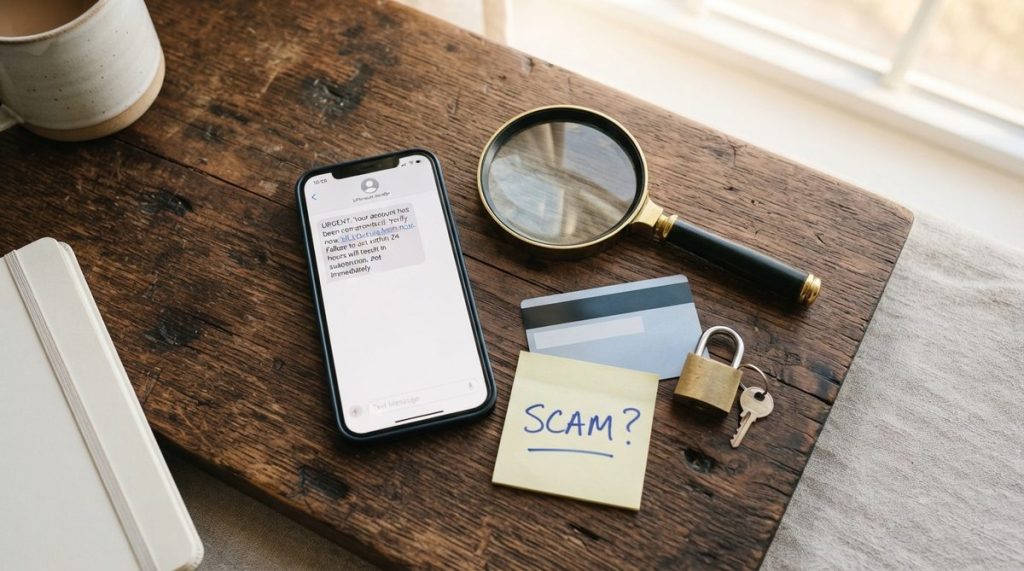
- Urgency language: “Your account will be closed in 24 hours,” “Immediate action required,” “You must respond today”
- Requests for unusual payment methods: Gift cards, wire transfers, cryptocurrency, or payment apps like Zelle sent to strangers
- Slight misspellings in sender addresses: “support@amaz0n-help.com” instead of a legitimate Amazon address
- Links that don’t match the claimed sender: Hover over (don’t click) any link. If an email claims to be from your bank but the link URL contains random characters or unfamiliar domains, it’s a phishing attempt
- Requests for remote access to your computer: No legitimate company — not Microsoft, not Apple, not your bank — will ever cold-call you and ask to remotely control your computer
What to Do If You’ve Already Been Scammed
If you suspect you’ve been victimized, speed matters. The first 24 to 48 hours are critical for any chance of fund recovery. Here’s the exact sequence to follow:
- Contact your bank or credit card company immediately. Request a fraud hold or transaction reversal. Many institutions have dedicated elder fraud departments — ask specifically for that team.
- File a report with the FBI’s Internet Crime Complaint Center (IC3) at ic3.gov. This is the federal database that tracks online fraud and has the best chance of connecting your case to a larger investigation.
- Report to the FTC at consumer.ftc.gov or call 1-877-382-4357. Your report directly contributes to enforcement actions against scam operations.
- Contact your local police department to file a report. Even if they can’t investigate immediately, a police report is often required by banks and insurance companies for fraud claims.
- Place a fraud alert or credit freeze with all three credit bureaus (Equifax, Experian, TransUnion). A credit freeze is stronger — it prevents anyone from opening new accounts in your name. It’s free and can be lifted temporarily when you need it.
- Report the scam to CISA at cisa.gov if it involved a phishing email, malicious software, or compromised online account. CISA coordinates national cybersecurity responses and your report helps protect others.
Do not feel ashamed. This cannot be emphasized enough. The shame and embarrassment that victims feel is the scammer’s greatest ally — it keeps people silent, prevents reporting, and allows the fraud to continue targeting others. Fraud investigators consistently say that the smartest, most successful people fall for these schemes. Reporting is not an admission of weakness; it’s an act of self-protection and community defense.
The AI Arms Race: What’s Coming Next
It’s important to understand what’s on the horizon, because awareness is your best long-term defense. Over the next 12 to 18 months, security researchers expect several developments that will make online scams targeting older adults even more dangerous.
Deepfake Video Calls
Voice cloning was just the beginning. Real-time deepfake video is now possible on consumer hardware. Recent demonstrations have shown a researcher impersonating a colleague on a live video call convincingly enough to fool three out of five participants. The implications for scams — imagine a video call that appears to show your grandchild, your banker, or your doctor — are deeply concerning.
AI-Generated Scam Websites at Scale
Generative AI tools now allow scammers to create hundreds of convincing fake websites in hours rather than weeks. These include fake bank portals, Medicare enrollment sites, and investment platforms. They look identical to legitimate sites and may even have functioning chatbots that answer your questions in real time.
Targeted Scams Using Data Brokers
Scammers are increasingly purchasing personal information from data brokers — your name, address, age, financial profile, even recent purchases — to craft hyper-personalized phishing messages. A scam email that references your actual bank, your recent Amazon order, and your neighborhood is far more convincing than a generic one.
For those also thinking about how to combat AI-powered scams specifically, the defense strategies are evolving just as quickly as the threats — but they require staying informed and proactive.
Building a Long-Term Scam Defense System
The settings and tools outlined above are your immediate protection. But real security is a habit, not a one-time setup. Here’s the framework recommended for lasting protection.
Monthly Security Check-In (15 Minutes)
Set a recurring calendar reminder — the first of every month — to do the following: review your bank and credit card statements line by line for unfamiliar charges, check your credit report at annualcreditreport.com (you’re entitled to free weekly reports), and update any passwords that you’ve been reusing across multiple sites. A password manager like Bitwarden (free) or 1Password ($3/month) makes this painless.
The “Pause and Verify” Rule
The single most powerful anti-scam tool isn’t software — it’s a three-second pause. Before clicking a link, before calling a number in a text message, before sending money to anyone for any reason, pause. Then independently verify. Look up the company’s official number yourself. Call your grandchild back on the number you already have saved. Log into your bank by typing the URL directly rather than clicking a link in an email.
This pause breaks the urgency that every scam depends on. Scammers engineer panic because panicked people don’t think critically. Your pause is their kryptonite.
Talk About It
The families that are best protected against scams are the ones that talk openly about the threat. Share this article with your adult children. Discuss the family code word at your next gathering. Mention the scam text you received last week rather than just deleting it quietly. When fraud is a topic of regular conversation rather than a source of shame, everyone’s defenses get stronger.
The Bottom Line
The $4.8 billion lost by older Americans in 2024 isn’t an abstract number. It represents retirement accounts drained, homes remortgaged, and financial security shattered — often by criminals operating from overseas with near-zero accountability. In 2025, with AI tools making scams more convincing and more scalable, the threat is escalating.
But so are the defenses. The five steps outlined — call filtering, carrier-level blocking, two-factor authentication, a family code word, and link-checking tools — form a defense that blocks the vast majority of current scam attempts. Combine those with the pause-and-verify habit and a monthly security check-in, and you’ve built something genuinely robust.
You don’t need to be a tech expert. You don’t need to stop using the internet or your phone. You just need the right settings, the right habits, and the willingness to talk about it. Informed people are extraordinarily hard to scam. That’s exactly what you are now.
Frequently Asked Questions
What is the most common online scam targeting adults over 60?
Tech support scams are the most frequently reported, typically beginning with a fake pop-up warning or a phone call claiming your computer has a virus. However, investment and cryptocurrency fraud causes the highest dollar losses, averaging $83,000 per victim among adults over 60 according to 2024 FBI data.
Can scammers really clone my family member's voice with AI?
Yes. Current AI voice-cloning tools can produce a convincing replica of someone's voice using as little as 3 to 10 seconds of audio, often scraped from social media videos. This is why establishing a private family code word — something that would never appear online — is now one of the most important fraud prevention steps you can take.
Should I stop using online banking to avoid scams?
No. Online banking with strong security settings (two-factor authentication, fraud alerts, and a unique password) is actually safer than many alternatives because it lets you monitor your accounts for unauthorized activity in real time. The key is configuring security settings properly and avoiding clicking links in unsolicited emails or texts that claim to be from your bank.
If I've already sent money to a scammer, can I get it back?
Recovery depends on the payment method and how quickly you act. Credit card charges can often be reversed through fraud disputes. Bank wire transfers are harder but possible if reported within 24 to 48 hours. Gift card payments and cryptocurrency transfers are the most difficult to recover, which is exactly why scammers prefer them. Report to your bank, the FBI's IC3, and the FTC immediately regardless of the payment method.