

Key Takeaways
- FBI data shows elder fraud losses surged to $4.8 billion in 2024, a 43% increase from the previous year, with AI-powered scams driving much of the spike.
- Freezing your credit at all three bureaus is one of the single most effective steps older adults can take to prevent identity theft and financial fraud.
- AI-generated voice cloning and deepfake technology now allow scammers to convincingly impersonate family members, making verification protocols essential.
- Free tools like call-screening apps, password managers, and two-factor authentication dramatically reduce your vulnerability without requiring advanced tech skills.
The Scam Epidemic Targeting Americans Over 50
I’ve covered consumer technology for over 12 years, and I’ve never seen a threat landscape as hostile toward older Americans as what we’re facing right now in 2025. The FBI’s Internet Crime Complaint Center (IC3) released its annual report earlier this year, and the numbers are staggering: Americans aged 60 and older lost approximately $4.8 billion to fraud in 2024 — a 43% jump from 2023’s already alarming $3.4 billion.
What’s driving this surge? Artificial intelligence. Scammers are now using AI voice-cloning tools, deepfake video, and sophisticated chatbots to craft schemes that would fool even the most tech-savvy person. The calls sound exactly like your grandson. The emails look precisely like your bank’s formatting. The urgency feels absolutely real.
But here’s what I tell my readers whenever this topic comes up: you don’t need to become a cybersecurity expert to protect yourself. You need a handful of concrete habits and tools. That’s what this guide is — seven specific, actionable strategies that dramatically reduce your risk of becoming a victim. No jargon, no fear-mongering, just practical steps you can start using today.
1. Freeze Your Credit at All Three Bureaus
If you only do one thing after reading this article, make it this. A credit freeze prevents anyone — including scammers who’ve stolen your Social Security number — from opening new accounts in your name. It’s free, it’s permanent until you lift it, and it takes about 10 minutes per bureau.
You need to freeze your credit separately at Equifax, Experian, and TransUnion. Each bureau has an online portal, and you can also do it by phone. When you freeze your credit, you’ll receive a PIN or password that you’ll use anytime you legitimately need to apply for credit, like financing a new car or opening a store card.
How to Freeze Your Credit Step by Step
- Visit Equifax.com/personal/credit-report-services/credit-freeze/ and create an account or call 1-800-349-9960.
- Visit Experian.com/freeze/center.html and follow the prompts, or call 1-888-397-3742.
- Visit TransUnion.com/credit-freeze and set up your freeze, or call 1-888-909-8872.
- Store your PINs and passwords in a secure location — a locked drawer or a password manager (more on that in tip #4).
- If you’re helping a spouse or parent, you can walk through the process together, but each person must freeze their own credit individually.
A credit freeze does not affect your credit score, and it doesn’t prevent you from using your existing credit cards. It simply blocks new applications. In my experience, this single step prevents more financial damage than almost any other precaution. If you’re concerned about how fraud could impact your financial stability in retirement, our breakdown of the 5 biggest financial concerns for retirees is worth reviewing alongside these security steps.
2. Learn to Recognize AI-Powered Voice and Video Scams
This is the scam category that’s grown the fastest in 2025, and it’s the one that genuinely concerns me most. AI voice-cloning technology has become so accessible that a scammer needs only a few seconds of someone’s voice — pulled from a social media video, a voicemail greeting, or a public recording — to create a convincing replica.
The typical scenario works like this: you receive a panicked phone call that sounds exactly like your grandchild, your adult child, or your spouse. The “caller” says they’ve been in an accident, they’ve been arrested, or they’re in some kind of emergency. They beg you not to tell anyone else and ask you to wire money or buy gift cards immediately.
Your Defense: The Family Verification Protocol
Sit down with your family and establish a verification code word — a specific word or phrase that only your family knows. If anyone calls claiming to be a family member in distress, ask for the code word. No code word, no action.
Beyond the code word, follow these rules whenever you receive an urgent call:
- Hang up and call back. Use the phone number you already have saved for that person. Don’t use any number the caller provides.
- Never act on urgency. Legitimate emergencies involve police, hospitals, and official channels — not gift cards from Walgreens.
- Talk to someone else first. Scammers rely on isolation. Call another family member, a friend, or a neighbor before doing anything.
The Cybersecurity and Infrastructure Security Agency (CISA) has been issuing regular advisories about AI-enabled social engineering throughout 2025. Their guidance aligns with what I’m recommending here: slow down, verify independently, and never let emotion override caution.

3. Use Your Phone’s Built-In Scam Call Protections
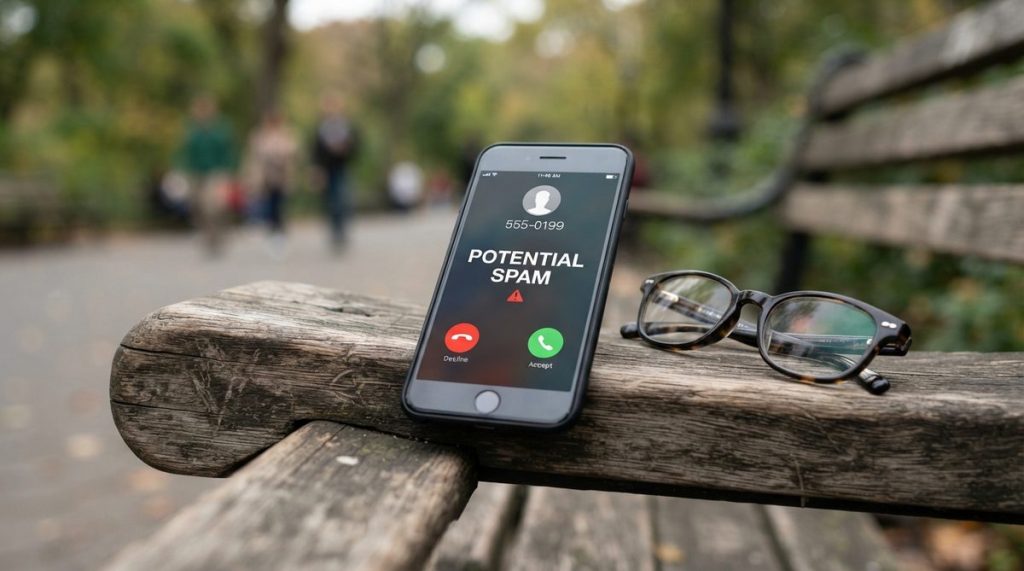
Both iPhones and Android phones now ship with robust call-screening features, but I find that many older adults can stay safe from scams simply by activating tools their phones already have. The problem? Most people don’t know these features exist or how to turn them on.
For iPhone Users (iOS 18 and Later)
Go to Settings → Phone → Silence Unknown Callers and toggle it on. This sends calls from numbers not in your contacts, recent calls, or Siri suggestions straight to voicemail. Legitimate callers will leave a message; scammers almost never do.
Apple also introduced Live Voicemail in iOS 17, which shows you a real-time transcription of a voicemail as it’s being left. You can watch the transcript appear on your screen and decide whether to pick up. It’s remarkably useful.
For Android Users
Google’s Phone app includes Call Screen on Pixel devices, which uses Google Assistant to answer suspicious calls and ask who’s calling. On Samsung Galaxy phones, go to Settings → Phone → Caller ID and Spam Protection to enable Samsung’s built-in spam filter.
For an additional layer, the free app Nomorobo (available on both platforms) blocks known robocall numbers. The FTC also maintains the National Do Not Call Registry at donotcall.gov, though I’ll be honest — its effectiveness against modern scammers is limited. The phone-level blocking tools are far more practical.
4. Start Using a Password Manager — It’s Easier Than You Think
I know, I know. The phrase “password manager” sounds intimidating. But after recommending these tools to readers for over a decade, I can tell you that the learning curve is about 20 minutes, and the security payoff is enormous.
Here’s the reality: the average American has over 100 online accounts. If you’re reusing the same password across your email, your bank, your Medicare portal, and your Amazon account, a single data breach exposes everything. And data breaches happen constantly — over 3,200 were reported in the U.S. in 2023 alone, according to the Identity Theft Resource Center.
Which Password Manager Should You Choose?
For most older adults, I recommend starting with the password manager built into your device. Apple’s iCloud Keychain (built into every iPhone, iPad, and Mac) and Google Password Manager (built into Chrome and Android) are both free, both encrypted, and both auto-fill your passwords so you rarely need to type them.
If you want a standalone option that works across all devices, 1Password ($2.99/month) and Bitwarden (free tier available) are both excellent. Consumer Reports has consistently rated these among the top options for security and usability.
The key insight is this: a password manager means you only need to remember one strong master password. The manager generates and stores unique, complex passwords for everything else. That one change eliminates one of the most common attack vectors scammers exploit.
5. Enable Two-Factor Authentication on Every Financial Account
Two-factor authentication (2FA) adds a second verification step when you log into an account — typically a six-digit code sent to your phone via text message or generated by an app. Even if a scammer somehow gets your password, they can’t access your account without that second code.
In my 12 years covering consumer tech, I’ve spoken with dozens of fraud victims. What I see most often is that the accounts that were breached did not have two-factor authentication enabled. The accounts that did were almost always left untouched, even when the password was compromised.
Where to Enable 2FA First
Prioritize these accounts in this order:
- Email — your email is the master key to resetting passwords on every other account.
- Bank and investment accounts — including your 401(k), IRA, and brokerage accounts.
- Social Security (ssa.gov) — your my Social Security account controls sensitive benefit information.
- Health insurance and Medicare portals — medical identity theft is a growing problem.
- Amazon, PayPal, and any account with a stored credit card.
For the text-message version of 2FA, you don’t need to install anything new — you just receive a text when logging in. For stronger protection, an authenticator app like Google Authenticator or Microsoft Authenticator (both free) generates codes directly on your phone without requiring cell service.
This is also a good time to review where your retirement money sits and how it’s protected. If your financial accounts are spread across multiple platforms, our guide on where retiree income really comes from can help you map everything out so you know exactly what to secure.

6. Protect Yourself From Tech Support and Government Impersonation Scams
According to the FBI’s 2024 IC3 report, tech support fraud and government impersonation scams accounted for over $1.3 billion in losses among victims over 60. These two categories alone represent more than a quarter of all elder fraud losses.
The tech support scam usually starts with a pop-up warning on your computer screen — a loud, alarming message claiming your device is infected with a virus and urging you to call a phone number immediately. The “technician” who answers asks for remote access to your computer and then either steals your data directly or charges hundreds of dollars for fake repairs.
The Golden Rules for Tech Support
- Microsoft, Apple, and Google will never call you unsolicited about a virus or security problem. Ever. If someone calls claiming to be from these companies, hang up.
- Pop-up warnings with phone numbers are always scams. Close your browser entirely (press Ctrl+W on Windows or Command+W on Mac). If the pop-up won’t close, restart your computer.
- Never give remote access to your computer unless you initiated the support request through the company’s official website.
- No government agency — not the IRS, not Social Security, not Medicare — will demand payment via gift cards, wire transfers, or cryptocurrency. Any call making this demand is a scam, regardless of what the caller ID displays.
Caller ID spoofing technology lets scammers display any phone number they want, including official government numbers. This is why the “hang up and call back using the official number” rule is so critical. For a deeper dive into recognizing and reporting elder fraud, our comprehensive step-by-step elder fraud protection guide covers reporting procedures and recovery steps in detail.
7. Set Up Trusted Contact Persons on Your Financial Accounts
This is a strategy I don’t see discussed enough, and it’s one of the most powerful protections available to older adults. A Trusted Contact Person (TCP) is someone you authorize your financial institution to reach out to if they suspect something unusual is happening with your account.
Since 2018, FINRA (the Financial Industry Regulatory Authority) has required broker-dealers to request a trusted contact from customers. But many people skip this step during account setup, and many don’t realize they can add one to existing accounts at any time.
How It Works
Your trusted contact is not given access to your money or your account. They cannot make transactions or view your balance. What they can do is serve as a verification point. If your financial advisor notices unusual withdrawal patterns, requests to wire money to unfamiliar accounts, or signs of cognitive decline affecting financial decisions, they can contact your TCP to help protect you.
Think of it as a safety net — not a power of attorney. I recommend naming an adult child, a trusted sibling, or a close friend who is financially stable and level-headed.
To add a trusted contact, call your bank, brokerage, or financial advisor directly and ask. Most institutions can add one over the phone or through their online portal. If you have accounts at multiple institutions, add a TCP to each one.
Bonus: Build a Personal Scam Response Plan
Even with all seven strategies in place, no one is 100% scam-proof. What separates people who recover quickly from those who suffer lasting damage is having a response plan before anything happens. Here’s the plan I recommend:
- Keep a written list of emergency contacts — your bank’s fraud department number, your credit card issuers’ fraud lines, and the FTC reporting website (reportfraud.ftc.gov).
- If you’ve shared financial information with a scammer, call your bank immediately. Most institutions have 24/7 fraud lines and can freeze your accounts within minutes.
- If you’ve given remote access to your computer, disconnect from the internet immediately (turn off Wi-Fi or unplug your ethernet cable), then take your device to a trusted local repair shop — not one found through an internet ad.
- File a report with the FBI’s IC3 at ic3.gov. This creates a record that can help law enforcement track patterns and, in some cases, recover funds.
- Tell someone. Shame is a scammer’s greatest ally. Talking to a family member, friend, or your bank about what happened is not embarrassing — it’s smart and courageous.
Why Older Adults Can Stay Safe From Scams — With the Right Knowledge
I want to close with something I feel strongly about after over a decade in this field. The narrative that older Americans are helpless targets of digital fraud is both inaccurate and harmful. The FBI data shows that people over 60 report scams at higher rates than younger demographics — meaning they’re often more willing to take action once they know something is wrong.
The real vulnerability isn’t age. It’s unfamiliarity with rapidly changing tactics, especially AI-driven ones that didn’t exist two years ago. That gap closes fast once someone has the right information, and you now have it.
Every strategy in this article — credit freezes, family code words, built-in phone tools, password managers, two-factor authentication, tech support awareness, and trusted contacts — works together to create layers of protection. No single layer is unbreakable, but stacked together, they make you an extraordinarily difficult target.
Scammers are lazy by nature. They’re looking for the easiest mark. When you implement even three or four of these seven strategies, you’re no longer easy. You’re protected, you’re prepared, and you’re in control of your digital life.
Start with the credit freeze. Do it today. Then work through the rest of this list over the next week. By this time next month, you’ll be more digitally secure than the vast majority of Americans at any age — and that’s not an exaggeration.
Frequently Asked Questions
What is the most common type of scam targeting older adults in 2025?
According to the FBI's 2024 Internet Crime Complaint Center report, investment fraud, tech support scams, and government impersonation scams are the top three categories affecting Americans over 60, with combined losses exceeding $2.5 billion. AI-powered voice cloning scams — where criminals impersonate family members — are the fastest-growing category this year.
Does freezing my credit affect my credit score or existing credit cards?
No. A credit freeze has zero impact on your credit score, and it does not affect any credit cards, loans, or accounts you already have open. It only prevents new accounts from being opened in your name. You can temporarily lift the freeze anytime you legitimately need to apply for new credit by using the PIN each bureau provides.
Are free password managers safe to use?
Yes, the password managers built into Apple devices (iCloud Keychain) and Google Chrome (Google Password Manager) use strong encryption and are safe for most people. Free standalone options like Bitwarden also undergo independent security audits. The risk of using a reputable free password manager is far lower than the risk of reusing the same password across multiple accounts.
What should I do immediately if I think I've fallen for a scam?
Contact your bank's fraud department right away — most have 24/7 phone lines and can freeze your accounts within minutes. Then change passwords on any compromised accounts, file a report with the FBI's Internet Crime Complaint Center at ic3.gov, and report the scam to the FTC at reportfraud.ftc.gov. If you gave remote access to your computer, disconnect from the internet immediately and have a trusted technician inspect your device.
About Alex Rivera, 12+ Years in Consumer Tech Reporting
Alex Rivera is a senior technology journalist with over 12 years of experience making technology accessible to everyday readers. He has covered consumer electronics, smartphones, smart home devices, streaming platforms, and digital privacy for major publications. At Daily Trends Now, Alex focuses on the tech that matters most to American adults — from choosing the right phone plan to protecting your data online. His reviews and guides cut through the jargon to help readers make confident technology decisions.