

The Biggest Tech Myths Older Adults Still Believe — and Why They’re Wrong
After 12 years of covering consumer technology, I’ve learned something that still surprises people: the biggest barrier between older adults and the tech that could genuinely improve their lives isn’t the technology itself. It’s the myths surrounding it.
A 2024 AARP Technology survey found that 75% of adults aged 50 and older now own a smartphone, and adoption of smart home devices among this demographic has jumped 37% since 2020. Technology use among older adults is surging — and yet, outdated beliefs continue to hold millions of people back from tools that could help them stay independent, healthy, and safe.
I wrote this article to bust the myths I hear most often from readers over 50. Some of these misconceptions are merely inconvenient. Others are genuinely dangerous. Let’s set the record straight.
Myth 1: “I’m Too Old to Learn New Technology”
This is the myth I encounter more than any other, and it’s the one that frustrates me most. The idea that the human brain loses its capacity to learn new skills after a certain age has been thoroughly debunked by neuroscience. A 2023 study from the University of California, Irvine found that adults in their 60s and 70s who regularly engaged with new digital tools showed measurable improvements in cognitive flexibility and working memory — not declines.
What I see most often is not a lack of ability but a lack of confidence. There’s a massive difference between the two. Modern devices are specifically designed to be intuitive. If you can operate a microwave or program a DVR, you already possess the baseline skills needed to navigate a tablet or set up a smart speaker.
The Real Barrier: Poor Teaching, Not Poor Learners
AARP’s 2024 report made something very clear: 70% of adults over 50 said they wanted more age-friendly design and better educational resources. The problem isn’t the learner — it’s that tech companies and even well-meaning family members often explain things too fast, skip steps, or use jargon. If someone handed you a car manual written in a language you barely speak, you wouldn’t conclude you’re incapable of driving.
If this resonates with you, I’d recommend checking out our piece on 5 Myths About Aging and Decline That Science Has Debunked. The data on cognitive ability is genuinely encouraging.
Myth 2: “Smart Home Devices Are Just Fancy Toys”
I hear this constantly: smart speakers, video doorbells, and automated lighting are dismissed as gadgets for younger generations. In reality, these are some of the most powerful aging-in-place tools available today — and they’re remarkably affordable.
Consider the numbers. The average cost of a year in an assisted living facility in the United States is approximately $64,200, according to the Genworth Cost of Care Survey. Meanwhile, a comprehensive smart home setup — including a voice assistant, smart locks, motion-sensor lighting, a video doorbell, and a medical alert device — can be assembled for under $500.
What Smart Home Tech Actually Does for Independence
- Voice assistants (Amazon Echo, Google Nest) let you make phone calls, set medication reminders, control lights, and call for help — completely hands-free. This matters enormously for anyone with arthritis, limited mobility, or vision challenges.
- Smart lighting with motion sensors automatically illuminates hallways and bathrooms at night, reducing fall risk. Falls are the leading cause of injury-related death for adults over 65, according to the CDC.
- Video doorbells let you see and speak with anyone at your door from your phone or tablet — without getting up or opening the door to a stranger.
- Smart locks allow you to grant keyless entry to caregivers, family members, or emergency responders using a temporary code.
- Automatic stove shut-off devices use motion sensors to turn off burners if you leave the kitchen, preventing one of the most common causes of house fires among older adults.
These aren’t toys. They’re practical safety infrastructure. If you’re exploring ways to stay in your home longer, our guide on Aging in Place Myths That Could Cost You Thousands covers the financial side of this decision in detail.

Myth 3: “I Don’t Do Enough Online to Worry About Scams”
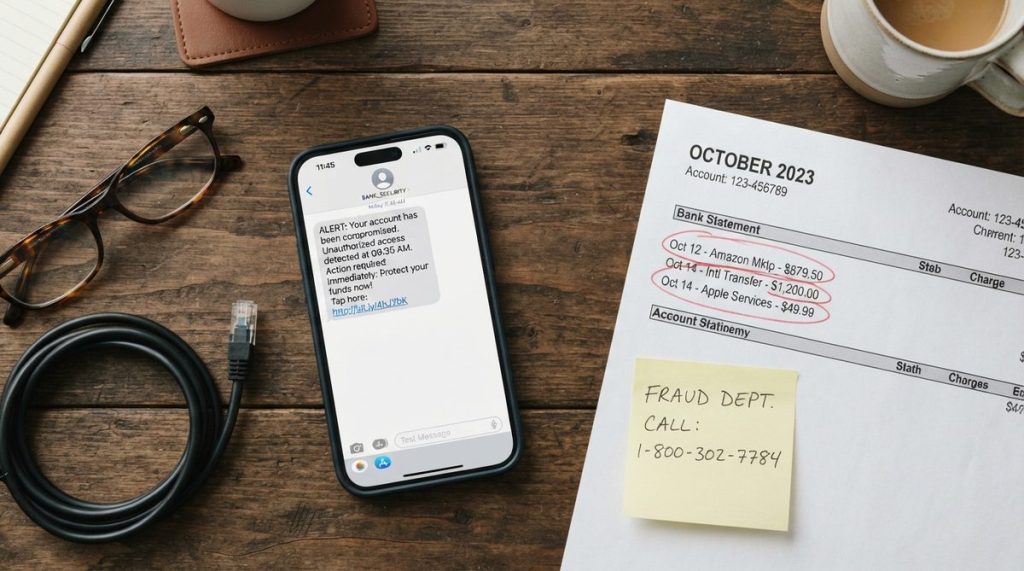
This might be the most dangerous myth on this list. In my 12 years of covering consumer tech, I’ve watched online scams evolve from obvious Nigerian prince emails into sophisticated operations that fool even tech-savvy professionals. And the data on who gets targeted is sobering.
The FBI’s Internet Crime Complaint Center (IC3) reported that in 2024, Americans over 60 lost more than $3.4 billion to online fraud — a 24% increase from the previous year. That figure only accounts for reported losses. The actual number is estimated to be significantly higher because many victims never report the crime out of embarrassment.
Why “I’m Careful” Isn’t Enough Anymore
Modern scams don’t require you to click a suspicious link or visit a shady website. Here are the methods that are actually draining retirement accounts right now:
- Tech support scams: A pop-up appears on your screen claiming your computer is infected. You call the number displayed, and a convincing “Microsoft technician” asks for remote access to your machine — and your credit card.
- Grandparent scams powered by AI: Scammers now use artificial intelligence to clone a family member’s voice from social media clips. They call pretending to be your grandchild in an emergency, begging you to wire money immediately.
- Healthcare fraud: Fake calls or emails claim to be from Medicare, requesting your Social Security number to “update your records” or ship you a new card.
- Romance scams: Long-running emotional manipulation on dating sites or social media, where the scammer builds trust over weeks or months before requesting money.
- Investment scams via social media: Fake cryptocurrency or “guaranteed return” opportunities promoted through Facebook groups or YouTube ads, specifically targeting retirees with savings.
The FTC’s consumer advice portal is one of the best free resources for staying current on the latest scam tactics. I recommend bookmarking it and checking it monthly. And for a deeper dive specific to the scams we’re seeing right now, take a look at 7 Online Scam Myths Older Adults Still Believe in 2025.
The One Rule That Stops Most Scams
Here’s what I tell every reader: if anyone contacts you and creates a sense of urgency — “act now,” “don’t tell anyone,” “your account will be closed” — that urgency itself is the red flag. Legitimate organizations, whether it’s your bank, the IRS, or Medicare, will never pressure you to act immediately over the phone or through a pop-up. Hang up. Close the browser. Call the organization directly using the number on your card or their official website.
Myth 4: “Wearable Tech Is Only for Fitness Buffs”
When most people over 50 think of wearable technology, they picture a twenty-something tracking their marathon splits. But wearable devices have quietly become some of the most important health monitoring tools available — and they’re saving lives in ways that go far beyond step counting.
The Apple Watch Series 10 and Samsung Galaxy Watch 7 can now perform on-wrist electrocardiograms (ECGs), detect irregular heart rhythms like atrial fibrillation, measure blood oxygen levels, and automatically detect hard falls. When a fall is detected and the wearer doesn’t respond within 60 seconds, the watch automatically calls emergency services and shares the wearer’s GPS location.
A 2024 study published in the Journal of the American Heart Association found that consumer wearable devices correctly identified atrial fibrillation with 94% accuracy. Afib, which affects roughly 6 million Americans — most of them over 65 — is a leading cause of stroke. Early detection is often the difference between a manageable condition and a catastrophic event.
Medical Alert Devices Have Evolved Too
Traditional medical alert pendants still exist, but the technology has improved dramatically. Modern devices from companies like Medical Guardian and Bay Alarm Medical now include GPS tracking, two-way communication, and automatic fall detection — and many look like ordinary watches or small pendants rather than medical equipment. Monthly costs typically range from $20 to $50, which is a fraction of what a single emergency room visit costs.
Consumer Reports publishes regularly updated ratings on medical alert systems, and their testing methodology is rigorous. If you’re evaluating options, it’s one of the most trustworthy starting points.

Myth 5: “Virtual Reality Is Just for Video Games”
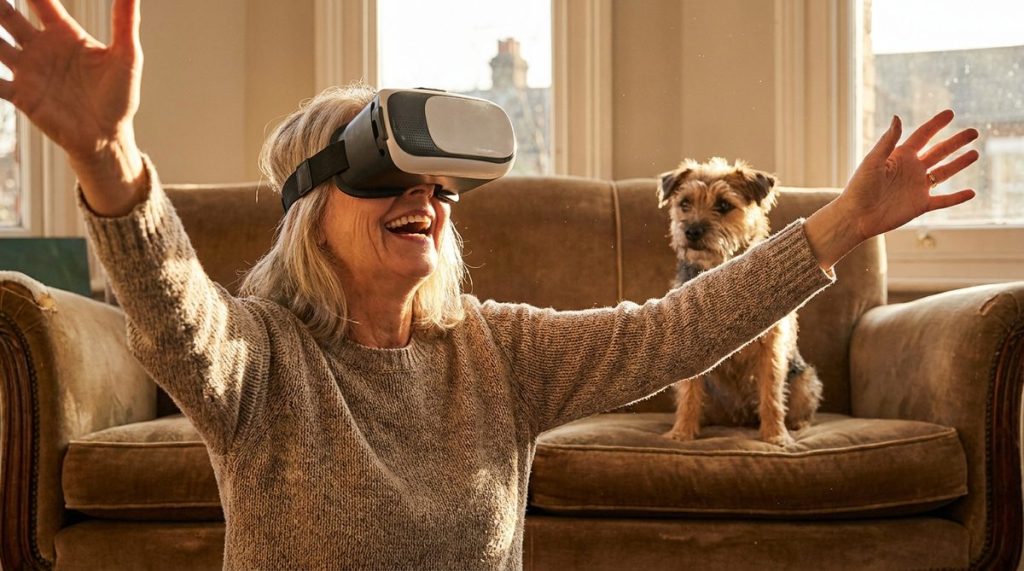
I’ll admit — even I was skeptical about this one until I started reporting on it three years ago. Virtual reality headsets like the Meta Quest 3 are being used in senior living communities and research programs across the country to combat one of the most serious health threats facing older adults: social isolation.
The National Academies of Sciences, Engineering, and Medicine has classified social isolation among older adults as a public health crisis, linking it to a 50% increased risk of dementia and a 29% increased risk of heart disease. VR programs like Rendever, which is deployed in over 500 senior living communities, allow users to virtually travel to places they’ve always wanted to visit, revisit childhood neighborhoods via Google Earth, or attend live events with other users from around the world.
A 2024 pilot study from MIT’s AgeLab found that older adults who used VR social programs three times per week for eight weeks reported a 40% reduction in feelings of loneliness. That’s a measurable improvement that rivals some pharmaceutical interventions for depression — with zero side effects.
The Cost Has Dropped Dramatically
The Meta Quest 3S, released in late 2024, starts at $299 — less than half the cost of VR headsets just three years ago. Setup requires no external computer and no wires. I’ve watched 80-year-olds put one on for the first time and be navigating virtual Paris within 15 minutes. The learning curve is genuinely small.
Myth 6: “My Phone Is Listening to Me, So Privacy Is Impossible”
This belief is everywhere, and I understand why it feels true. You mention a product in conversation, and suddenly you see an ad for it on your phone. It feels like surveillance. But the technical reality is more nuanced — and more manageable — than most people think.
Multiple independent investigations, including a 2024 analysis by Tom’s Guide, have confirmed that mainstream smartphones are not actively recording your conversations to serve ads. What’s actually happening is that advertising algorithms are extraordinarily good at predicting your interests based on your browsing history, location data, purchase patterns, and the behavior of people in your demographic.
The good news: you have far more control over your digital privacy than you realize. Here are concrete steps that take less than five minutes each:
- Review app permissions: Go to Settings > Privacy on your iPhone or Android device and revoke microphone, camera, and location access for any app that doesn’t genuinely need it.
- Turn off ad personalization: Both Apple (Settings > Privacy > Apple Advertising) and Google (myaccount.google.com > Data & Privacy) let you opt out of personalized ads.
- Use a password manager: Apps like 1Password or Bitwarden generate and store unique, strong passwords for every account. This single step eliminates the biggest vulnerability most people have online.
- Enable two-factor authentication: This adds a second verification step when you log in — usually a code sent to your phone. Even if someone steals your password, they can’t access your account without that code.
The Cybersecurity & Infrastructure Security Agency (CISA) offers free, plain-language guides on all of these steps. Their resources are designed for general audiences, not IT professionals.
Myth 7: “Technology Replaces Human Connection”
This is perhaps the most persistent myth I encounter, and it’s worth addressing directly. Technology, when used intentionally, doesn’t replace human connection — it amplifies it.
Video calling platforms like FaceTime and Zoom allow grandparents to read bedtime stories to grandchildren across the country. Shared photo albums on Google Photos or Apple’s iCloud let families stay connected through daily moments without requiring anyone to post on social media. Group texting threads have become the modern equivalent of the family phone tree.
The AARP’s 2024 data showed that 82% of adults over 50 who regularly use video calling reported feeling closer to family members who live far away. Technology didn’t create the distance — geography did. But technology can bridge it in ways that a weekly phone call alone cannot.
Where to Go From Here
If you’ve recognized yourself in any of these myths, you’re not alone — and you’re certainly not behind. Technology use among older adults is growing faster than any other demographic segment, and the tools available today are more accessible, more affordable, and more useful than at any point in history.
My advice after covering this space for over a decade: pick one thing. Not five. Not a complete smart home overhaul. One thing. Maybe it’s setting up a voice assistant in your kitchen. Maybe it’s finally getting a password manager. Maybe it’s trying a video call with a grandchild. Master that one thing, then build from there.
The myths will keep circulating. But the evidence is clear: embracing technology after 50 isn’t about keeping up with younger generations. It’s about maintaining your independence, protecting your finances, staying connected to people you love, and living on your own terms for as long as possible. That’s not a tech trend. That’s a quality-of-life decision.
Frequently Asked Questions
What is the easiest smart home device for an older adult to start with?
A smart speaker like the Amazon Echo or Google Nest Home is widely considered the easiest entry point. Setup takes about 10 minutes, and you interact with it entirely by voice — no touchscreen or app navigation required. You can use it to set medication reminders, make hands-free phone calls, hear the news, and control other smart devices as you add them.
Are online scams really that common for people over 60?
Yes. The FBI's 2024 Internet Crime Report showed that Americans over 60 lost more than $3.4 billion to online fraud that year alone, a 24% increase from 2023. Tech support scams, AI-powered voice cloning scams, and healthcare fraud are the fastest-growing categories. The FTC recommends treating any unsolicited contact that creates urgency as a potential scam.
Can a smartwatch really detect a medical emergency?
Current-generation smartwatches like the Apple Watch Series 10 and Samsung Galaxy Watch 7 can detect atrial fibrillation, measure blood oxygen levels, perform basic ECGs, and automatically detect hard falls. If a fall is detected and you don't respond within 60 seconds, the watch calls emergency services and shares your GPS location. Studies show 94% accuracy for AFib detection.
How much does it cost to set up basic smart home technology for aging in place?
A practical smart home setup including a voice assistant, smart locks, motion-sensor lighting, a video doorbell, and a medical alert device can be assembled for under $500 total. Monthly costs for medical alert monitoring typically range from $20 to $50. Compared to the national average of $64,200 per year for assisted living, smart home technology is a highly cost-effective alternative for many older adults.
About Alex Rivera, 12+ Years in Consumer Tech Reporting
Alex Rivera is a senior technology journalist with over 12 years of experience making technology accessible to everyday readers. He has covered consumer electronics, smartphones, smart home devices, streaming platforms, and digital privacy for major publications. At Daily Trends Now, Alex focuses on the tech that matters most to American adults — from choosing the right phone plan to protecting your data online. His reviews and guides cut through the jargon to help readers make confident technology decisions.