

Key Takeaways
- Older Americans lost a record $4.8 billion to fraud in 2024, a 43% increase from the prior year, making digital protection tools essential.
- Call-blocking apps, password managers, and credit-monitoring services form a powerful first line of defense against the most common scams targeting seniors.
- AI-powered scam detection is now built into many smartphones and email platforms, offering real-time protection that didn't exist even two years ago.
- Combining digital tools with informed skepticism and family communication creates the strongest possible shield against financial exploitation.
The Scam Crisis Targeting Older Americans Is Getting Worse
The numbers are staggering and getting harder to ignore. According to the FBI’s Internet Crime Complaint Center, Americans over 60 lost $4.8 billion to fraud in 2024 — a 43% jump from the previous year. That figure doesn’t even account for the countless victims who never report their losses out of embarrassment or confusion.
In my 12 years covering consumer technology, I’ve never seen the threat landscape shift as rapidly as it has in the past 18 months. AI-generated voice clones, sophisticated romance scams, and hyper-realistic phishing emails have made it harder than ever for anyone — not just older adults — to distinguish real from fake. Just this year, federal agents busted a romance scam ring that bilked elderly victims out of $15 million by building months-long fake relationships online.
But here’s what I tell my readers constantly: the same technology that scammers weaponize can also be your best defense. Below are seven digital tools to protect older adults from financial exploitation, identity theft, and online fraud — each one practical, affordable, and well within reach of anyone willing to spend a few minutes setting them up.
1. Call-Blocking and Scam-Identification Apps
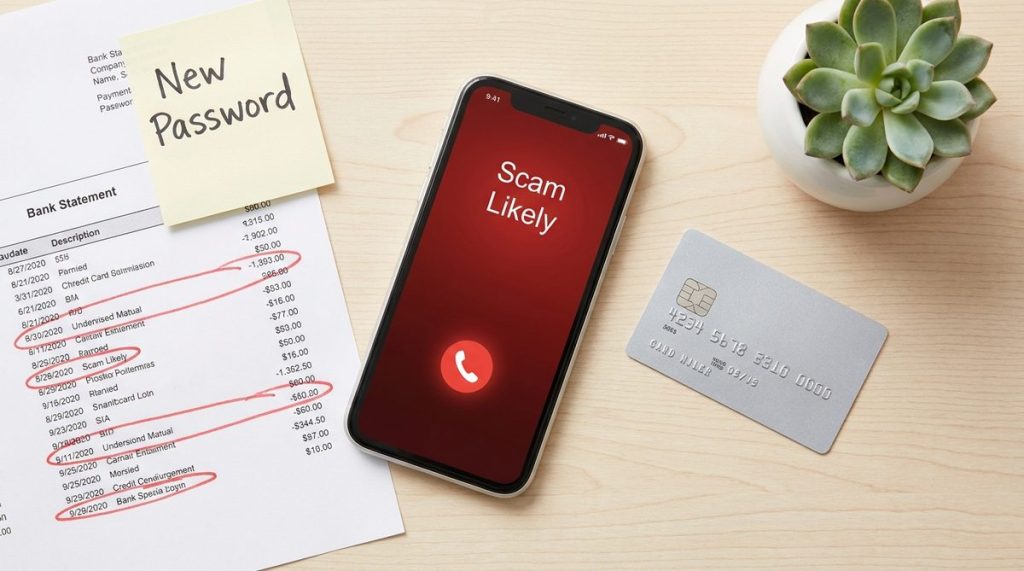
Phone calls remain the single most common channel scammers use to reach older adults. The FTC reports that phone-based fraud — including impersonation of government agencies, fake tech support, and prize scams — accounted for over $1.3 billion in reported losses in 2024 alone.
Apps like Truecaller, Hiya, and the built-in “Silence Unknown Callers” feature on iPhones (and Google’s Call Screen on Pixel devices) can intercept suspicious calls before they ever ring through. What I see most often is that people don’t realize these tools are already on their phones — they just need to be activated.
How to Get Started
- On iPhone: Go to Settings → Phone → Silence Unknown Callers and toggle it on.
- On Android: Open the Phone app → Settings → Caller ID & Spam → toggle on “Filter spam calls.”
- For extra protection, download Truecaller (free tier available) to identify and block known scam numbers from a database of over 2 billion entries.
These tools won’t catch every fraudulent call, but they dramatically reduce the volume of junk that reaches you — and that alone removes most of the pressure scammers rely on.
2. Password Managers That Eliminate Weak Passwords
Reused and weak passwords are the unlocked front doors of the digital world. A 2024 study by NordPass found that “123456” was still the most common password globally, and adults over 55 were the demographic least likely to use a password manager.
A password manager like 1Password, Bitwarden (free), or the built-in Apple Passwords app creates, stores, and auto-fills complex passwords for every site you use. You only need to remember one master password. That’s it.
Why This Matters for Fraud Prevention
When scammers breach one website’s database — say, a retailer you bought a gift from three years ago — they try that same email-and-password combination on your bank, your email, and your social media. If you reused the password, they’re in. A password manager makes every login unique, which stops credential-stuffing attacks cold.
I often recommend Bitwarden to readers on a budget because its free tier is genuinely robust, and it works across iPhones, Android devices, and desktop browsers without friction. For those deeper into the Apple ecosystem, the native Passwords app introduced in iOS 18 is surprisingly capable and requires zero additional downloads.

3. Credit Monitoring and Fraud Alert Services
Financial scams don’t always happen in real time. Sometimes a scammer opens a credit card in your name months after stealing your Social Security number from a data breach. Credit monitoring catches these moves early — often before you’d notice on a paper statement.
| Service | Monthly Cost | Credit Bureaus Monitored | Key Features |
|---|---|---|---|
| Credit Karma | Free | TransUnion, Equifax | Score tracking, dark web monitoring (limited) |
| AARP Identity Theft Protection | $8/month (member price) | All three bureaus | $1M insurance, lost wallet assistance |
| IdentityForce by TransUnion | $17.99/month | All three bureaus | Full dark web surveillance, social media monitoring |
| Experian IdentityWorks | $24.99/month | All three bureaus | Credit lock, identity restoration specialists |
| Free Credit Freeze | Free | All three (manual setup) | Prevents new accounts from being opened entirely |
My top recommendation for most readers over 50? Start with a free credit freeze at all three bureaus (Equifax, Experian, TransUnion) — it costs nothing and prevents anyone from opening new credit in your name. Then layer on Credit Karma for ongoing visibility. If you want the peace of mind of insurance and restoration support, the AARP plan is competitively priced, especially for existing members.
Protecting your finances also means understanding the broader retirement landscape. If you’re navigating Social Security decisions alongside digital security, it’s worth reading about Social Security COLA myths that could cost retirees in 2027 — because financial vulnerability goes beyond just scams.
4. Email Filtering and Phishing Detection Tools
Phishing emails have evolved far beyond the “Nigerian prince” era. Today’s phishing messages mimic Amazon order confirmations, Medicare notices, and bank security alerts with pixel-perfect accuracy. In 2024, the Anti-Phishing Working Group recorded over 4.1 million phishing attacks globally — a record.
Gmail, Outlook, and Yahoo Mail all include built-in phishing detection that’s improved dramatically with AI. But you can add another layer of protection:
- Gmail: Google’s AI-powered filters now block over 99.9% of spam and phishing. Ensure “Enhanced Safe Browsing” is turned on in your Google Account security settings.
- Outlook: Microsoft Defender SmartScreen checks links in real time and warns you before you click dangerous URLs.
- Browser extension — Bitdefender TrafficLight: A free browser plugin that scans every link you encounter and flags known phishing sites with a red warning overlay.
The single best habit I can recommend? Never click a link in an email that asks you to “verify your account” or “update your payment.” Instead, open your browser, type the company’s web address manually, and log in directly. This one behavior defeats the vast majority of phishing attacks.
5. AI-Powered Scam Detection Built Into Your Phone
This is the category that’s changed the most in the past year, and it’s where I’m most optimistic about the future of digital tools to protect older adults. Both Apple and Google have rolled out on-device AI that analyzes calls, texts, and even FaceTime interactions for signs of fraud — all without sending your data to external servers.
What’s Available Right Now
Google’s Gemini Nano AI, available on Pixel 9 and newer devices, can listen to a phone call in real time and flash a warning on screen if the caller uses language patterns associated with scams — phrases like “don’t tell your family,” “wire transfer only,” or “IRS arrest warrant.” Apple introduced a similar Communication Safety feature in iOS 18.3 that flags suspicious content in Messages.
According to Tom’s Guide, these AI-driven protections detected and flagged scam calls with over 90% accuracy in controlled testing during early 2025. The technology isn’t perfect, but it’s a genuine leap forward — especially for users who might not recognize high-pressure manipulation tactics in the moment.
If you’re considering upgrading your phone specifically for better security features, look for devices released in 2025 or later with on-device AI processing. The investment in a modern smartphone is also an investment in safety, much like the investments you make in aging in place — upfront costs that pay dividends in independence and peace of mind.
6. Secure Banking Apps With Real-Time Transaction Alerts
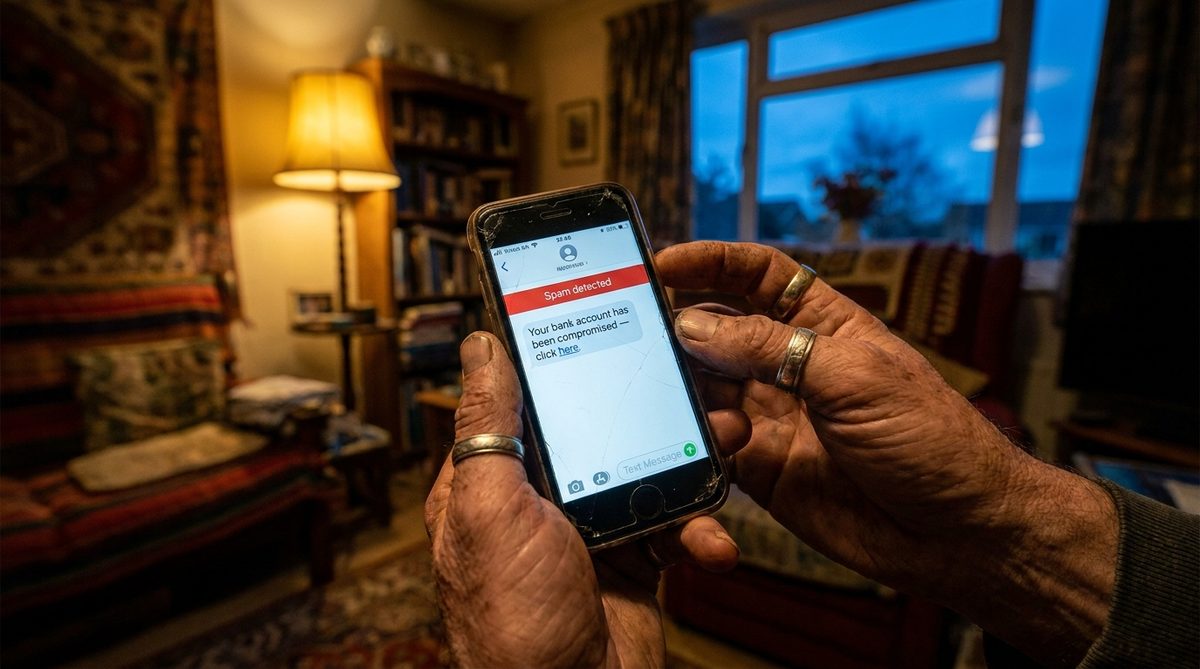
Most major banks now offer mobile apps with instant push notifications every time money moves in or out of your account. This sounds simple, but in my experience, real-time alerts are the single fastest way to catch unauthorized transactions — often within minutes, not days or weeks.
Features to Activate Today
- Transaction alerts: Set notifications for any purchase over $1 (yes, one dollar — scammers often test stolen cards with micro-charges first).
- Card lock/unlock: Chase, Bank of America, Capital One, and most credit unions let you instantly freeze your debit or credit card from the app if you suspect fraud.
- Biometric login: Use Face ID, fingerprint, or iris scanning instead of a PIN. Biometrics can’t be guessed, phished, or shoulder-surfed at the grocery store.
- Zelle and Venmo controls: Set transfer limits or disable peer-to-peer payments entirely if you don’t use them. Scammers increasingly pressure victims into sending money via Zelle because those transactions are nearly irreversible.
If your bank doesn’t offer these features, that’s a legitimate reason to consider switching. Community banks and credit unions have made enormous strides in app quality since 2023, and the security gap between large and small institutions has narrowed significantly.
7. Trusted Contact and Digital Power of Attorney Tools
Here’s a tool most people don’t know exists: FINRA (the Financial Industry Regulatory Authority) requires brokerage firms to let you designate a “trusted contact” — someone the firm can reach out to if they suspect you’re being exploited or if there’s a concern about your cognitive health. This isn’t a power of attorney; the trusted contact can’t make transactions. They’re simply an emergency check-in person.
Beyond brokerage accounts, both Apple and Google offer digital legacy and account recovery features:
- Apple Legacy Contact: Designate someone who can access your Apple account data if you pass away or become incapacitated. Found in Settings → Apple ID → Legacy Contact.
- Google Inactive Account Manager: Choose what happens to your Gmail, Photos, and Drive after a period of inactivity — and who gets notified.
- Bank-level trusted contacts: Ask your bank about adding a trusted contact to your checking and savings accounts. Many now offer this voluntarily.
I recommend having a direct conversation with your adult children, a trusted friend, or your attorney about who should fill these roles. It’s one of the most important conversations for anyone planning to age well in their 60s, 70s, and beyond — because financial health and physical health are inseparable.
Putting It All Together: A Layered Defense
No single tool stops every scam. What works is layering multiple protections so that if one fails, another catches the threat. Think of it like home security: a locked door is good, but a locked door plus a deadbolt plus motion-sensor lights plus a security camera is dramatically better.
Here’s what a strong digital defense stack looks like in practice:
- Call-blocking app catches the robocall before it rings.
- Email filters quarantine the phishing message before you see it.
- Password manager ensures a single breach doesn’t cascade across your accounts.
- Credit freeze prevents identity thieves from opening new accounts.
- Real-time bank alerts catch unauthorized charges within minutes.
- AI scam detection warns you during a live call if something sounds suspicious.
- Trusted contacts provide a human safety net when technology alone isn’t enough.
The Cybersecurity and Infrastructure Security Agency (CISA) calls this a “defense in depth” approach, and it’s the same philosophy used to protect critical infrastructure. You deserve that same level of protection for your retirement savings.
The Bottom Line: Technology Is Your Ally, Not Your Enemy
I understand the instinct to pull away from technology when the headlines are full of scam stories. But disconnecting doesn’t make you safer — it makes you less informed and more isolated, which is exactly what scammers exploit. The older adults I’ve interviewed who navigate the digital world most confidently aren’t the ones who avoid technology. They’re the ones who learn just enough to use these digital tools to protect older adults from the threats that are, frankly, not going away.
Set aside 30 minutes this weekend. Pick two tools from this list and set them up. That half-hour investment could save you thousands of dollars — and the emotional toll of being victimized, which every fraud expert I’ve spoken to says is far worse than the financial loss.
You’ve spent decades building your financial security. These seven tools help you keep it.
Frequently Asked Questions
What is the most common scam targeting older adults right now?
According to the FBI's 2024 Internet Crime Report, investment fraud and tech support scams are the two costliest categories for Americans over 60, combining for over $2.5 billion in losses. Romance scams, while lower in total dollar volume, tend to cause the highest individual losses — with some victims losing their entire retirement savings to a single scammer.
Are free scam-protection tools as effective as paid ones?
In many cases, yes. Free tools like Google's built-in call screening, Apple's spam detection, Bitwarden password manager, and Credit Karma monitoring provide strong baseline protection. Paid services add extras like identity theft insurance, credit restoration assistance, and monitoring across all three credit bureaus — but the free tier covers the most critical vulnerabilities for most people.
How do I know if a phone call is a scam?
Watch for high-pressure tactics, demands for immediate payment (especially via gift cards, wire transfers, or cryptocurrency), threats of arrest or legal action, and callers who insist you stay on the line and not contact family members. Legitimate organizations — including the IRS, Social Security Administration, and your bank — will never demand payment over the phone or threaten arrest.
Should I freeze my credit even if I haven't been scammed?
Absolutely. A credit freeze is free at all three major bureaus (Equifax, Experian, TransUnion), takes about 10 minutes per bureau to set up online, and prevents anyone — including scammers — from opening new credit accounts in your name. You can temporarily lift the freeze whenever you need to apply for credit. It's one of the most effective and underused fraud prevention tools available.
Can AI really detect scam calls in real time?
Yes, though the technology is still maturing. Google's Gemini Nano AI on Pixel 9 and newer phones analyzes conversational patterns during live calls and displays on-screen warnings when it detects manipulation tactics commonly associated with fraud. Early testing shows accuracy above 90%, and the feature processes everything on-device, meaning your call audio is not sent to Google's servers or stored externally.
About Alex Rivera, 12+ Years in Consumer Tech Reporting
Alex Rivera is a senior technology journalist with over 12 years of experience making technology accessible to everyday readers. He has covered consumer electronics, smartphones, smart home devices, streaming platforms, and digital privacy for major publications. At Daily Trends Now, Alex focuses on the tech that matters most to American adults — from choosing the right phone plan to protecting your data online. His reviews and guides cut through the jargon to help readers make confident technology decisions.