

Why Online Scams Targeting Older Adults Are Surging
In 2024, Americans over 60 lost more than $4.8 billion to online fraud — a staggering 43 percent increase from the year before, according to the FBI’s Internet Crime Complaint Center. That figure isn’t just a statistic to me. In my 12 years covering consumer technology, I’ve interviewed hundreds of older adults who’ve been victimized, and the emotional toll is often worse than the financial hit.
The reason scammers target people over 50 is painfully simple: older adults tend to have more savings, own their homes, and — most critically — are often less familiar with the digital tricks that younger users learned to spot growing up online. But here’s the good news: you don’t need to become a cybersecurity expert to protect yourself. You just need a handful of practical habits.
What follows are seven concrete, actionable ways to protect seniors from online scams — whether you’re safeguarding yourself or helping a parent or grandparent stay safe. Each one is something I’ve seen make a real difference.
1. Learn the Five Most Common Scam Types Right Now
You can’t dodge what you don’t recognize. The scams targeting older adults in 2025 look very different from the Nigerian prince emails of 2005. Today’s fraud is polished, personalized, and often terrifyingly convincing.
The Scams You Need to Know
- Tech support scams: A pop-up warns your computer is “infected” and urges you to call a number. The person on the line asks for remote access or payment. Microsoft, Apple, and Google will never do this.
- Romance scams: A new online “friend” or love interest builds trust over weeks, then asks for money. The FBI reports romance scams cost victims over 60 more than $450 million in 2024 alone.
- Government impersonation: Calls or emails pretending to be from the IRS, Social Security Administration, or Medicare, demanding immediate payment or personal information.
- Grandparent scams: A frantic caller claims to be your grandchild in trouble — arrested, in an accident — and begs you to wire money immediately. AI-generated voice cloning has made these alarmingly realistic.
- Phishing emails and texts: Messages disguised as Amazon order confirmations, bank alerts, or package-delivery notices that include malicious links designed to steal your login credentials.
I often tell my readers: if a message triggers urgency, fear, or excitement, that emotional pressure is itself the biggest red flag. Legitimate organizations give you time to verify. For a deeper dive into financial threats facing retirees, take a look at Retirees Depleting Savings: 8 Steps to Protect Your Money.
“Scammers don’t hack computers — they hack emotions. The moment you feel rushed, panicked, or flattered by a stranger online, that’s your cue to slow down and verify.”
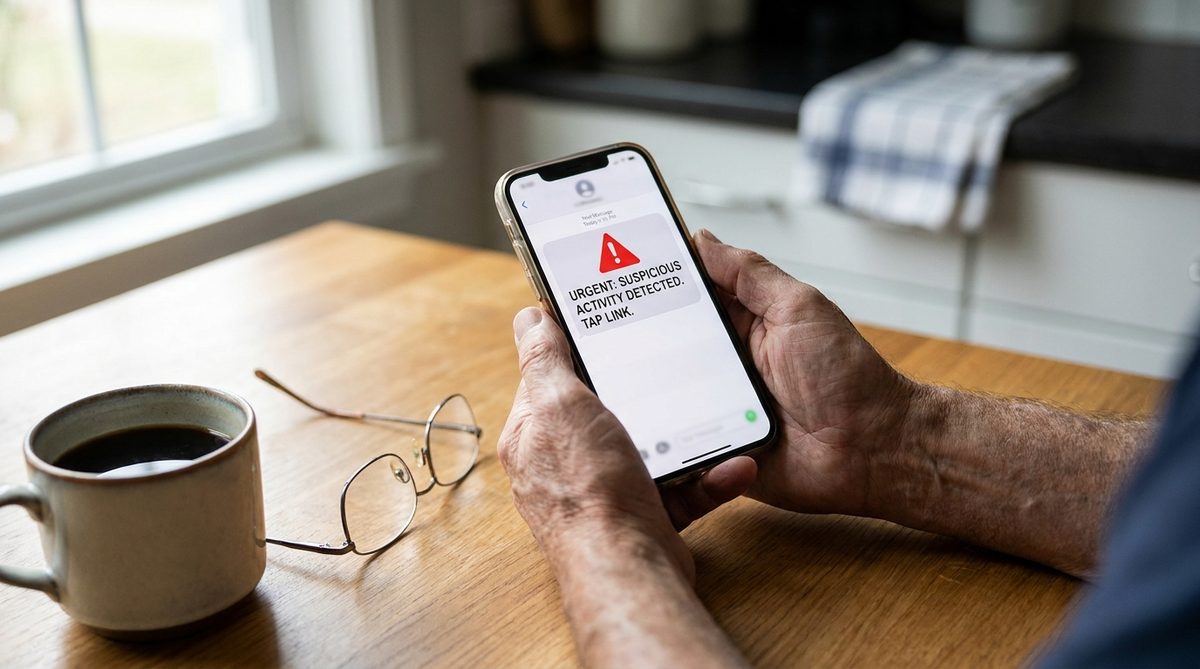
2. Set Up a Password Manager (It’s Easier Than You Think)
Weak, reused passwords are the single biggest vulnerability I see among older adults. A 2024 survey by Consumer Reports found that 62 percent of Americans over 55 reuse the same password across five or more accounts. That means one breach — say, at a retailer you shopped with years ago — can cascade into access to your email, bank, and medical portals.
What a Password Manager Actually Does
A password manager is a secure digital vault that creates, stores, and auto-fills strong, unique passwords for every site you use. You only need to remember one master password. The rest is handled for you.
The options I recommend most for people who aren’t tech-savvy are 1Password (around $3/month) and Bitwarden (free tier available). Both have clear, large-text interfaces and excellent customer support. Apple’s built-in Keychain and Google Password Manager are also solid free choices if you’re already in those ecosystems.
Getting Started Without the Overwhelm
- Start by securing just your three most important accounts: email, primary bank, and your health insurance portal.
- Let the password manager generate a random password for each one — aim for 16 characters or more.
- Write your master password on paper and store it somewhere safe at home (not on your computer).
- Gradually add other accounts over the next few weeks. There’s no rush.
This single step eliminates the risk of password-reuse attacks, which account for an estimated 80 percent of data breaches according to the Verizon Data Breach Investigations Report.
3. Turn On Two-Factor Authentication Everywhere
If a password is the lock on your front door, two-factor authentication (2FA) is the deadbolt. Even if a scammer steals your password, 2FA requires a second verification — usually a six-digit code sent to your phone or generated by an app — before anyone can log in.
What I see most often is that people know 2FA exists but assume it’s complicated. It isn’t. Here’s the truth: enabling it takes about 90 seconds per account, and most major services walk you through it step by step.
Where to Enable 2FA First
- Your primary email account (Gmail, Outlook, Yahoo)
- Banking and financial apps
- Social media accounts (Facebook is a top target for account takeovers)
- Amazon, PayPal, and any shopping accounts with saved credit cards
For the most secure option, use an authenticator app like Google Authenticator or Microsoft Authenticator rather than SMS text codes. Text messages can be intercepted through a technique called SIM swapping. CISA (the Cybersecurity & Infrastructure Security Agency) strongly recommends authenticator apps as the preferred 2FA method for all consumers.
4. Install Call-Filtering and Text-Screening Tools
Phone-based scams remain the number-one attack vector against older adults. The phone rings, the caller ID says “Social Security Administration” or even your own area code, and a convincing voice starts an urgent script. In my experience covering this beat, robocall and vishing (voice phishing) scams are the hardest for people to resist because they exploit real-time social pressure.
Free Tools That Actually Work
Both major carriers and smartphone operating systems now offer built-in scam filtering:
- iPhone users: Go to Settings → Phone → Silence Unknown Callers. This sends any number not in your contacts straight to voicemail. Legitimate callers will leave a message.
- Android users: The Google Phone app has a built-in “Caller ID & spam” filter. Enable it under Settings → Caller ID & spam → toggle on “Filter spam calls.”
- Carrier tools: T-Mobile Scam Shield, AT&T ActiveArmor, and Verizon Call Filter are all free at the basic tier and automatically flag suspected scam calls.
- Third-party apps: Nomorobo and Hiya both offer strong scam-detection databases.
For text messages, report any suspicious text by forwarding it to 7726 (which spells SPAM on your keypad). This alerts your carrier to block the number for everyone. The FTC’s consumer advice portal also allows you to report scam texts and calls directly.
5. Create a “Verification Protocol” With Your Family
This is the tip I’m most passionate about, because it’s free, takes five minutes to set up, and stops grandparent scams cold.
Sit down with your immediate family and agree on a secret code word — something random that wouldn’t appear in social media posts or public records. “Pineapple lighthouse.” “Tuesday kangaroo.” Anything memorable but obscure. Then make a simple rule: if anyone in the family calls asking for money or claiming an emergency, the first question is always, “What’s our code word?”
Why This Matters More Now Than Ever
AI voice-cloning technology has advanced to the point where a scammer needs only three seconds of audio — pulled from a Facebook video, a voicemail greeting, or a TikTok clip — to generate a convincing imitation of a loved one’s voice. In 2024, the FTC documented a 300 percent rise in reports of AI-assisted impersonation scams compared to 2022.
A code word defeats this instantly. No AI model can guess a random phrase your family chose in private. I also recommend:
- Setting up a family group chat (WhatsApp, iMessage, or Signal) specifically for verifying unusual requests.
- Agreeing that no one in the family will ever request money via phone without a follow-up text or video call to confirm.
- Telling grandchildren to lock down their social media profiles so scammers can’t easily harvest voice clips or personal details.
Building a family safety net is part of a broader strategy for staying independent and secure. If you’re thinking about long-term planning for staying in your home, 7 Home Modifications for Aging in Place and What They Cost covers the physical side of that equation.
“A secret family code word is the single most effective, zero-cost defense against AI voice-cloning scams. Set one up today — it takes less time than making a cup of coffee.”
6. Lock Down Your Social Media Privacy Settings
Social media is a goldmine for scammers doing reconnaissance. Your birthday, your pet’s name, the high school you attended, your grandchildren’s names, your vacation photos — every detail you share publicly can be weaponized to craft a believable phishing message or guess your security questions.
A Quick Privacy Audit for Facebook
Facebook remains the most popular social platform among Americans over 50, with roughly 73 percent of U.S. adults aged 50–64 using it regularly, per Pew Research. Here’s how to tighten things up:
- Go to Settings → Privacy and change “Who can see your future posts?” to Friends (not Public).
- Under “How People Find and Contact You,” set “Who can look you up using the phone number/email you provided?” to Friends.
- Review your Friends list periodically. If you don’t recognize someone, remove them.
- Avoid Facebook quizzes (“What’s your rock star name?”) — these are often designed to harvest security-question answers like your mother’s maiden name, first pet, or street you grew up on.
The Same Principle Applies Everywhere
On Instagram, switch to a Private account unless you have a specific reason to be public. On LinkedIn, hide your email address and limit connection requests. On any platform, assume that anything marked “Public” will be seen by scammers — because it will be.
Staying tech-confident is part of living well as you age. For more on embracing a proactive approach to life after 50, check out 6 Pillars of a Healthier Age-Defying Lifestyle After 50.
7. Schedule a Monthly “Security Check-Up” (15 Minutes Max)
The biggest mistake I see people make is treating online safety as a one-and-done task. Scam tactics evolve monthly. Software gets updated. New vulnerabilities appear. The good news is that staying current doesn’t require hours of work — just a brief, consistent routine.
Your 15-Minute Monthly Checklist
- Check your bank and credit card statements for any charges you don’t recognize. Even small, unfamiliar amounts ($1–$5) can be “test charges” before a larger theft.
- Update your phone and computer operating systems. Those update notifications aren’t just annoying — they frequently patch critical security holes. In 2024, Apple released 18 emergency security patches, and Android issued 12 critical updates.
- Review your email’s “Sent” folder and login activity. If you see messages you didn’t send or logins from unfamiliar locations, change your password immediately.
- Check for data breaches involving your email at HaveIBeenPwned.com — a free, legitimate tool run by a respected security researcher. If your email appears in a breach, change that password right away.
- Read one scam-awareness article from a trusted source like AARP’s technology section or the FTC’s scam alerts page. Staying informed is your best long-term defense.
Put this on your calendar — the first Saturday of every month, right after your morning coffee. Fifteen minutes of prevention can save thousands of dollars and months of stress.
What to Do If You Think You’ve Been Scammed
Even the savviest people can be fooled. Modern scams are engineered by criminal organizations with professional-grade tools and scripts. If you suspect you’ve been targeted, don’t feel ashamed — act quickly instead.
Immediate Steps
- Stop all communication with the suspected scammer. Don’t reply to emails, texts, or calls.
- Contact your bank or credit card company immediately if you shared financial information or sent money. Many banks have fraud departments available 24/7, and quick action can sometimes recover funds.
- Change your passwords for any accounts that may have been compromised. Start with email, then banking, then everything else.
- File a report with the FTC at ReportFraud.ftc.gov and with the FBI’s Internet Crime Complaint Center at IC3.gov. These reports help law enforcement track and shut down scam operations.
- Place a fraud alert or credit freeze with the three major credit bureaus (Equifax, Experian, TransUnion). A credit freeze is free and prevents anyone from opening new accounts in your name.
- Tell someone you trust. A family member, a friend, your local police non-emergency line. Scammers thrive on silence and shame. Breaking that silence is the first step to recovery.
Empowerment Over Fear
I want to end with something I feel strongly about after more than a decade in this field: the goal of learning to protect seniors from online scams isn’t to make you afraid of technology. It’s the opposite. When you understand the threats and have practical defenses in place, you can use your smartphone, shop online, video-chat with grandkids, and explore the internet with genuine confidence.
Technology, used safely, is one of the most powerful tools for staying connected, independent, and engaged as you age. The seven strategies above aren’t about building walls — they’re about building the knowledge and habits that let you enjoy the digital world on your own terms.
If you found this guide helpful, consider sharing it with a friend or family member who might benefit. The best defense against scams isn’t any single app or gadget — it’s a community that looks out for each other.
Frequently Asked Questions
What is the most common online scam targeting seniors in 2025?
Tech support scams and phishing emails remain the most common. Pop-ups claiming your computer is infected or fake emails impersonating Amazon, banks, or government agencies trick victims into sharing personal information or sending money. The FBI reports that Americans over 60 lost more than $4.8 billion to online fraud in 2024.
How can I tell if a phone call is a scam?
Legitimate organizations — including the IRS, Social Security Administration, and your bank — will never call you demanding immediate payment, threatening arrest, or asking for gift card numbers. If a call creates urgency or panic, hang up and contact the organization directly using the phone number on their official website.
Is it safe for older adults to use online banking?
Yes, online banking is safe when you use strong, unique passwords combined with two-factor authentication. Most major banks employ military-grade encryption and 24/7 fraud monitoring. Using your bank's official app on an updated phone is actually safer than mailing paper checks, which can be intercepted and altered.
What should I do if I accidentally clicked a suspicious link?
Don't enter any personal information on the page that opened. Close the browser immediately, run a full antivirus scan on your device, and change the passwords for any accounts you were logged into. Monitor your bank statements closely for a few weeks, and consider placing a fraud alert with the credit bureaus if you entered any financial details.
About Alex Rivera, 12+ Years in Consumer Tech Reporting
Alex Rivera is a senior technology journalist with over 12 years of experience making technology accessible to everyday readers. He has covered consumer electronics, smartphones, smart home devices, streaming platforms, and digital privacy for major publications. At Daily Trends Now, Alex focuses on the tech that matters most to American adults — from choosing the right phone plan to protecting your data online. His reviews and guides cut through the jargon to help readers make confident technology decisions.